
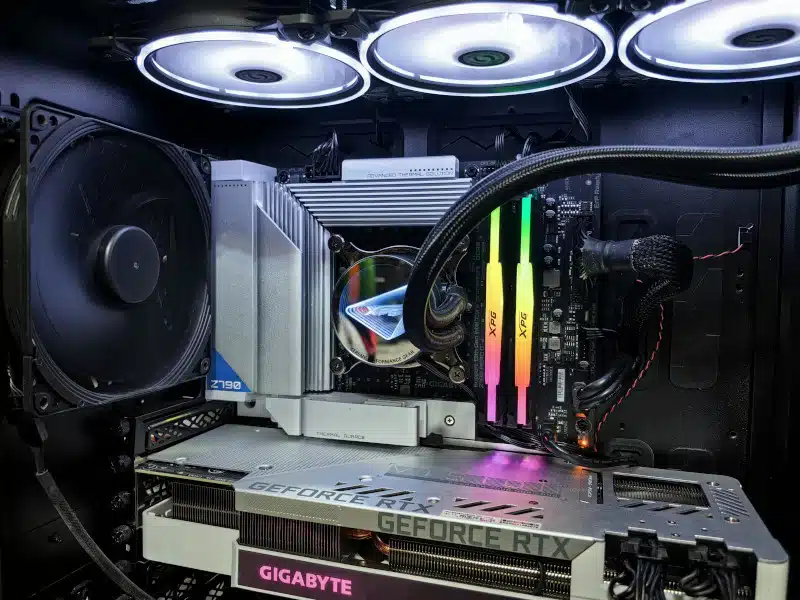
A CPU cooler upgrade service is one of the best ways to improve your computer’s thermal performance, gaming stability, and overall efficiency. When a processor runs too hot, it can throttle performance, create excessive fan noise, or even cause sudden shutdowns. Stock coolers often struggle to handle demanding workloads, especially during gaming, video editing, or multitasking.
Upgrading to a high-performance air cooler or liquid cooling system helps maintain lower CPU temperatures under load. As a result, your computer runs more quietly, more smoothly, and more reliably. Better cooling also helps extend your processor’s lifespan by reducing heat-related wear.
At PCMechanic Computer Repair in Davenport, FL, I provide professional CPU cooler upgrade services for gaming PCs, workstations, and everyday desktop systems. From compatibility checks to thermal paste application and airflow optimization, every installation is completed with precision to maximize cooling efficiency and long-term performance.
Signs You Need a CPU Cooler Upgrade
Your computer will often show warning signs before overheating becomes a major issue. Recognizing these symptoms early can help prevent performance problems or hardware damage.
CPU Temperatures Running Too High
High CPU temperatures are one of the most common signs that your current cooler is struggling. If your system overheats during gaming sessions, check out my article on CPU Overheating While Gaming. If your processor constantly reaches high temperatures during gaming or heavy workloads, your cooling system may no longer be sufficient.
Loud Fan Noise During Gaming
When a CPU overheats, system fans often spin at maximum speed to compensate. If your PC becomes unusually loud while gaming or multitasking, your cooler may be working too hard.
Thermal Throttling and Performance Drops
Modern processors automatically reduce speed when temperatures become excessive. This process, known as thermal throttling, can lower gaming frame rates and slow down demanding applications.
Random Shutdowns or Freezing
Overheating can cause instability, crashes, or sudden shutdowns. In severe cases, excess heat may even damage internal components over time.
Stock Cooler Limitations
Many aftermarket coolers improve overall airflow inside the case. Choosing the right enclosure also plays a major role in thermal performance, which I explain in my “Choosing The Right Gaming PC Case” article. However, gaming systems and high-performance processors often require stronger cooling solutions to maintain stable temperatures.
Benefits of Upgrading Your CPU Cooler
A CPU cooler upgrade service provides more than just lower temperatures. It can improve your entire computing experience.
Improved Gaming Performance
Lower CPU temperatures help prevent thermal throttling. As a result, your processor can maintain higher clock speeds during gaming sessions and demanding workloads.
Quieter System Operation
High-quality air coolers and AIO liquid coolers are specifically designed for quieter performance. Therefore, upgrading your cooler can significantly reduce distracting fan noise.
Better System Stability
Stable temperatures improve reliability during gaming, streaming, rendering, and multitasking. Better cooling also reduces the risk of crashes caused by overheating.
Longer CPU Lifespan
Excessive heat places stress on electronic components over time. By improving thermal management, you help protect your processor and motherboard from premature wear.
Improved Airflow and Heat Dissipation
Many aftermarket coolers improve overall airflow inside the case. Better airflow helps remove trapped heat and supports healthier operating temperatures for other components.
Air Cooling vs Liquid Cooling
Choosing the right cooling solution depends on your performance goals, budget, and case compatibility.
| Cooling Type | Noise Level | Cooling Performance | Maintenance | Best For | |
| Stock Cooler | Higher | Basic | Low | Everyday use | |
| Tower Air Cooler | Moderate | Strong | Low | Gaming PCs | |
| AIO Liquid Cooler | Lower | Excellent | Moderate | High-performance gaming |
Air Coolers
Tower air coolers offer strong cooling performance with simple maintenance. They are reliable, affordable, and ideal for many gaming PCs.
Liquid Cooling Systems
All-in-one liquid coolers provide exceptional thermal performance and quieter operation under heavy loads. They are especially useful for high-end gaming systems and overclocked CPUs.
If you are considering liquid cooling, check out my article on the Pros and Cons of All-in-One Liquid CPU Coolers for additional guidance.
The Benefits of Professional CPU Cooler Installation
Choosing a professional CPU cooler upgrade service ensures the installation is completed correctly. DIY installations can lead to uneven mounting pressure, poor thermal paste application, or airflow issues that negatively impact cooling performance.
Expert Compatibility Checks
Not every cooler fits every case or motherboard. Understanding motherboard sizing and layout is important, and it is covered in my Motherboard Form Factor guide. I carefully verify compatibility before installation to ensure proper clearance and airflow.
Proper Thermal Paste Application
Correct thermal paste application is critical for effective heat transfer. Applying too much or too little can negatively affect temperatures.
Airflow Optimization
Cooling performance depends heavily on airflow direction and fan placement. Therefore, I evaluate your case airflow and cable management to maximize cooling efficiency.
BIOS Fan Curve Adjustments
Fan curve optimization helps balance cooling performance and noise levels. Proper BIOS fan curve adjustments can significantly improve cooling efficiency. You can learn more in my BIOS Update article.
Post-Installation Stress Testing
After installation, I test your system under load to confirm stable temperatures and proper operation. If additional airflow improvements are needed, I will make further recommendations. Cooling issues can sometimes appear alongside power-related problems. If your PC crashes, shuts down, or becomes unstable under load, check out my Power Supply Failure article to learn about additional causes of system instability.
Professional CPU Cooler Upgrade Service in Davenport, FL
At PCMechanic Computer Repair in Davenport, FL, I provide professional CPU cooler upgrade services for gamers, creators, and everyday PC users. Whether you need a quiet air cooler, a compact, low-profile solution, or a high-performance liquid-cooling setup, I can help you choose the right option for your system and budget.
My CPU cooler upgrade service includes:
- Cooler compatibility verification
- Professional installation
- Thermal paste replacement
- Airflow optimization
- Cable management improvements
- Fan configuration adjustments
- Stress testing and temperature monitoring
I proudly serve customers in:
- Davenport
- Haines City
- ChampionsGate
- Kissimmee
- Lakeland
- Clermont
For additional performance improvements, you may also find these articles helpful:
- “CPU Overheating While Gaming”
- “Power Supply Failure”
- “Gaming PC Case Compatibility”
- “Motherboard Form Factor”
- “BIOS Update”
Experiencing overheating, loud fans, or thermal throttling during gaming? PCMechanic Computer Repair provides professional CPU cooler upgrade services in Davenport, FL, to improve cooling performance, reduce temperatures, and keep your gaming PC running smoothly.
Frequently Asked Questions
Is upgrading a CPU cooler worth it?
Yes. A better CPU cooler can reduce temperatures, improve gaming stability, lower fan noise, and help extend component lifespan.
Does a better CPU cooler improve gaming performance?
Improved cooling helps prevent thermal throttling, allowing your processor to maintain stronger performance during gaming sessions.
What is better for gaming, air cooling or liquid cooling?
Both can perform well. Air coolers are reliable and cost-effective, while liquid coolers often provide lower temperatures and quieter operation under heavy loads.
Can overheating damage a CPU?
Yes. Prolonged overheating can shorten component lifespans and cause system instability over time.
How often should thermal paste be replaced?
Thermal paste should generally be replaced every few years or whenever the cooler is removed for maintenance or upgrades.
For a cooler, quieter, and more efficient system, schedule your CPU cooler upgrade service today. PCMechanic Computer Repair in Davenport, FL, helps keep your gaming PC running at peak performance with professional cooling upgrades and expert installation.
Contact me today for CPU cooler upgrade service.
