
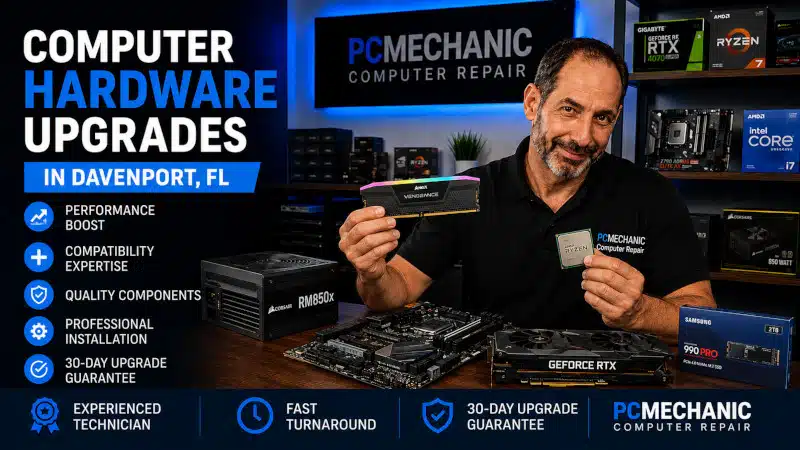
Computer Hardware Upgrades Davenport FL services can improve the speed, storage capacity, and everyday usability of an existing computer without requiring you to replace the entire system. Depending on your computer and how you use it, upgrading RAM, replacing an older hard drive with an SSD, or increasing storage capacity can provide a noticeable improvement.
However, not every computer needs the same upgrade. Compatibility, existing hardware, age, performance limitations, and the cost of the upgrade should all be considered before purchasing new components.
At PCMechanic Computer Repair in Davenport, FL, I evaluate your existing computer and help determine which hardware upgrades make practical sense. I can also professionally install compatible components and make sure the upgraded system operates correctly.
Should You Upgrade or Replace Your Computer?
A slow or aging computer doesn’t automatically need to be replaced.
In many cases, one or two carefully selected upgrades can extend the useful life of a desktop or laptop. However, upgrading isn’t always the best financial decision.
Before recommending an upgrade, I consider factors such as:
- Age of the computer
- Current processor
- Installed memory
- Existing storage
- Available upgrade options
- Hardware condition
- Windows compatibility
- How you use the computer
- Cost of the proposed upgrades
For example, adding memory or installing an SSD may provide excellent value on a computer that otherwise meets your needs. Conversely, investing heavily in a very old system with several limitations may not make financial sense.
The goal is to improve the computer where practical, not recommend hardware simply because an upgrade is technically possible.
Computer Hardware Upgrades Davenport FL Services
The right upgrade depends on what is limiting your computer.
Some customers need additional memory for multitasking. Others have older mechanical hard drives that make Windows and programs feel unnecessarily slow. In other situations, the customer simply needs more storage space.
I can evaluate the existing hardware before recommending a compatible upgrade.
RAM Memory Upgrades
RAM provides temporary working memory for Windows and your applications.
When a computer doesn’t have enough RAM, performance can suffer as more programs and browser tabs are opened. Heavy multitasking can make the problem particularly noticeable.
Possible symptoms of insufficient memory include:
- Slow performance with several programs open
- Delays when switching applications
- Reduced responsiveness during multitasking
- High memory usage
- Browser slowdown with many tabs
- Performance problems in memory-intensive applications
Adding RAM can improve multitasking when insufficient memory is actually the bottleneck.
However, memory upgrades require compatibility.
The computer may support a specific memory generation, form factor, capacity, and speed. Some laptops also have soldered memory or limited upgrade options.
Therefore, I recommend verifying compatibility before purchasing RAM rather than assuming any memory kit will work.
SSD Upgrades
Replacing an older mechanical hard drive with a solid-state drive is often one of the most noticeable upgrades available for an older computer.
Traditional hard drives rely on moving mechanical components. SSDs store data electronically and provide much faster access to Windows, applications, and files.
An SSD upgrade can improve:
- Windows startup time
- Program launch times
- File access
- System responsiveness
- Shutdown and restart times
- General everyday usability
An SSD doesn’t make the processor itself faster. Instead, it reduces the storage delays that can make an otherwise usable computer feel sluggish.
For many older computers, this can provide a substantial improvement without replacing the entire system.
Storage Capacity Upgrades
Sometimes performance isn’t the problem. You simply need more space.
Photos, videos, documents, applications, and other files can gradually consume available storage. A nearly full drive can also make managing the computer more difficult.
Depending on the system, I can help determine whether a larger internal SSD or another appropriate storage solution is a better fit.
Storage upgrades should consider both capacity and compatibility. The computer may use SATA, M.2, NVMe, or another storage interface, so the correct drive must match the hardware.
Hard Drive to SSD Upgrades
If your computer still uses a traditional mechanical hard drive as its primary Windows drive, upgrading to an SSD may significantly improve everyday responsiveness.
This type of upgrade can be particularly worthwhile when the processor and memory are still adequate for your needs.
However, the condition of the existing drive matters.
If a hard drive shows signs of physical failure, the situation should be handled differently from a routine performance upgrade. I don’t provide advanced data recovery from physically failed drives, so important data should be addressed before a deteriorating drive becomes unreadable.
When the existing drive remains readable and healthy enough to work with, I can evaluate options for migrating to faster storage.
Laptop Hardware Upgrades in Davenport, FL
Some laptop computers can be upgraded, although upgrade options vary significantly by model.
Common laptop upgrades may include:
- RAM
- SATA SSDs
- M.2 SSDs
- Larger-capacity storage
However, modern laptops increasingly use soldered components or designs that limit hardware replacement.
For example, RAM may be permanently attached to the motherboard. Some laptops provide one available memory slot, while others provide none.
Storage configurations also vary.
Before purchasing parts, I can help determine what the laptop supports and whether the proposed upgrade is worthwhile.
Can Laptop Upgrades Extend the Life of Your Computer?
Laptop upgrades can extend the useful life of a computer when the existing hardware still meets most of your needs. For example, additional RAM may improve multitasking when insufficient memory is the bottleneck, while an SSD can make an older laptop with a mechanical hard drive feel considerably more responsive.
However, not every laptop is a good candidate for an upgrade. Some models use soldered memory, limited storage configurations, or other designs that restrict upgrade options. The laptop’s age, processor, Windows compatibility, overall condition, and cost of the proposed upgrade should also factor into the decision.
Therefore, the goal isn’t simply to install newer hardware. A laptop upgrade should provide a practical improvement and make financial sense compared with replacing the computer.
Desktop Computer Hardware Upgrades in Davenport, FL
Desktop computers generally provide more upgrade flexibility than laptops.
Depending on the motherboard, case, power supply, and other hardware, desktops may allow upgrades to memory, storage, and other components.
However, compatibility still matters.
A component that physically appears to fit isn’t necessarily compatible with the motherboard or existing system configuration.
That’s why I recommend checking the entire computer rather than choosing a component based solely on a single specification.
Why Hardware Compatibility Matters
Compatibility is one of the most important parts of any computer hardware upgrade in Davenport, FL.
Computer components aren’t universally interchangeable.
For example, RAM must match the memory technology supported by the motherboard. An M.2 slot may support a particular type of drive. A desktop case may have physical limitations, and the motherboard may restrict certain upgrade options.
Several factors can affect compatibility:
- Motherboard model
- Processor platform
- RAM generation
- Available memory slots
- Maximum supported memory
- Storage interface
- Available M.2 slots
- Physical component dimensions
- BIOS support
- Power requirements
- Laptop design limitations
Checking compatibility before purchasing hardware can prevent unnecessary returns and wasted money.
Can More RAM Make My Computer Faster?
Sometimes.
Additional RAM can provide a significant improvement when the computer regularly runs short of available memory.
However, installing more RAM won’t solve every performance problem.
If the computer already has enough memory for its workload, increasing capacity may provide little noticeable improvement. Likewise, additional RAM won’t repair a failing hard drive, remove malware, fix Windows corruption, or overcome a severely outdated processor.
That’s why I prefer identifying the actual bottleneck before recommending an upgrade.
Will an SSD Make My Computer Faster?
An SSD can dramatically improve storage-related performance compared with a traditional mechanical hard drive.
Windows can start faster, programs can open more quickly, and the system can feel substantially more responsive.
However, an SSD cannot correct every limitation.
If the computer has an extremely slow processor, inadequate memory, software problems, or other hardware issues, storage may be only part of the problem.
The best results come from matching the upgrade to the actual cause of poor performance.
Computer Tune-Up or Hardware Upgrade?
A computer tune-up and a hardware upgrade address different types of performance problems.
A Computer Tune Up Davenport FL service focuses primarily on Windows performance, unnecessary startup activity, background programs, and other software-related issues.
A hardware upgrade addresses a physical limitation.
For example, reducing unnecessary background activity can help a computer use its existing memory more efficiently. However, if the computer genuinely doesn’t have enough RAM for the programs you use, additional memory may provide the better solution.
Similarly, Windows optimization can improve some software-related performance issues, but it cannot make a mechanical hard drive perform like an SSD.
In some situations, combining appropriate software optimization with a worthwhile hardware upgrade provides the best result.
When a Hardware Upgrade Won’t Solve the Problem
New hardware isn’t automatically the answer whenever a computer becomes slow.
Performance problems can also result from:
- Malware
- Windows corruption
- Failing hardware
- Software conflicts
- Excessive background activity
- Overheating
- Storage problems
- Other system faults
Installing additional RAM won’t remove malware. Likewise, installing an SSD won’t necessarily correct Windows corruption or another failing component.
If the symptoms suggest a software problem rather than a hardware limitation, another repair may be more appropriate.
For example, my Computer Virus Removal Service addresses malware-related problems, while my Windows Installation & Reinstallation Service is available when Windows issues require more extensive operating system work.
The important part is determining what the computer actually needs before spending money on upgrades.
Considering a RAM, SSD, or storage upgrade? Contact PCMechanic Computer Repair in Davenport, FL today to verify compatibility and determine which hardware upgrade will provide the most practical benefit for your computer.

Is It Worth Upgrading an Older Computer?
It depends on the computer.
Age alone doesn’t determine whether an upgrade makes sense.
An older PC with an adequate processor and otherwise healthy hardware may benefit substantially from additional RAM or an SSD. On the other hand, a system with several outdated components may not justify significant investment.
I consider the cost of the upgrade against the expected improvement.
If a relatively inexpensive upgrade can make the computer suitable for your needs for several more years, upgrading may provide excellent value.
However, if several expensive components would need to be replaced to achieve the desired result, it may make more sense to put that money toward another computer.
I will explain what I find so you can make an informed decision.
For a more detailed comparison, read my article “Repair or Upgrade Your Computer Instead of Replacing It.” It explains when repairs and upgrades make financial sense and when purchasing another computer may be the better decision.
Gaming PC Upgrades Are Different
Gaming PCs often require a different upgrade strategy from ordinary home and office computers.
Graphics card upgrades, CPU upgrades, cooling changes, power supply requirements, case airflow, and gaming performance goals introduce additional considerations.
For Gaming PC performance upgrades, my guide, Affordable Gaming PC Upgrades in Davenport, FL, covers that topic separately.
Keeping the two services distinct helps ensure that a customer looking for a straightforward RAM or SSD upgrade doesn’t have to navigate information intended primarily for Gaming PCs.
Can I Purchase My Own Upgrade Parts?
Yes. You can purchase compatible parts yourself and bring them with the computer for installation.
However, I strongly recommend verifying compatibility before ordering components.
RAM, SSDs, and other hardware can look similar while using different specifications. Purchasing the wrong component can result in unnecessary returns and delays.
If you’re uncertain about compatibility, I can evaluate the computer before you purchase the upgrade.
Professional Computer Hardware Upgrades in Davenport, FL
Proper installation involves more than physically placing a component into the computer.
Depending on the upgrade, the system may need to recognize and configure the new hardware correctly. Storage upgrades may also involve additional considerations when Windows or customer data is involved.
I can install compatible hardware and verify that the computer properly recognizes the upgraded component.
After installation, I check the system to ensure the upgrade is functioning as expected.
Why Choose PCMechanic for Computer Hardware Upgrades in Davenport, FL?
When you bring your computer to PCMechanic Computer Repair, you work directly with me.
I have provided computer repair services in Davenport, Florida, since 2012. Customers can arrange to drop off and pick up their computers at my home-based computer repair business.
During the upgrade process, I can evaluate your existing hardware, discuss realistic upgrade options, verify compatibility, and professionally install appropriate components.
More importantly, I won’t recommend an upgrade simply because a newer component exists.
The upgrade should provide a practical benefit for how you actually use the computer.
I also serve customers from ChampionsGate, Loughman, Haines City, Celebration, Clermont, Kissimmee, and nearby communities.
Frequently Asked Questions About Computer Hardware Upgrades
What computer hardware upgrades provide the biggest performance improvement?
It depends on the existing computer. Replacing a mechanical hard drive with an SSD can provide a major improvement in responsiveness. Additional RAM can also help when insufficient memory limits multitasking.
Can you upgrade the RAM in my computer?
Yes, when the computer supports replaceable or expandable memory. I can verify the type and capacity the computer supports before installation.
Can laptop RAM be upgraded?
Some laptops allow RAM upgrades, while others use memory soldered directly to the motherboard. The laptop model needs to be checked before assuming an upgrade is possible.
Can you replace my hard drive with an SSD?
Yes, when the computer supports an appropriate SSD and the existing storage situation allows the upgrade. The correct approach depends on the computer and the condition of the current drive.
Can you install an M.2 or NVMe SSD?
Yes, if the motherboard or laptop supports the appropriate M.2/NVMe storage configuration. Compatibility should be verified before purchasing the drive.
Should I add RAM or upgrade to an SSD first?
That depends on what’s limiting the computer. If the system regularly runs out of memory, additional RAM may help. If Windows is running from a mechanical hard drive, an SSD may provide a more noticeable improvement.
Can hardware upgrades fix a slow computer?
They can when hardware is the bottleneck. However, malware, Windows problems, failing components, and unnecessary background software can also cause slow performance.
Is upgrading an old computer worth it?
Sometimes. A reasonably priced RAM or SSD upgrade can extend the useful life of an otherwise adequate computer. However, heavily outdated systems may be better replaced rather than extensively upgraded.
Can I bring my own RAM or SSD for installation?
Yes. You can purchase your own compatible hardware and bring it with the computer. I recommend verifying compatibility before ordering the parts.
Do you upgrade Gaming PCs?
Yes. However, Gaming PC upgrades involve additional considerations for performance, power, cooling, and compatibility. I cover those upgrades separately in my Gaming PC upgrade content and services.
Schedule Computer Hardware Upgrades in Davenport, FL
You don’t always need to replace an entire computer to improve its performance or increase its storage.
The right RAM, SSD, or storage upgrade can extend the useful life of an existing PC and make everyday tasks more responsive. However, choosing compatible hardware and identifying the actual performance bottleneck are essential.
If you’re considering Computer Hardware Upgrades Davenport FL, contact PCMechanic Computer Repair. I can evaluate your computer, verify compatible upgrade options, professionally install the hardware, and help you determine whether upgrading makes sense for your system.