
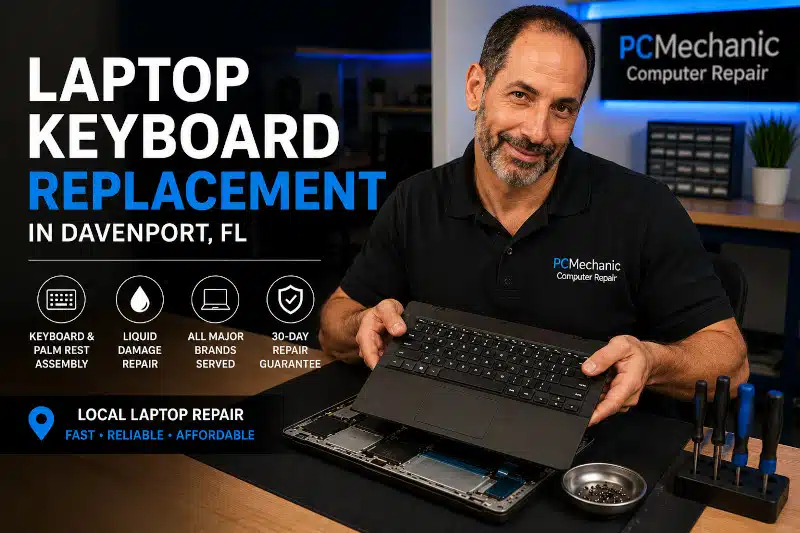
Laptop Keyboard Replacement in Davenport, FL is the solution when your laptop has unresponsive, damaged, or missing keys. Whether certain keys have stopped working, liquid has damaged the keyboard, or the palm rest is cracked, I provide professional laptop keyboard replacement for many popular laptop brands.
Unlike older laptops, many modern models no longer allow the keyboard to be replaced. Instead, manufacturers often integrate the keyboard into the upper case or palm rest assembly. As a result, replacing the complete assembly is usually the most reliable and long-lasting repair.
If your laptop keyboard is no longer working correctly, I can inspect your computer, identify the failed components, and recommend the most cost-effective solution.
Signs You May Need a Laptop Keyboard Replacement
Laptop keyboards can fail gradually or suddenly. Common signs include:
- Keys that do not respond
- Sticky or repeating keys
- Missing keycaps
- Cracked or broken palm rest
- Liquid damage: If a spill caused your keyboard to fail, my article on what to do after spilling liquid on your laptop explains the first steps to help reduce further damage.
- Keys typing the wrong characters
- Entire sections of the keyboard not working
- Keyboard backlight failure (on supported models)
Some keyboard problems result from software settings or driver issues. Therefore, I first perform diagnostic testing to determine whether the problem is hardware- or software-related before recommending a replacement.
Before You Schedule a Laptop Keyboard Replacement
Not every keyboard problem requires replacing the keyboard. Before scheduling a repair, try these simple troubleshooting steps:
- Restart your laptop. Temporary software glitches can occasionally prevent the keyboard from responding.
- Test an external USB keyboard. If an external keyboard works normally, the built-in keyboard may have a hardware problem.
- Check the Num Lock and Fn Lock keys. Some laptops change keyboard behavior when these features are enabled.
- Inspect Device Manager. A missing or malfunctioning keyboard driver can prevent proper operation.
- Enter the BIOS or UEFI setup. If the keyboard doesn’t work before Windows loads, the issue is more likely hardware-related.
If these steps don’t resolve the problem, I can diagnose your laptop to determine whether the issue is caused by the keyboard, Windows, the motherboard, or another component before recommending a repair.
Why Modern Laptop Keyboard Replacements Are More Complex
Many older laptops allowed technicians to remove and replace only the keyboard. Today, however, most manufacturers attach the keyboard permanently to the upper case or palm rest using plastic rivets.
Because of this design, the keyboard and palm rest are commonly sold as one complete assembly.
Replacing this assembly usually requires nearly complete disassembly of the laptop, including removal of the motherboard, battery, cooling system, speakers, display cables, and other internal components.
Although this repair requires more labor, installing the complete assembly restores both the keyboard and the palm rest to like-new condition.
While not every keyboard failure can be prevented, following a regular computer maintenance routine can help reduce dust buildup, improve cooling, and extend your laptop’s lifespan.
Laptop Brands I Service
I replace keyboards on many laptop brands, including:
- Acer
- ASUS
- Dell
- HP
- Lenovo
- MSI
- Samsung
- Toshiba
Replacement availability depends on your exact model number. If you’re requesting a quote, please include your laptop’s manufacturer and model number so I can verify parts availability before scheduling your repair.
What to Know Before Bringing in Your Laptop
To help speed up your repair, please have the following information available when you contact me:
- The laptop manufacturer (Dell, HP, Lenovo, ASUS, Acer, etc.)
- The complete model number
- A description of the keyboard problem
- Whether the laptop has been exposed to liquid
- Whether any repair attempts have already been made
Because replacement keyboard assemblies vary by model, I verify part availability before scheduling your repair.
Note: I repair laptops using commercially available replacement keyboard assemblies. If replacement parts are no longer manufactured or cannot be sourced, I will let you know during the diagnostic process and discuss your options.
Common Causes of Keyboard Failure
Laptop keyboards can fail for several reasons, including:
Liquid Damage
Coffee, soda, water, and other liquids can short the keyboard circuitry or cause corrosion.
Physical Damage
Dropped laptops, cracked palm rests, and broken keycaps often require replacing the entire keyboard assembly.
Normal Wear
After years of daily use, keyboard membranes and switches can wear out, causing intermittent or failed keys.
Manufacturing Design
Some laptop models are more susceptible to keyboard failures because of their ultra-thin construction or integrated design.
Some keyboard failures are part of larger hardware problems. Learn about other common issues in my article, My Computer Broke—What to Do Next.
My Diagnostic Process
Before replacing any parts, I perform diagnostic testing to determine the actual cause of the problem.
This includes checking:
- Windows keyboard settings
- Device Manager
- Keyboard drivers
- BIOS functionality
- External USB keyboard operation
- Physical keyboard condition
If the issue turns out to be software-related, a keyboard replacement may not be necessary. In many cases, a general Computer Repair Service in Davenport, FL can resolve the problem without replacing any hardware.
Why Choose PCMechanic Computer Repair For Laptop Keyboard Replacement?
When you bring your laptop to me, you’ll work directly with the technician performing the repair.
I provide:
- Professional diagnostics
- Quality replacement parts when available
- Careful laptop disassembly and reassembly
- Honest repair recommendations
- Competitive pricing
- 30-day repair guarantee on labor
My goal is to provide dependable repairs without recommending unnecessary services.
Related Computer Repair Services
Your keyboard issue may not be the only repair your laptop needs. Depending on its condition, you may also benefit from:
- Computer Repair Service in Davenport, FL
- Laptop Charging Port Replacement
- Computer Repair Pricing Guide
- Preventive Maintenance for Your Computer
- Buying a New Laptop? Top Features to Consider
Schedule Your Laptop Keyboard Replacement in Davenport, FL
If your laptop keyboard has stopped working or several keys no longer respond, don’t wait for the problem to get worse.
I provide professional laptop keyboard replacement in Davenport, FL, for many laptop models. After diagnosing the issue, I’ll explain the repair options and provide an honest recommendation before any work begins.
Don’t let a faulty keyboard slow you down. I diagnose the problem first and recommend the most cost-effective repair. Contact PCMechanic Computer Repair today to schedule your Laptop Keyboard Replacement in Davenport, FL.

Frequently Asked Questions
Can You Replace Just One Laptop Key?
In most cases, I do not replace individual laptop keys. If only one or two keycaps are missing or damaged, I recommend purchasing replacement keys from a reputable supplier that offers model-specific parts, installation videos, and tutorials.
If multiple keys are damaged or the keyboard itself has failed, replacing the entire keyboard or keyboard and palm rest assembly is usually the most reliable solution. For laptops with more than six damaged or missing keys, I recommend replacing the complete assembly rather than individual keys.
Why do my keyboard and palm rest have to be replaced together?
Many modern laptops integrate the keyboard into the upper case or palm rest. Manufacturers often sell these components as a single assembly, making complete replacement the standard repair.
How long does it take to replace a laptop keyboard?
Repair time depends on the laptop model and parts availability. Once I inspect your laptop, I’ll provide an estimated turnaround time.
Do you replace keyboards damaged by liquid spills?
Yes, provided the laptop has not suffered extensive motherboard damage. I’ll inspect your laptop first to see if it needs any additional repairs.
Will my files be affected during the repair?
No. A keyboard replacement normally does not affect your personal files. However, I always recommend maintaining regular backups.
Can a software problem cause the laptop keyboard to stop working?
Yes. Driver issues, Windows settings, or BIOS configuration problems can sometimes mimic hardware failure. That’s why I perform diagnostics before recommending replacement.
Do you offer a warranty for laptop keyboard replacement?
Yes. I provide a 30-day guarantee on my repair labor.
Ready to Get Your Laptop Working Again?
If your laptop is older and the repair is no longer cost-effective, my guide, Buying a New Laptop: Top Features to Consider, can help you choose a replacement that fits your needs.
Whether your keyboard has stopped responding, suffered liquid damage, or needs a complete keyboard and palm rest assembly replacement, I’m here to help. Contact PCMechanic Computer Repair today for professional Laptop Keyboard Replacement in Davenport, FL, and get your laptop back in working order.