
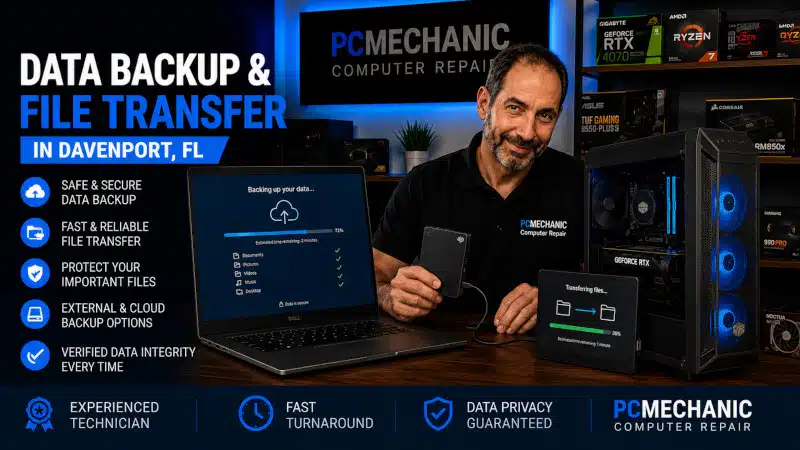
Data Backup File Transfer service in Davenport, FL, can help protect important documents, photos, videos, and other personal files or move them safely from one computer or storage device to another. Whether you’re preparing to replace a computer, reinstall Windows, or want another copy of important files, I can help as long as the source storage device remains accessible.
Losing years of documents and family photos can be far more disruptive than losing the computer itself. Unfortunately, many people don’t think about their files until a computer stops working or a storage device begins developing problems.
At PCMechanic Computer Repair in Davenport, FL, I provide data backup and file transfer services for readable and accessible storage devices. I can help copy important files to another computer or suitable storage device and explain the available options based on your situation.
Data Backup and File Transfer Services in Davenport, FL
Data backup and file transfer are closely related, but they serve different purposes.
A data backup creates another copy of important files so the originals aren’t the only copies available.
A file transfer moves or copies files from one computer or storage device to another. This is commonly needed when replacing a computer, changing storage devices, or preserving files before certain repairs.
My service may include:
- Backing up documents and personal files
- Transferring photos and videos
- Copying files to an external storage device
- Transferring files between computers
- Preserving accessible files before certain Windows services
- Moving files from an old computer to another computer
- Copying files from a readable internal storage drive
- Helping organize transferred personal files
The exact process depends on the computer, storage device, amount of data, and condition of the source drive.
What Types of Files Can Be Backed Up or Transferred?
Most customers are primarily concerned about personal files that cannot easily be replaced.
These may include:
- Documents
- Photos
- Videos
- Music
- Spreadsheets
- PDFs
- Downloads
- Desktop files
- Other personal folders and data
Before beginning the transfer, I can discuss which files are most important to you.
This is particularly helpful when a computer contains years of accumulated data across several folders.
File Transfer From an Old Computer
Replacing an old computer doesn’t necessarily mean leaving your files behind.
If the old computer and its storage device remain accessible, I can transfer important personal files to another computer or appropriate storage device.
This can be useful when an older computer has become slow, outdated, or no longer suitable for everyday use.
Documents, pictures, videos, and other personal files can often be copied without requiring the old computer to remain your primary system.
However, transferring personal files isn’t the same as transferring installed programs.
Most Windows applications need to be installed normally on the replacement computer. Simply copying a program’s folder from one computer to another generally doesn’t recreate the installation, licensing, settings, and Windows components the software requires.
Data Backup Before Windows Repair or Reinstallation
Some Windows problems become severe enough that repair or reinstallation may be necessary.
When the storage device remains readable, protecting important personal files before major operating-system work can reduce the risk of losing information you still need.
I can evaluate the available data and, when practical, create a backup before proceeding with certain Windows services.
However, a backup is only possible when the source storage remains sufficiently accessible to copy the files.
Even if Windows itself won’t start, I may still be able to access important files when the storage device remains healthy and readable.
When Windows becomes severely corrupted or unstable, my Windows Installation & Reinstallation Service covers the operating system work separately.
Data Backup and File Transfer From a Computer That Won’t Boot
A computer that doesn’t start Windows doesn’t automatically mean its personal files are lost.
Sometimes the problem involves Windows, startup files, or another computer component while the storage device itself remains readable.
In those situations, I may be able to access the drive and copy important files without relying on the original Windows installation.
However, the condition of the storage device is critical.
If the drive has physically failed, suffered severe damage, or the computer can no longer detect it, ordinary file-transfer methods may not work.
That’s why I distinguish among data backup, file transfer, and advanced data recovery.
Data Backup and File Transfer Are Not Advanced Data Recovery
This distinction is especially important.
My Data Backup & File Transfer service is designed for files that remain accessible from a readable storage device.
I do not provide advanced laboratory-style data recovery from physically failed storage devices.
My service does not include:
- Repairing physically damaged hard drives
- Opening sealed hard drives
- Rebuilding failed drives
- Recovering data from severely damaged media
- Advanced recovery from unreadable storage devices
- Recovery of intentionally or accidentally deleted files
- Forensic data recovery
If a storage device has physically failed or important files have been deleted, a specialized data-recovery company may be required.
This distinction helps prevent unnecessary work on a failing drive and makes sure customers understand what my service can and cannot provide.
Need to protect important files before a repair, Windows reinstallation, or computer replacement? Contact PCMechanic Computer Repair in Davenport, FL today for professional data backup and file transfer service.

Backing Up Files to an External Drive
An external drive can provide a convenient local destination for important files.
Depending on your needs and the amount of data involved, I can copy your files to a suitable external storage device for safekeeping or transport.
This may be useful when:
- Preparing for computer repair
- Replacing an old computer
- Reinstalling Windows
- Preserving important personal files
- Creating an additional local copy of data
The external drive should have enough available capacity for the files being copied.
It is also important to remember that a single external drive shouldn’t be the only long-term copy of irreplaceable information. External storage devices can also fail, become damaged, or be lost.
The article “My Data Backup Strategies: Protecting Your Digital Life” explains broader backup approaches for protecting important files over the long term.
Why Having More Than One Copy Matters
A file stored in only one location isn’t truly protected against every type of failure.
Hard drives and SSDs can fail. Computers can become infected with malware. Accidental deletion can erase important files, while physical damage can affect both the computer and its storage.
Your backup strategy should therefore consider what would happen if the primary computer or storage device suddenly became unavailable.
My article Data Loss: Consequences of Not Backing Up Your Data explains why waiting until a failure occurs can put important personal information at risk.
The goal of a backup is simple: make sure losing one device doesn’t automatically mean losing the only copy of your important files.
File Transfer vs. New Computer Setup
Sometimes you only need your files copied. Other times, you’re replacing an old computer and want the entire new system prepared for everyday use.
Those are different services.
My Data Backup & File Transfer service is appropriate when the primary goal is to copy or preserve accessible personal files.
My New Computer Setup in Davenport, FL service provides a broader transition to a newly purchased computer. In addition to transferring important files, that service can include Windows configuration, updates, installation of requested third-party software, email configuration, driver verification, and assistance with remote printer setup.
If you’ve already purchased a new desktop or laptop and want more than a basic file transfer, New Computer Setup is usually the better choice.
Can Files Be Transferred From a Failing Computer?
Possibly, but the answer depends on what is actually failing.
A computer may stop working due to Windows corruption, motherboard failure, a failed power supply, or another issue, while its storage drive remains readable.
In that situation, files may still be accessible.
However, a physically failing storage device is different.
Repeatedly attempting to access a severely failing drive can sometimes make the situation worse. If the drive produces unusual mechanical noises, repeatedly disconnects, or becomes difficult to read, you may need a specialized data-recovery service.
I don’t perform advanced recovery from physically failed drives.
If the storage device remains readable, however, I can evaluate whether ordinary backup or file transfer is practical.
Can I Back Up Files Before My Computer Fails?
Yes, and that’s preferable to waiting for a problem to arise.
A backup made while the computer and storage device are functioning normally is generally much simpler than trying to preserve files after a hardware or Windows failure.
You don’t need to wait until the computer begins showing problems.
Important family photos, financial records, work documents, school files, and other irreplaceable information should ideally exist in more than one location.
A proactive backup can also be helpful before major computer changes or repairs.
What Should You Bring for a Data Backup and File Transfer?
What you need to bring depends on the service.
For a basic backup, you may need:
- The computer containing the files
- An appropriate external storage device, if you’re providing one
- Information about which files or folders are most important
For a computer-to-computer transfer, bring both systems when practical.
If you’re uncertain about what equipment is needed, we can determine that before the service begins.
How Much Storage Space Do I Need for Data Backup and File Transfer?
The required capacity depends on how much data you want to preserve.
For example, a computer may have a 1 TB internal drive but contain only a fraction of that capacity in personal files. In that situation, the backup destination doesn’t necessarily need to match the original drive’s full capacity.
Photos, especially videos, can consume substantial storage space, while documents typically require much less.
Before starting the transfer, I can compare the amount of data you want to copy with the available space on the destination drive.
Why Choose PCMechanic for Data Backup & File Transfer in Davenport, FL?
When you bring your computer to PCMechanic Computer Repair, you work directly with me.
I have provided computer repair services in Davenport, Florida, since 2012. My home-based repair business provides customers with one-on-one service and convenient computer drop-off and pickup by arrangement.
I understand that personal files can be more important than the computer containing them. Family photos, documents, financial records, schoolwork, and other files may represent years of information that cannot simply be recreated.
For that reason, I approach file transfers carefully and explain the available options before beginning.
Just as importantly, I will tell you when a storage problem is outside the scope of the service. If the source drive requires advanced data recovery, I won’t represent an ordinary file transfer as something it isn’t.
I serve customers from Davenport, ChampionsGate, Loughman, Haines City, Celebration, Clermont, Kissimmee, and nearby communities.
Frequently Asked Questions About Data Backup and File Transfer
Can you transfer files from my old computer to another computer?
Yes. If the old computer’s storage remains accessible, I can copy important personal files to another computer or suitable storage device.
What files can you transfer?
I can transfer accessible personal files such as documents, photos, videos, music, spreadsheets, PDFs, and other common user data.
Can you transfer my installed programs?
Generally, no. You normally need to reinstall Windows programs on the destination computer. Copying the program files alone usually isn’t enough to make the software work properly.
Can you back up a computer that won’t start Windows?
Sometimes. If Windows won’t boot but the storage device remains healthy, I may still be able to access and back up your important files.
Can you recover files from a failed hard drive?
I don’t provide advanced data recovery from physically failed or unreadable storage devices. Those situations may require a specialized data-recovery service.
Can you recover deleted files?
No. Deleted-file recovery is outside the scope of my Data Backup & File Transfer service.
Can you copy my files to an external hard drive or SSD?
Yes. If the external drive has sufficient capacity and is suitable for the transfer, I can copy accessible files to it.
Should I back up my files before reinstalling Windows?
Yes, whenever important files exist on the computer and the storage device remains accessible. Backing up personal data before major operating system work helps protect the information you still need.
Is file transfer included with New Computer Setup?
Yes. File transfer is already part of my broader New Computer Setup service when you’re moving from an old computer to a newly purchased PC. That service also includes additional setup and configuration.
Do you provide cloud backup service?
My primary service focuses on backing up or transferring accessible files between computers and suitable storage devices. For long-term backup planning, local and cloud options can be considered as part of an overall backup strategy.
Schedule Data Backup & File Transfer in Davenport, FL
Important files shouldn’t exist in only one place.
Whether you’re preparing for computer repair, replacing an older PC, reinstalling Windows, or want another copy of important documents and photos, I can help as long as the source storage remains readable and accessible.
If you need a Data Backup File Transfer service in Davenport, FL, contact PCMechanic Computer Repair. I can evaluate your situation, discuss what you want to preserve, and safely copy accessible files to an appropriate computer or storage device.
If the storage device has physically failed or requires advanced data recovery, I’ll explain that limitation rather than attempt a service that isn’t appropriate for the drive’s condition.