
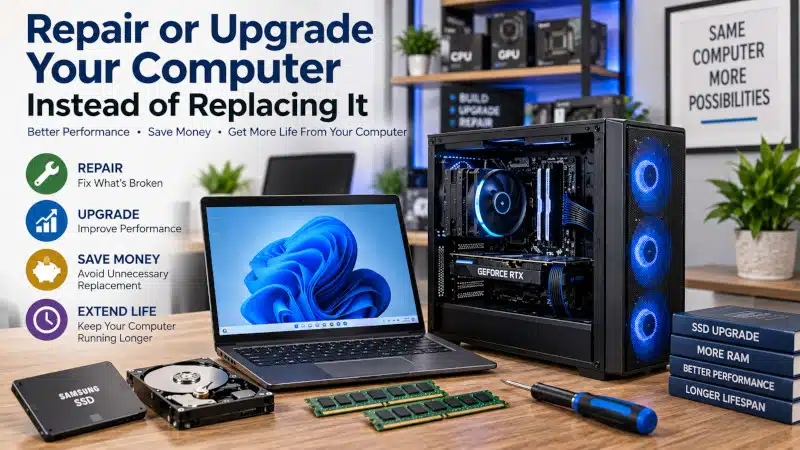
Repair or upgrade your computer instead of replacing it when the existing system still meets your needs and the cost of improving it makes practical sense. A slow, unreliable, or aging computer does not automatically need to be replaced.
Sometimes one failing component causes the problem. In other cases, the computer needs more memory, faster storage, or attention to a software or cooling issue.
However, repair and upgrades are not always the right financial decision. The computer’s age, hardware condition, Windows compatibility, performance limitations, and cost of the proposed work should all factor into the decision.
At PCMechanic Computer Repair in Davenport, FL, I can diagnose the problem and help you determine whether repairing or upgrading your existing computer makes sense before you spend money on a replacement.
Should You Repair or Upgrade Your Computer Instead of Replacing It?
The first step is understanding what is actually wrong with the computer.
A computer that feels slow may have an aging mechanical hard drive, insufficient RAM, excessive background activity, Windows problems, overheating, or failing hardware. These problems require different solutions.
For example, replacing an older hard drive with an SSD may significantly improve everyday responsiveness when storage performance is the primary limitation. Additional RAM may improve multitasking when the computer regularly runs short of available memory.
On the other hand, installing more RAM will not repair a failing storage drive. Likewise, installing an SSD will not resolve an overheating problem, a malware infection, or a failing component.
A professional diagnosis can help identify the underlying problem before you decide whether to repair, upgrade, or replace the computer.
When to Repair Your Computer Instead of Replacing It
Repair may be worth considering when the computer still performs the tasks you need, and the problem involves a repairable component or software issue.
Examples may include:
- A failing power supply
- Windows corruption
- Malware or software problems
- Overheating caused by cooling problems
- A replaceable laptop battery
- A compatible laptop keyboard assembly
- A replaceable charging-port harness
- A failing motherboard when replacement is economically reasonable
- Other identifiable hardware problems
The important consideration is the condition of the entire computer.
Replacing one faulty component in an otherwise suitable system can make sense. However, investing in one repair after another on a computer with several significant problems may not be worthwhile.
That is why I prefer evaluating the computer before recommending major repairs.
When to Upgrade Your Computer Instead of Replacing It
Sometimes nothing is actually broken. Instead, the computer no longer performs as well as you need it to.
A targeted hardware upgrade may improve performance without replacing the entire system.
My Computer Hardware Upgrades in Davenport, FL service covers RAM, SSD, and storage upgrades for compatible computers. Before installing new hardware, I consider compatibility, existing specifications, overall condition, and whether the proposed upgrade is likely to provide a worthwhile improvement.
Upgrade From a Hard Drive to an SSD
A computer that still uses a traditional mechanical hard drive for Windows may feel considerably slower than a similar system equipped with an SSD.
An SSD does not make the processor itself faster. Instead, it reduces storage delays when Windows, programs, and files are accessed.
As a result, a compatible SSD upgrade may improve:
- Windows startup
- Program loading
- File access
- Restart and shutdown times
- Overall system responsiveness
However, the condition of the existing drive matters. If a hard drive is already showing signs of physical failure, the situation needs to be evaluated differently from a routine performance upgrade.
Add More RAM When Memory Is the Limitation
Additional RAM can improve performance when insufficient memory is actually restricting the computer.
This may become noticeable when several programs or browser tabs are open simultaneously or when applications require more memory than the computer currently has available.
However, additional RAM does not automatically make every computer faster.
If the system already has sufficient memory for its workload, adding more may provide little noticeable improvement. Compatibility also matters, and some laptops use soldered memory that cannot be upgraded.
Increase Storage Capacity
A computer may still perform well, but it may no longer provide enough storage for your files and applications.
Depending on the computer, replacing or adding compatible storage may provide the additional capacity you need without replacing the entire system.
Before purchasing a drive, consider the computer’s storage interface, available connections, physical space, and supported hardware.
Cooling Problems Don’t Always Mean You Need a New Computer
Overheating can make an otherwise usable computer unstable.
Dust buildup, blocked airflow, failing fans, cooling-system problems, or other thermal issues may cause excessive temperatures. Depending on the cause, correcting the cooling problem may allow the existing computer to continue serving its intended purpose.
However, overheating symptoms can resemble other hardware and software problems. Unexpected shutdowns, crashes, reduced performance, and excessive fan activity do not automatically identify the cause.
The computer should be evaluated before replacing components based solely on symptoms.
A Slow Computer Doesn’t Automatically Need Replacement
Slow performance is one of the most common reasons someone begins considering another computer.
However, slow performance can have many causes.
Hardware limitations are only one possibility. Windows problems, unnecessary background activity, malware, storage problems, overheating, and failing components can also reduce performance.
Therefore, replacing the entire computer before identifying the cause may be unnecessary.
If the computer still meets your general needs, determining why it has become slow can help establish whether repair, software service, or a hardware upgrade is the more appropriate solution.
Windows Compatibility Should Be Part of the Decision
Operating-system compatibility has become increasingly important when evaluating older computers.
Microsoft ended support for Windows 10 on October 14, 2025. An older computer that does not officially support Windows 11 may therefore have a more limited future than a compatible system.
That does not mean every older computer should automatically be replaced. However, Windows compatibility should be considered before investing significantly in repairs or upgrades.
For example, spending money on several upgrades may not make sense if the computer has an unsupported processor and cannot reasonably run a currently supported version of Windows.
My article on Unsupported Windows Operating Systems explains why operating-system support should factor into decisions about keeping an older computer.
When Replacing the Computer May Make More Sense
I don’t recommend repairing or upgrading a computer simply because it is technically possible.
Replacement deserves consideration when the existing system has several limitations or when the amount required to bring it up to an acceptable level no longer makes financial sense.
Factors may include:
- Multiple hardware problems
- Very limited upgrade options
- A processor that no longer meets your needs
- Unsupported Windows hardware
- Significant physical damage
- Several expensive components requiring replacement
- Limited availability of compatible replacement parts
- Repair and upgrade costs that are difficult to justify
There is no universal age at which every computer should be replaced.
Some older systems remain perfectly adequate for their owners. Other computers become impractical much sooner because of their specifications, condition, design, or workload.
The decision should be based on the individual computer.
Repair or Upgrade Your Computer: What’s the Difference?
Repairing and upgrading a computer are related, but they serve different purposes.
A repair addresses a malfunction. For example, a failed power supply may need to be replaced before the computer can operate properly.
An upgrade improves or expands a computer that is otherwise functioning. Examples include adding RAM, installing faster storage, or increasing storage capacity.
Sometimes a computer needs both.
For instance, an older computer may require repair for an existing problem while also being a good candidate for an SSD upgrade. In that situation, it makes sense to consider the total cost and expected benefit before proceeding.
The goal should be to spend money where it provides practical value.
What About Gaming PCs?
Gaming PCs require additional considerations.
A gaming computer may still function properly but no longer provide the performance needed for newer games or higher graphics settings. In that case, a graphics card, CPU, cooling, power supply, or other upgrades may be considered.
However, gaming hardware needs to be evaluated as a system. A new graphics card, for example, may introduce power, space, cooling, or compatibility requirements.
I cover those decisions separately in Affordable Gaming PC Upgrades in Davenport, FL, so that ordinary home and office computer upgrades remain distinct from gaming-performance upgrades.
What If Repairing or Upgrading No Longer Makes Sense?
Sometimes another computer is the better choice.
That doesn’t necessarily mean you need to purchase an expensive brand-new system.
A properly selected refurbished computer may be an alternative for someone who needs another computer but wants to keep the purchase price manageable. Age, specifications, Windows compatibility, warranty coverage, condition, and the seller should all be considered before purchasing.
My article, Refurbished Computers: What to Know Before You Buy, explains those considerations in more detail.
I don’t sell refurbished computers or provide a computer-shopping service. However, after you purchase a replacement computer, I can provide professional setup and, when possible, transfer accessible files from the previous computer.
What Happens to Your Files If You Replace the Computer?
Replacing a computer often means moving documents, photos, and other important files to the replacement system.
When the storage device in the old computer remains readable, I can provide New Computer Setup and File Transfer services to help prepare the replacement computer and transfer accessible files.
However, I don’t provide advanced data recovery from physically failed or unreadable storage devices, and I don’t recover deleted files.
If an older computer begins showing signs of storage failure, backing up important files before the drive becomes unreadable is especially important.
Repair or Upgrade Your Computer in Davenport, FL
If your computer has become slow, unreliable, or limited by older hardware, replacing the entire system is not necessarily the first step.
I can evaluate the computer, identify the underlying problem, and discuss whether repair or a compatible hardware upgrade makes practical sense.
When replacement is the more reasonable option, I will explain what I find rather than recommend unnecessary repairs or upgrades.
PCMechanic Computer Repair is a home-based computer repair business in Davenport, Florida. I personally diagnose, repair, upgrade, and test each computer. Service is handled through arranged drop-off and pickup.
I also serve customers from ChampionsGate, Loughman, Haines City, Four Corners, Celebration, Clermont, Kissimmee, and nearby communities.
Frequently Asked Questions
Is it cheaper to repair or upgrade a computer than replace it?
Sometimes, but it depends on the problem and the computer. A targeted repair or upgrade can make financial sense when the rest of the system remains suitable. However, several expensive repairs or upgrades may make replacement the better option.
Is an old computer worth upgrading?
It can be. Age alone does not determine whether an upgrade is worthwhile. Processor performance, Windows compatibility, hardware condition, available upgrade options, and cost should all be considered.
Will an SSD make my old computer faster?
An SSD can substantially improve storage-related responsiveness when a computer still uses a mechanical hard drive. However, an SSD will not correct every performance problem or overcome an inadequate processor, insufficient RAM, overheating, malware, or other hardware problems.
Will adding RAM make my computer faster?
Additional RAM can help when insufficient memory is limiting performance. If the computer already has enough RAM for its workload, adding more may provide little noticeable benefit.
Should I repair my computer if it cannot run Windows 11?
Windows compatibility should be considered before making a significant investment in an older computer. A minor repair may still make sense in some circumstances, while extensive repairs and upgrades may be harder to justify on hardware with limited operating-system support.
Should I repair a computer with several hardware problems?
That depends on the cost of the repairs, the computer’s overall condition, and whether it will still meet your needs afterward. When several major components require replacement, another computer may provide better value.
Can you upgrade my laptop?
Some laptops support RAM and storage upgrades, while others use soldered or otherwise non-upgradeable components. The specific laptop model needs to be evaluated before determining what can be upgraded.
Can I bring my own upgrade parts?
Yes. You can purchase compatible parts and bring them with the computer for installation. Compatibility should be verified before purchasing components.
What if I decide to replace my computer instead?
If you purchase another computer, I can provide a professional setup for the new computer and transfer accessible files from your previous computer, provided its storage remains readable.
Get More From the Computer You Already Own
You don’t always need to replace an entire computer because it has become slow, unreliable, or limited by older hardware.
A worthwhile repair or carefully selected upgrade may extend the computer’s useful life when the rest of the system still meets your needs. Just as importantly, there are situations where investing more money in an older computer does not make sense.
If you’re trying to decide whether to repair or upgrade your computer, contact PCMechanic Computer Repair in Davenport, FL. I can diagnose the system, explain what I find, and help you determine whether repairing, upgrading, or replacing it is the most practical path.
