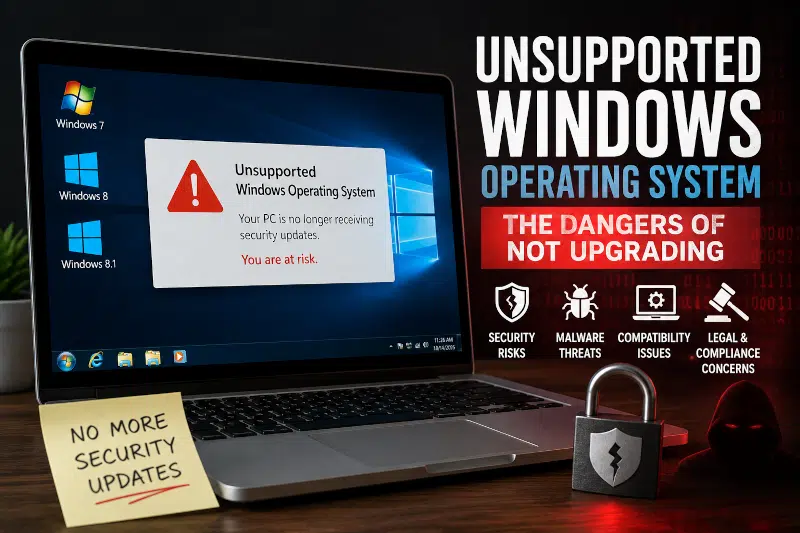
Using an unsupported version of Windows can harm your computer and your personal information.
An unsupported Windows operating system leaves your computer vulnerable to security risks, malware attacks, and software compatibility problems. Learn why upgrading from Windows 7, Windows 8.1, or Windows 10 is important for protecting your data and maintaining a secure, reliable system.
This blog post will explore the dangers of using unsupported Windows versions and why upgrading to a supported one is essential.
The Risks of Using an Unsupported Windows Operating System
Windows 10 Is Now an Unsupported Operating System
While Windows 7 and Windows 8.1 have been unsupported for years, Windows 10 officially reached the end of support on October 14, 2025. This means Microsoft no longer provides regular security updates, bug fixes, or technical support for most Windows 10 systems.
Many users mistakenly believe that their computer is safe as long as it still turns on and runs their programs. However, an unsupported Windows operating system can become increasingly vulnerable over time. Cybercriminals often target outdated systems because newly discovered security flaws are unlikely to receive patches. If malware has already infected your computer, our Computer Virus Removal service can help eliminate threats and restore system security.
In addition, software developers gradually stop supporting older operating systems. As a result, applications may lose compatibility, performance can suffer, and users may miss important new features. If your computer is still running Windows 10, now is the time to evaluate whether an upgrade to Windows 11 or newer hardware is the best option.
What Is an Unsupported Operating System?
An unsupported operating system no longer receives security updates or technical support from the manufacturer. For Windows 7 and Windows 8.1, Microsoft ended support in January 2020 and January 2023, respectively.
When support ends, newly discovered vulnerabilities remain unpatched. Microsoft also stops providing fixes for technical issues, leaving users responsible for managing increasing security and compatibility risks on their own.
Security Risks and Cyber Threats
One of the biggest dangers of using an unsupported operating system is the increased risk of cyber attacks. Cybercriminals actively look for vulnerabilities in systems to exploit, and without regular security updates, unsupported operating systems become easy targets.
These vulnerabilities can be exploited through malware, phishing attacks, and ransomware. If you suspect your computer has already been compromised, learning the common signs of malware infection can help you identify problems early. Once a cybercriminal gains access to a system, they can steal sensitive information, damage files, or even take control of the entire computer.
Software Compatibility Problems
Another danger of using an unsupported operating system is the potential for compatibility issues with new software and hardware. As technology evolves, software developers and hardware manufacturers often stop supporting older systems.
As a result, users may discover that new applications, security software, printers, or peripherals no longer work correctly. This can be especially problematic for businesses that depend on specific software or hardware to perform daily operations.
Legal and Regulatory Concerns
Using unsupported operating systems is associated with legal and regulatory concerns, as well as security risks. Many organizations have a responsibility to protect sensitive customer and business data.
Maintaining compliance can become difficult when an operating system no longer receives security updates. In some industries, including healthcare and finance, running unsupported software may create compliance challenges and increase liability exposure.
The Benefits of Upgrading to a Supported Operating System
Can Your Computer Run Windows 11?
One of the most common questions computer owners ask is whether their existing system can run Windows 11. Microsoft introduced stricter hardware requirements for Windows 11, including TPM 2.0, Secure Boot, and newer processors.
Fortunately, many computers manufactured in the last several years can be successfully upgraded. In contrast, older systems may require hardware upgrades or complete replacement. Factors such as processor generation, memory capacity, storage type, and motherboard compatibility all play important roles.
Understanding Motherboard Form Factor standards can help determine whether your existing hardware can support future upgrades. Understanding your motherboard’s capabilities and ensuring a BIOS Update has been performed can play an important role in determining Windows 11 compatibility.
Before making a decision, evaluate the overall condition of your computer. In some cases, upgrading to an M.2 NVMe SSD or adding memory can improve performance and extend the system’s lifespan. In other situations, purchasing a newer computer may provide better long-term value. If your system is already experiencing hardware issues such as Power Supply Failure, replacing the computer may be more cost-effective than investing in multiple upgrades.
At PCMechanic Computer Repair, I help customers determine whether upgrading an existing computer or replacing it entirely is the most cost-effective solution.
Improved Security
One of the biggest benefits of upgrading to a supported operating system is improved security. Supported versions of Windows receive regular security updates and technical support from Microsoft, helping protect computers against newly discovered vulnerabilities. As a result, users face a lower risk of malware infections, ransomware attacks, and other cybersecurity threats.
Better Software Compatibility
Upgrading to a supported operating system improves compatibility with modern software and hardware. Developers eventually stop supporting older versions of Windows, which can lead to application errors, missing features, and driver issues. By upgrading, users can continue using current programs, security software, and peripherals with greater reliability.
What We See in Our Repair Shop
At PCMechanic Computer Repair, I regularly work on computers running unsupported versions of Windows. Many customers are surprised to learn that their systems continue functioning normally even after Microsoft ends support. Unfortunately, normal operation does not mean the computer remains secure.
I frequently encounter unsupported Windows operating systems that have fallen behind on security updates, developed software compatibility issues, or become more susceptible to malware infections. In some cases, customers only discover the problem after needing professional Virus Removal Service because an infection exploited an unpatched vulnerability.
Fortunately, upgrading to a supported operating system can often extend a computer’s lifespan while improving reliability, security, and performance. For systems that cannot meet modern requirements, I can recommend practical upgrade or replacement options based on the customer’s needs and budget.
Frequently Asked Questions
Is it safe to use an unsupported Windows operating system?
Using an unsupported Windows operating system is not recommended. Without security updates, newly discovered vulnerabilities remain unpatched, increasing the risk of malware, ransomware, and other cyber threats.
What happens when Windows support ends?
When Windows support ends, Microsoft stops providing regular security updates, bug fixes, and technical support. The operating system continues to function, but it becomes less secure over time.
Can I still use Windows 10 after support ends?
Yes, Windows 10 computers will continue to operate after support ends. However, the lack of ongoing security updates makes them more vulnerable to emerging threats.
How do I know if my PC can run Windows 11?
Microsoft provides tools to check compatibility, but a professional evaluation can identify hardware limitations and determine whether upgrades are possible.
Will my programs stop working on an unsupported operating system?
Many programs continue to work initially. However, software developers may eventually discontinue support for older operating systems, leading to compatibility issues and reduced functionality.
Should I upgrade my computer or replace it?
The answer depends on your computer’s age, specifications, and overall condition. A professional assessment can help determine the most cost-effective solution.
Conclusion
In conclusion, the dangers of using unsupported operating systems such as Windows 7, Windows 8.1, and Windows 10 are clear. From the increased risk of cyberattacks to potential compatibility issues and legal and regulatory concerns, using an unsupported system is not worth it. Individuals and organizations must upgrade to a supported operating system to protect their data and take advantage of the latest technology. The benefits of upgrading are significant, and the potential consequences of not upgrading are too substantial to ignore.
If you are currently using an unsupported operating system and are concerned about the risks, it is crucial to take action. The first step is to contact a reputable computer repair company, like PCMechanic Computer Repair, to discuss your options. A professional technician can help you determine the best course of action, whether upgrading to a supported operating system, replacing outdated hardware, or implementing additional security measures.
Don’t wait until it’s too late – call or contact PCMechanic today to ensure your computer system’s security and functionality.
