
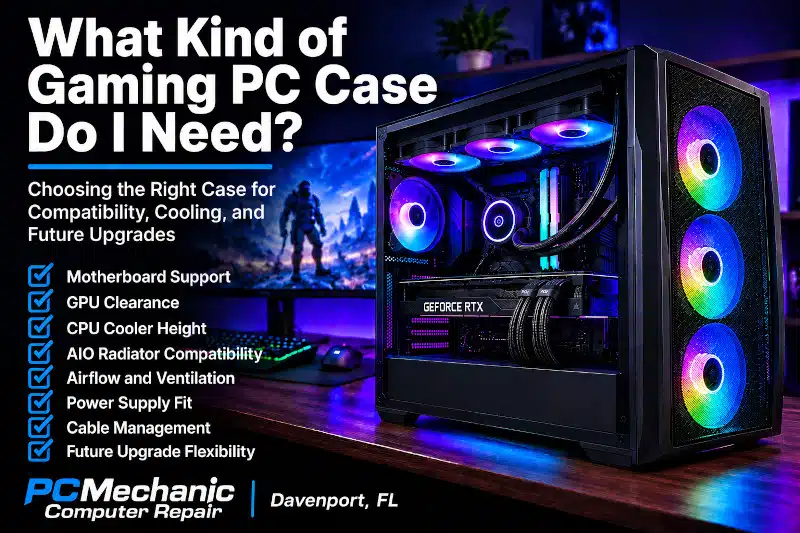
Choosing the right Gaming PC case involves much more than deciding which enclosure looks best on your desk. The case needs to support your motherboard, graphics card, CPU cooler, power supply, storage, fans, and other components while providing enough space for proper cooling and future upgrades.
A case that’s too small can create compatibility problems before the build even begins. Meanwhile, an enclosure with restricted ventilation or inadequate cooling support can make managing temperatures more difficult.
However, buying the largest case available isn’t necessarily the answer either.
The right choice depends on your hardware, cooling configuration, available space, upgrade plans, and personal preferences.
Whether you’re building a new Gaming PC or moving existing hardware into a new enclosure, understanding these factors can help you choose a case that fits the entire system.
Gaming PC Case Size and Motherboard Compatibility
One common source of confusion is the relationship between case size and motherboard form factor.
ATX, Micro-ATX, and Mini-ITX primarily describe motherboard form factors. Computer cases, meanwhile, are commonly described as full tower, mid tower, compact, or small form factor.
The two classifications are related but not interchangeable.
A case manufacturer specifies which motherboard form factors an enclosure supports. For example, many mid-tower cases support ATX and Micro-ATX motherboards, while some also support Mini-ITX.
Larger cases may support Extended ATX or other oversized boards. Smaller enclosures may be limited to Micro-ATX or Mini-ITX.
Therefore, don’t select a case based solely on labels such as “mid tower.”
Always verify the manufacturer’s supported motherboard sizes.
If you’re unfamiliar with the differences between motherboard sizes, my Motherboard Form Factor guide explains ATX, Micro-ATX, Mini-ITX, expansion slots, compatibility, and other considerations in greater detail.
Do You Need a Full-Tower Gaming PC Case?
A full-tower case provides considerable internal space.
These enclosures can be useful for builds containing oversized motherboards, multiple expansion devices, extensive liquid cooling, numerous storage drives, or unusually large components.
The additional room can also make assembly and cable routing easier.
However, most Gaming PCs don’t automatically need a full tower.
Full-tower cases take up more physical space and may provide capacity that a typical system never uses. A computer with a standard ATX motherboard, a single graphics card, multiple storage devices, and conventional cooling can often fit comfortably inside a well-designed mid-tower.
Therefore, choose a full tower because the hardware or cooling configuration benefits from the additional space—not simply because larger sounds better.
Is a Mid-Tower Case Enough for a Gaming PC?
For many Gaming PCs, a mid-tower enclosure provides an excellent balance between component capacity and physical size.
A good mid-tower can often accommodate:
- ATX motherboards
- Micro-ATX motherboards
- Long graphics cards
- Multiple storage devices
- Tower-style CPU coolers
- AIO liquid coolers
- Several case fans
- Standard ATX power supplies
However, capabilities vary considerably between individual cases.
One mid tower may accommodate a large graphics card and 360mm radiator without difficulty, while another may have significantly less clearance.
As a result, the words mid tower don’t guarantee that your components will fit.
Always compare the hardware’s dimensions and cooling requirements with the case manufacturer’s specifications.
When Does a Compact Gaming PC Case Make Sense?
Compact Gaming PCs can deliver excellent performance while taking up considerably less space.
However, smaller cases usually require more careful component selection.
Depending on the enclosure, limitations may involve:
- Motherboard size
- Graphics card dimensions
- CPU cooler height
- Power supply size
- Radiator support
- Storage capacity
- Fan placement
- Cable-management space
Some compact cases also require SFX or another smaller power supply format rather than a standard ATX PSU.
Cooling deserves additional consideration because high-performance CPUs and GPUs can generate substantial heat inside a smaller enclosure.
A compact Gaming PC case isn’t inherently worse for gaming. Instead, it requires hardware selected specifically around the enclosure’s dimensions and cooling capabilities.
Check Graphics Card Clearance Before Choosing a Case
Modern graphics cards can be among the largest components inside a Gaming PC.
Length is only one consideration.
A GPU can also occupy several expansion slots and extend considerably outward from the motherboard. Therefore, you should consider:
- GPU length
- GPU thickness
- Expansion-slot requirements
- Clearance near front fans
- Clearance near radiators
- Power-cable clearance
- Side-panel clearance
This becomes especially important with high-performance graphics cards.
A case specification may advertise a maximum GPU length, but installing a front radiator and fans can reduce the usable space.
Likewise, sufficient card length doesn’t necessarily guarantee adequate room for the GPU power connection.
Check the complete configuration rather than one measurement.
Check CPU Cooler Height and Clearance
If you’re using an air cooler, verify the case’s maximum CPU cooler height.
Large tower coolers can extend far enough from the motherboard to interfere with the side panel of a narrower enclosure.
Clearance can also become more complicated when a large CPU cooler extends over tall memory modules.
Therefore, consider the relationship between:
case width → CPU cooler height → RAM height → motherboard layout.
If you’re planning to use a large air cooler, compare its dimensions with both the case specifications and surrounding components before purchasing.
Check AIO Radiator Compatibility
Liquid CPU cooling creates a different set of case requirements.
An AIO cooler needs a supported radiator mounting location with enough room for both the radiator and its fans.
Common radiator sizes include 120mm, 240mm, 280mm, and 360mm, although other configurations exist.
A case advertising support for three 120mm fans doesn’t necessarily mean it can accommodate a 360mm radiator in that location.
The radiator and fans add thickness, and nearby components can create clearance problems.
For example, a top-mounted radiator may interfere with tall RAM, motherboard heatsinks, or other hardware.
A front-mounted radiator can reduce clearance for the graphics card.
Therefore, if you’re planning a 240mm, 280mm, or 360mm AIO, confirm the manufacturer’s actual radiator-support specifications and clearance limitations.
Gaming PC Case Airflow and Ventilation
Good airflow helps the cooling system move heat away from internal components.
However, the number of installed fans doesn’t tell the whole story.
Case design matters.
An enclosure with heavily restricted intake ventilation may make it more difficult for front fans to draw in cooler outside air. In contrast, cases with appropriately designed mesh panels or ventilation can provide less restrictive airflow.
A sensible airflow arrangement typically allows cooler air to enter the case while warmer air exits.
The exact fan configuration depends on the enclosure and hardware.
When evaluating a Gaming PC case, consider:
- Front ventilation
- Top ventilation
- Rear exhaust
- Fan mounting locations
- Included fans
- Radiator locations
- Dust filters
- Component spacing
- GPU airflow
More fans aren’t automatically better. The goal is an effective airflow path appropriate for the installed hardware.
Don’t Ignore Power Supply Compatibility
Most standard Gaming PC builds use an ATX power supply, but that doesn’t mean every ATX PSU fits comfortably inside every compatible case.
Power supplies vary in physical length.
Additionally, cables require space behind or around the PSU. Drive cages can further reduce available room in some enclosures.
Compact systems may use smaller PSU formats such as SFX.
Therefore, verify:
- Supported PSU format
- Maximum PSU length
- Cable clearance
- Drive-cage interference
- Ventilation around the PSU
This becomes especially important with high-wattage modular power supplies, which can be physically larger and require additional cable-management space.
Consider Storage Before Choosing a Gaming PC Case
Storage requirements have changed considerably as NVMe SSDs have become common.
M.2 NVMe drives install directly onto the motherboard, so they don’t require traditional drive bays.
However, you may still need mounting locations for 2.5-inch SATA SSDs or 3.5-inch hard drives.
This matters particularly if you maintain large game libraries, local backups, media collections, or other high-capacity storage.
Some modern cases reduce the number of traditional drive bays to provide more room for cooling hardware or cable management.
Therefore, if you plan to reuse several existing drives, verify that the enclosure provides enough appropriate mounting locations.
Cable Management Space Matters
Good cable management is useful for more than appearance.
An organized installation keeps cables away from fans, simplifies future maintenance, and makes hardware easier to access.
Look for case features such as:
- Space behind the motherboard tray
- Cable-routing openings
- Tie-down points
- PSU shrouds
- Cable channels
- Appropriate clearance behind the side panel
However, don’t assume elaborate cable-management features are mandatory.
The goal is to route cables without excessive tension, pinching, or interference with fans and components.
A clean, accessible installation is more important than making every hidden cable perfectly straight.
Front USB and Connectivity Can Affect Your Choice
The front or top I/O panel is easy to overlook when choosing a case.
Depending on the model, a case may provide:
- USB-A ports
- USB-C
- Audio connections
- Power and reset controls
- Other manufacturer-specific features
However, having a USB-C port on the case doesn’t automatically mean it will work with every motherboard.
The motherboard needs the appropriate internal header for the case connection.
Therefore, compare the case’s front-panel connections with the headers available on your motherboard.
This is another example of why choosing a case requires considering the entire system rather than evaluating the enclosure by itself.
Dust Filters and Maintenance
Dust eventually enters almost every computer.
However, removable filters can make routine cleaning easier, particularly around intake fans and the power supply.
When comparing cases, look at where filters are installed and whether they’re easy to access.
A filter that requires partially disassembling the computer every time it needs cleaning is less convenient than one that can be removed easily.
Keep in mind that filters can also become restrictive when they’re heavily clogged.
Therefore, even a well-designed Gaming PC case still requires periodic maintenance.
Tempered Glass, RGB, and Appearance
There’s nothing wrong with choosing a case because you like how it looks.
Tempered-glass panels, RGB lighting, color, and overall design are legitimate considerations for a Gaming PC.
However, appearance shouldn’t override compatibility.
A visually impressive enclosure isn’t useful if:
- The graphics card doesn’t fit
- The CPU cooler is too tall
- The radiator cannot be installed
- The motherboard isn’t supported
- Airflow is severely restricted
- The PSU doesn’t fit properly
I recommend confirming hardware compatibility first.
Once those requirements are satisfied, aesthetics can help you choose between the remaining options.
Think About Future Gaming PC Upgrades
A case can remain useful through several generations of hardware.
Therefore, consider whether the enclosure provides enough flexibility for future upgrades.
You might eventually install:
- A longer or thicker graphics card
- A larger CPU cooler
- Additional storage
- A different motherboard
- A higher-capacity power supply
- Additional case fans
- A larger AIO cooler
You don’t need to buy an enormous enclosure solely because you might upgrade someday.
However, choosing a case with reasonable component clearance and cooling flexibility can prevent unnecessary limitations later.
If your current enclosure is already restricting cooling, component size, or future upgrades, my “Benefits of Upgrading a PC Case” article explains when replacing your existing case may make sense.
Planning a new Gaming PC and unsure whether your case will fit the components you selected? Contact PCMechanic Computer Repair in Davenport, FL, for compatibility assistance and professional PC assembly.

Common Gaming PC Case Selection Mistakes
Several problems can be avoided by checking compatibility before buying the enclosure.
Common Gaming PC case selection mistakes include:
- Assuming every ATX case fits every ATX build
- Checking GPU length but ignoring GPU thickness
- Forgetting that a front radiator can reduce GPU clearance
- Assuming fan support automatically means radiator support
- Ignoring CPU cooler height
- Forgetting PSU dimensions
- Overlooking front-panel motherboard headers
- Buying a compact case before checking cooling requirements
- Selecting appearance before compatibility
- Failing to consider future upgrades
These problems are much easier to prevent before the computer is assembled.
My Gaming PC Building Mistakes guide covers additional compatibility, power, cooling, RAM, cable, and assembly problems that can occur when planning and building a custom system.
Choosing the Right Gaming PC Case for Your Build
So, what kind of Gaming PC case do you actually need?
For many standard ATX Gaming PCs, a well-designed mid-tower provides enough space and cooling flexibility without becoming unnecessarily large.
A full tower may make sense when the build requires extensive cooling, unusually large components, additional expansion hardware, or substantial internal space.
Meanwhile, compact cases can be excellent for smaller builds when every component is selected to fit within the enclosure’s limitations.
Instead of choosing by size category alone, verify:
- Motherboard compatibility
- GPU dimensions
- CPU cooler clearance
- Radiator support
- PSU compatibility
- Storage requirements
- Airflow and fan support
- Front-panel connectivity
- Cable-management space
- Future upgrade plans
The best case is one that accommodates the hardware you intend to use while providing adequate cooling and workspace.
Professional Help With Gaming PC Case Compatibility
Component compatibility can become complicated when you’re planning an entire Gaming PC at once.
A motherboard may fit the enclosure, while the graphics card conflicts with the radiator. A CPU cooler may support the processor but exceed the case’s height limit. Likewise, a PSU may provide sufficient power while creating physical clearance issues in a compact case.
If you’re selecting components for a new Gaming PC, I can help review compatibility before you purchase the hardware.
You can also purchase your own components and bring them to me for professional assembly through my Gaming PC Build Services in Davenport, FL.
I can help with component compatibility, assembly, cooling installation, cable management, BIOS configuration, Windows installation, drivers, and system testing.
Frequently Asked Questions About Gaming PC Cases
What size Gaming PC case should I buy?
It depends on your motherboard, graphics card, CPU cooler, power supply, cooling configuration, storage requirements, and available space. Many standard ATX Gaming PCs fit comfortably inside a suitable mid-tower case.
Is a mid-tower case big enough for gaming?
Often, yes. Many mid towers support ATX motherboards, large GPUs, multiple fans, and AIO liquid coolers. However, dimensions vary between models, so always check component clearance.
Is a full-tower case better for gaming?
Not automatically. A full tower provides additional space, but it doesn’t inherently increase gaming performance. Choose one when your components, cooling system, expansion requirements, or preference justify the extra size.
Can a 360mm AIO fit in a mid-tower case?
Some mid-tower cases support 360mm radiators, while others don’t. Additionally, radiator placement can affect clearance for the GPU, RAM, or motherboard. Check the manufacturer’s radiator specifications before purchasing.
How do I know whether my graphics card will fit?
Compare the GPU’s length, thickness, and expansion-slot requirements with the case specifications. Also consider whether front-mounted fans or radiators reduce available clearance.
Do all ATX motherboards fit in an ATX case?
A case advertised as supporting ATX should provide the appropriate motherboard mounting pattern. However, that doesn’t guarantee every other component in the build will fit. GPU, cooler, PSU, radiator, and storage clearance still need to be checked.
Does a bigger PC case provide better cooling?
Not necessarily. Cooling depends on ventilation, airflow design, fans, component layout, installed hardware, and the cooling system. A well-designed mid tower can cool powerful hardware effectively.
Do I need a special case for a Gaming PC?
Not necessarily. A case doesn’t need a “gaming” label. What matters is motherboard compatibility, component clearance, cooling support, airflow, connectivity, build quality, and the features your system requires.
Need Help Choosing a Gaming PC Case?
The right Gaming PC case should support your motherboard, graphics card, CPU cooler, power supply, storage, and cooling system without creating unnecessary compatibility problems.
If you’re planning a custom Gaming PC and aren’t sure whether your selected components will work together, I can help.
Contact PCMechanic Computer Repair in Davenport, FL, for component compatibility assistance and professional Gaming PC Build Services.