
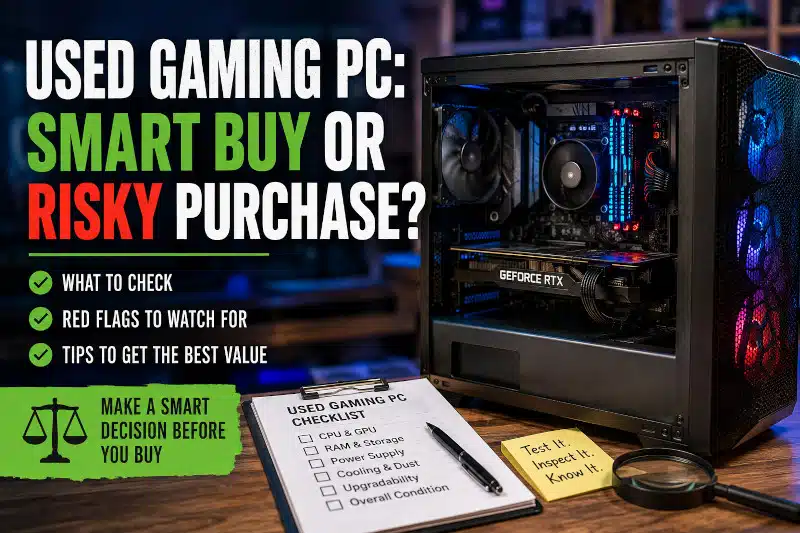
A used Gaming PC can provide excellent performance for less money than a comparable new computer. However, the lowest purchase price doesn’t always represent the best value.
Component age, previous use, cooling, power supply quality, storage condition, upgradeability, and hidden hardware problems can all affect whether a secondhand gaming computer is a smart purchase.
A well-chosen used system may provide years of useful gaming performance. On the other hand, a computer that immediately needs a new power supply, SSD, cooling system, or graphics card can quickly become more expensive than expected.
Before buying, look beyond the case, RGB lighting, and headline specifications. Understanding exactly what you’re purchasing can help you decide whether the computer is genuinely worth the asking price.
Why Buying a Used Gaming PC Can Make Sense
Price is one of the biggest reasons to consider a pre-owned Gaming PC.
Gaming computers lose resale value as newer processors and graphics cards are released. Therefore, a used system may provide considerably more gaming performance than a similarly priced new entry-level computer.
A secondhand PC can also be attractive if you’re new to PC gaming and don’t want to make a large initial investment.
Additionally, many used systems are already assembled and configured. That eliminates the component selection and assembly process required for a new custom build.
However, price alone shouldn’t determine whether the computer is a good deal.
The value depends on the hardware inside, its condition, and whether the system meets your current and future needs.
Know Exactly Which Components You’re Buying
Before purchasing a used Gaming PC, identify the hardware as precisely as possible.
Descriptions such as “Core i7 Gaming PC,” “RTX graphics,” or “16GB Gaming Computer” aren’t specific enough to determine value.
Processor names can span many hardware generations. Likewise, graphics cards with similar branding can offer very different levels of performance.
Whenever possible, identify the:
- Exact processor model
- Exact graphics card model
- RAM capacity and configuration
- Motherboard manufacturer and model
- SSD or other storage devices
- Power supply manufacturer, model, and wattage
- CPU cooling system
- Computer case
- Case cooling configuration
Knowing the exact hardware also makes it easier to research compatibility and future upgrade options.
If a seller cannot provide basic information about an expensive Gaming PC, factor that uncertainty into your purchasing decision.
Consider the Age of the Gaming PC Platform
Individual components matter, but so does the underlying platform.
An older Gaming PC may still run the games you play very well. However, its motherboard and processor platform could limit future CPU or memory upgrades.
For example, upgrading to a substantially newer processor may require replacing the motherboard and possibly the RAM as well.
At that point, what initially looked like a simple CPU upgrade can become a much larger rebuild.
Therefore, consider both current performance and the cost of future improvements.
An older computer isn’t automatically a bad purchase. The important question is whether its hardware provides the performance you need at a price that reflects its age and limitations.
Check the Graphics Card and Processor
The CPU and GPU have a major influence on gaming performance, so they deserve particular attention.
First, verify the exact models rather than relying on general descriptions.
Next, consider whether their performance is appropriate for the games, resolution, graphics settings, and frame rates you expect.
Age alone doesn’t determine whether a processor or graphics card is useful. Older hardware can still perform well for many games.
However, don’t pay a premium simply because a listing uses terms such as “high-end,” “ultra gaming,” or “enthusiast.”
Evaluate the actual hardware rather than the seller’s description.
Also ask how the system was previously used. A computer that spent most of its life handling light gaming may have experienced workloads very different from those of one used continuously for demanding applications.
Evaluate RAM and Storage
Memory capacity is easy to advertise, but configuration matters too.
Determine how much RAM is installed and, when possible, how it’s configured. Also consider whether the motherboard has room for future expansion.
Don’t assume that simply adding more RAM will automatically improve gaming performance. Additional memory is most useful when the existing capacity isn’t sufficient for your games and other applications.
Storage deserves similar attention.
A Gaming PC with an SSD will generally provide faster Windows startup, application loading, and game loading than a system relying solely on a traditional hard drive.
However, storage capacity isn’t the only consideration.
An older or unhealthy drive may need replacement even if it offers plenty of space. Therefore, the condition of the storage devices should factor into the total value of the computer.
Don’t Overlook the Power Supply
The power supply is easy to ignore because it doesn’t directly increase frame rates. Nevertheless, it is an important component in a Gaming PC.
Try to identify the PSUs:
- Manufacturer
- Exact model
- Wattage
- Approximate age
- Available GPU power connections
A high-wattage number by itself doesn’t guarantee that a power supply is appropriate for the system.
Quality, electrical protections, condition, connector availability, and suitability for the installed CPU and graphics card also matter.
Be especially cautious when a seller can describe every major component but provides no useful information about the power supply.
If a used system requires an immediate PSU replacement, include that expense when deciding whether the purchase still represents good value.
Look at Cooling, Dust, and Physical Condition
The physical condition of a used Gaming PC can reveal useful information about how it was maintained.
Some dust inside a used computer is normal. Heavy buildup that blocks filters, heat sinks, fans, or ventilation deserves more attention.
Look for signs such as:
- Excessive dust accumulation
- Damaged or nonfunctional fans
- Unusual fan noise
- Missing case panels or covers
- Damaged USB or audio ports
- Loose components
- Poorly routed cables interfering with fans
- Evidence of liquid exposure or corrosion
- Excessive temperatures during use
Don’t assume that a dusty computer is damaged. Likewise, a spotless computer isn’t automatically healthy.
Instead, evaluate physical condition together with temperatures, stability, component age, and overall operation.
My Gaming PC Maintenance guide explains why cooling, airflow, dust, and changing temperatures are particularly important when Gaming PCs operate under sustained loads.
Ask About Overclocking Without Assuming the Worst
It’s reasonable to ask whether the processor, graphics card, or memory was operated outside its standard settings.
However, overclocking alone doesn’t prove that a component has been damaged or that it has significantly shortened its lifespan.
The actual effect depends on factors such as voltage, temperature, cooling, workload, hardware quality, and the aggressiveness of the system’s configuration.
Instead of rejecting a computer simply because it was overclocked, focus on its current condition and stability.
Unusual temperatures, crashes, memory errors, or instability under load deserve considerably more attention than the word “overclocked” by itself.
Watch for Proprietary Components in Used Prebuilt Gaming PCs
Not every prebuilt Gaming PC uses standard components.
Some manufacturers use proprietary motherboards, power supplies, cases, connectors, cooling systems, or other hardware.
That doesn’t automatically make the computer unreliable. However, proprietary components can make future repairs and upgrades more difficult.
For example, replacing a power supply may be straightforward in a computer using a standard ATX unit. A proprietary power supply or connector could significantly reduce your replacement options.
Likewise, unusual motherboard dimensions or case layouts may prevent straightforward component upgrades.
If future upgrades matter to you, investigate whether the computer uses standard replaceable hardware before purchasing it.
Consider Future Gaming PC Upgrades
A lower-priced computer can be a good starting point if its existing components provide a reasonable upgrade path.
However, don’t assume every Gaming PC can easily accept modern hardware.
A graphics card upgrade, for example, may also require:
- A more capable power supply
- Additional power connections
- More physical case clearance
- Better airflow
- A faster processor to achieve your performance goals
Similarly, a major CPU upgrade may require a new motherboard and memory.
Add those potential costs together before deciding how much you’re really saving.
If the system is fundamentally sound but needs better performance, my Affordable Gaming PC Upgrades in Davenport, FL guide explains several areas worth considering.
Test a Used Gaming PC Before Buying When Possible
Whenever practical, see the computer operating before completing the purchase.
The goal isn’t merely to confirm that RGB lights turn on or that Windows reaches the desktop.
Ideally, you want reasonable confidence that:
- The advertised components are actually installed
- Windows starts normally
- Storage devices are recognized
- Memory capacity appears correctly
- The system remains stable
- CPU and GPU cooling operate properly
- Fans don’t make unusual mechanical noises
- Display outputs work
- USB and network connections function
- The computer behaves normally under a gaming workload
A system that works normally on the Windows desktop may still develop problems under sustained CPU and GPU load.
If the seller won’t allow reasonable verification of an expensive computer, consider the additional risk before purchasing.
Already purchased a used gaming PC and concerned about crashes, overheating, or unexpected performance problems? Contact PCMechanic Computer Repair in Davenport, FL, for professional diagnostics and repair.

Compare the Total Cost With Your Other Options
Before buying a used Gaming PC, compare more than its asking price.
Suppose the system costs less than a newer computer but immediately needs additional storage, more memory, a better power supply, and cooling improvements.
The apparent bargain may disappear once those expenses are included.
Instead, calculate what the computer will realistically cost to meet your needs.
Then compare that figure with alternatives such as:
- A newer prebuilt Gaming PC
- A custom PC assembled from new components
- A combination of new and carefully selected components
- Upgrading a Gaming PC you already own
My Buy or Build a Gaming PC guide compares prebuilt systems, DIY builds, and professional custom assembly to help you decide which direction makes the most sense.
When a Cheap Used Gaming PC Isn’t Really a Bargain
Some inexpensive Gaming PCs are cheap for a reason.
A system becomes less attractive when several expensive problems or limitations appear together.
For example, imagine that a used computer has:
- An outdated CPU platform
- A questionable power supply
- A nearly full or unhealthy storage drive
- Insufficient RAM
- Poor case airflow
- A graphics card that doesn’t meet your performance goals
Individually, some of those issues might be manageable.
Combined, however, the cost of correcting them could exceed the savings from buying used.
This is why the complete configuration matters more than one impressive component.
A powerful graphics card doesn’t automatically make the rest of the computer a good investment.
What If You’ve Already Bought a Used Gaming PC?
Sometimes problems don’t become apparent until after you bring the computer home.
A used Gaming PC may begin crashing during games, overheating, restarting, freezing, or producing unexpected performance problems.
Don’t immediately assume the most expensive component has failed.
Different hardware and software problems can produce similar symptoms. Randomly replacing parts without identifying the cause can therefore become costly.
My Gaming PC Troubleshooting guide explains common symptoms and why systematic diagnosis matters.
If the computer requires professional diagnosis, my Gaming PC Repair in Davenport, FL service can help identify hardware, Windows, cooling, compatibility, and performance problems.
Frequently Asked Questions About Used Gaming PCs
Is buying a used Gaming PC a good idea?
It can be. A used Gaming PC may provide excellent value when the hardware is appropriate for your needs, the system is in good condition, and the asking price reflects its age. However, consider potential repair and upgrade costs before purchasing.
How long will a used Gaming PC last?
There is no fixed lifespan. Remaining useful life depends on component age, hardware condition, prior use, cooling, maintenance, and whether the system continues to meet your performance requirements.
Should I buy a used Gaming PC or build a new one?
That depends on your budget and priorities. A used computer may provide more immediate performance for the money, while a new custom build gives you greater control over component selection, warranty coverage, and future upgrade planning.
Is an older Gaming PC worth upgrading?
Sometimes. A system with a good motherboard platform, a quality power supply, a suitable case, and a capable processor may be an excellent upgrade candidate. However, replacing several major components simultaneously can make a newer system more economical.
Should I avoid a used Gaming PC that was overclocked?
Not automatically. Overclocking alone doesn’t prove that hardware is damaged. Consider the system’s temperatures, stability, previous configuration, condition, and overall history instead.
What components should I check most carefully?
Start by identifying the exact CPU, GPU, motherboard, RAM, storage, power supply, and cooling system. Then consider their condition, age, compatibility, and whether they meet your gaming requirements.
Should I worry about a used Gaming PC with a lot of dust?
Heavy dust can indicate neglected maintenance, particularly if filters, fans, or heatsinks are obstructed. However, dust alone doesn’t prove hardware damage. Temperatures, fan operation, stability, and physical condition provide additional context.
Can PCMechanic diagnose a used Gaming PC after I buy it?
Yes. If you’ve purchased a used Gaming PC that crashes, overheats, freezes, shuts down, or doesn’t perform as expected, I can diagnose the computer and determine the likely cause.
Need Help With a Used Gaming PC?
A used Gaming PC can be a smart purchase, but an attractive price doesn’t guarantee it’s a good value.
If you’ve already purchased a used Gaming PC and it’s overheating, crashing, shutting down, or experiencing unexplained performance problems, I can diagnose the system and recommend appropriate repairs or upgrades.
Contact PCMechanic Computer Repair in Davenport, FL, for professional Gaming PC diagnostics, repair, and hardware upgrade services.