
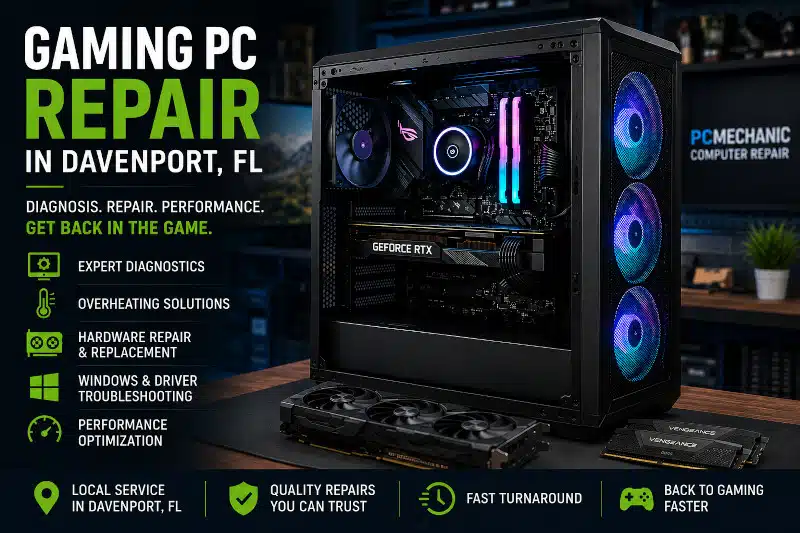
Gaming PC repair in Davenport, FL can help when your computer starts crashing, overheating, freezing, losing performance, or refusing to start. Gaming computers place heavy demands on their processors, graphics cards, memory, cooling systems, storage drives, and power supplies. When something goes wrong, it is important to identify the actual cause before replacing expensive components.
At PCMechanic Computer Repair, I diagnose and repair custom and prebuilt gaming PCs. I evaluate hardware, Windows, drivers, temperatures, and system stability to determine the cause of the problem. My goal is to identify the underlying issue and recommend a practical repair rather than replacing parts unnecessarily.
Professional Gaming PC Repair in Davenport, FL
Gaming PCs can develop problems for many different reasons. Hardware can fail, Windows can become corrupted, drivers can conflict, and cooling issues can cause instability. In other cases, a recently installed component may not be compatible with the rest of the system.
Because several problems can produce similar symptoms, diagnosis is an important part of the repair process.
For example, random shutdowns might suggest a failing power supply. However, excessive CPU temperatures, unstable memory, or another hardware problem can cause similar behavior. Likewise, a black screen doesn’t automatically mean the graphics card has failed.
I evaluate the computer before recommending replacement parts whenever possible. That helps reduce unnecessary repairs and provides a clearer understanding of what’s actually wrong.
Common Gaming PC Repair Problems
Gaming computers can experience both hardware and software problems. Some failures prevent the computer from starting altogether, while others occur only under a heavy gaming workload.
Gaming PC problems can have several possible causes, and similar symptoms don’t always point to the same component. If you’d like to learn more about what may be causing crashes, overheating, black screens, shutdowns, or poor performance, my Gaming PC Troubleshooting guide explains these common problems in greater detail.
Gaming PC Won’t Turn On
A gaming PC that won’t power on can have several possible causes. The power supply, motherboard, power connections, or another component may be responsible.
Motherboard problems can cause gaming PCs to experience startup failures, random shutdowns, or hardware detection issues. However, similar symptoms can also result from other faulty components. When a motherboard is confirmed defective, my Motherboard Replacement Service explains how I handle component compatibility, replacement, and testing.
Sometimes the computer appears completely dead. In other situations, lights or fans may briefly turn on before the system shuts down.
Rather than assuming the power supply has failed, I evaluate the symptoms and relevant hardware to narrow down the cause.
If the PSU is found to be faulty, my Power Supply Replacement Service provides a dedicated solution to replace a failed or inadequate power supply.
Gaming PC Keeps Crashing or Freezing
Crashes and freezes can be frustrating because the cause isn’t always obvious.
Possible causes include unstable RAM, overheating, storage problems, driver conflicts, Windows corruption, power issues, or failing hardware. Problems may also appear only during demanding games because gaming places substantially more load on the system.
I look at when crashes occur and evaluate which hardware and software are most likely responsible.
Black Screen or No Display
A black screen doesn’t necessarily mean the graphics card needs replacement.
GPU problems are one possibility. However, memory problems, loose connections, power issues, motherboard issues, display connection problems, or startup failures can also result in no video output.
Diagnosing the system before purchasing another graphics card can prevent an expensive and unnecessary replacement.
Random Shutdowns and Restarts
A Gaming PC that suddenly shuts down or restarts during gameplay may have a power, temperature, or stability problem.
Because demanding games place a significant load on the CPU and GPU, problems that aren’t noticeable during basic computer use can appear while gaming.
For example, a deteriorating power supply may operate normally on the Windows desktop but become unstable under heavier load. Excessive temperatures can produce similar symptoms.
Gaming PC Overheating
Gaming computers generate substantial heat. Good airflow and adequate cooling are therefore essential for stable performance.
Dust buildup, restricted airflow, aging thermal compound, failed fans, inadequate CPU cooling, or poor case ventilation can contribute to excessive temperatures.
When temperatures become too high, modern processors can reduce their operating speed to protect themselves. This thermal throttling may cause lower performance, stuttering, or instability.
If processor temperatures are part of the problem, my article “CPU Overheating While Gaming” explains the common symptoms and causes. When the existing cooler is inadequate, a CPU Cooler Upgrade Service may provide a more appropriate solution.
Case design can also affect cooling. If the existing enclosure restricts airflow or lacks room for modern hardware, the Benefits of Upgrading Your PC Case explains when a case swap can improve airflow, cable management, component clearance, and appearance.
Poor Gaming Performance and Stuttering
Low frame rates and stuttering don’t automatically indicate failed hardware.
The CPU or GPU may be limiting performance. The computer may not have enough memory, temperatures may be too high, or background software may be consuming resources. Storage and driver problems can also affect the overall experience.
I consider the system’s existing specifications and symptoms before recommending an upgrade.
If your hardware is working correctly but no longer delivers the performance you need, Affordable Gaming PC Upgrades in Davenport, FL explains which components may be worth upgrading.
Professional Gaming PC Diagnostics
Accurate diagnosis is one of the most important parts of Gaming PC repair.
Replacing components based solely on symptoms can quickly become expensive. Instead, I evaluate the areas most likely to be responsible for the problem.
Depending on the symptoms, Gaming PC diagnostics may include evaluating:
- CPU stability and temperatures
- Graphics card performance and stability
- RAM configuration and memory errors
- SSD and storage health
- Power supply condition and capacity
- Motherboard functionality
- Cooling fans and airflow
- BIOS settings and compatibility
- Windows integrity
- Device drivers
- Recently installed hardware or software
- Overall system stability
The exact diagnostic process depends on the problem. A computer that won’t power on requires a different approach from one that crashes only during gaming.
Diagnostics can also reveal situations where the hardware itself is working properly. Driver problems, Windows corruption, incorrect BIOS settings, or incompatible components can sometimes create symptoms that resemble hardware failure.
Identifying the root cause allows me to recommend the appropriate repair rather than guessing.
Gaming PC Hardware Problems
Gaming PCs often contain higher-performance components than standard desktop computers. As a result, power requirements, temperatures, component compatibility, and airflow can become particularly important.
Common hardware-related problems can involve the graphics card, processor, RAM, SSD, power supply, motherboard, cooling system, or connections between components.
A hardware problem doesn’t always require replacing the entire computer. Many systems can be repaired by identifying and replacing the failed component.
However, compatibility must be considered before installing replacement hardware. A new graphics card, processor, or power supply needs to work correctly with the rest of the system.
I also check whether a previous upgrade may have introduced the problem. An inadequate power supply, incompatible memory, incorrect BIOS configuration, or insufficient cooling can sometimes cause instability after new hardware is installed.
Windows, Driver, and Software Problems
Not every Gaming PC problem is caused by hardware.
Windows corruption, damaged system files, problematic updates, driver conflicts, malware, or incompatible software can cause crashes, startup problems, poor performance, and other symptoms.
Graphics drivers are particularly important in gaming systems. However, repeatedly installing drivers won’t solve a hardware problem, so determining whether the issue is software-related remains important.
When Windows becomes too damaged or unstable to repair reliably, a clean installation may be a better solution. My Windows Installation & Reinstallation Service covers situations where Windows needs to be professionally reinstalled and configured.
I also evaluate whether background software is contributing to poor performance before recommending hardware upgrades.
Repair or Upgrade: Which Makes More Sense?
Sometimes a Gaming PC isn’t actually broken. The hardware may simply no longer provide the performance expected from newer games.
In that situation, upgrading the right component can extend the computer’s useful life.
For example, a graphics card upgrade may improve performance at higher resolutions. A CPU upgrade may address a processor bottleneck, while additional memory can help a system that doesn’t have enough RAM. An NVMe SSD can improve loading times and overall responsiveness.
However, upgrading isn’t always the best investment.
If several major components are outdated, the cost of replacing the CPU, motherboard, memory, graphics card, and power supply can approach that of building a new system.
I consider the condition and capabilities of the existing computer before recommending that you invest heavily in upgrades.
If the existing platform has reached the end of its useful upgrade path, my Gaming PC Build Services in Davenport, FL, may provide a better long-term solution.
Not sure whether your gaming PC needs a repair or an upgrade? Contact PCMechanic Computer Repair in Davenport, FL, and I’ll diagnose the problem and help you determine the best solution.

Why Choose PCMechanic for Gaming PC Repair in Davenport?
When you need gaming PC repair in Davenport, FL, you work directly with me throughout the diagnostic and repair process.
PCMechanic provides local drop-off and pickup service in Davenport, so you can bring your gaming PC directly to me for diagnosis and repair. I work by appointment, which allows me to give each system individual attention without the experience of a large retail repair counter.
I also understand that you don’t want your gaming PC sitting in a repair queue longer than necessary. When replacement parts aren’t required, I complete many diagnostic and repair services quickly. Repairs that require ordered components may take longer depending on parts availability.
I provide one-on-one service rather than passing your computer between different technicians. That means I take the time to understand the symptoms you’re experiencing and evaluate the computer before recommending repairs or upgrades.
My experience includes custom-built and prebuilt gaming desktops, along with a wide range of hardware, Windows, cooling, compatibility, and performance problems.
Because gaming systems often contain expensive components, I focus on identifying the cause of the problem before recommending hardware replacements whenever possible.
That’s why I focus on determining the cause of the problem before recommending replacement hardware whenever possible.
My goal is straightforward: identify what’s wrong, explain the available options, and help you decide whether repairing or upgrading the system makes sense.
Frequently Asked Questions About Gaming PC Repair
Why does my Gaming PC crash only when playing games?
Gaming places a heavier load on the CPU, graphics card, power supply, and cooling system than basic desktop use. Therefore, overheating, power issues, unstable hardware, driver problems, or other issues may occur only during gameplay.
Does a black screen mean my graphics card is bad?
Not necessarily. A failed GPU can cause a black screen, but memory, power, motherboard, connection, or startup issues can produce similar symptoms. Diagnosis should come before purchasing a replacement graphics card.
Why does my Gaming PC keep shutting down?
Overheating, power supply problems, unstable hardware, or other system issues can cause unexpected shutdowns. The circumstances surrounding the shutdown help determine what should be tested.
Can overheating make games run slower?
Yes. CPUs and GPUs can reduce performance when temperatures become excessive. This protective behavior, known as thermal throttling, can contribute to lower frame rates and inconsistent performance.
Can you diagnose a Gaming PC if I don’t know what’s wrong?
Yes. You don’t need to know which component is causing the problem before bringing the computer in. I can evaluate the symptoms and diagnose the system to determine the likely cause.
Do you repair custom-built Gaming PCs?
Yes. I work with both custom-built and prebuilt gaming desktop computers.
Can you install replacement or upgraded components?
Yes. When compatible replacement or upgrade components are available, I can install customer-supplied hardware and then test the system.
Should I repair my old Gaming PC or build a new one?
It depends on the system’s age, the failed component, available upgrade paths, and the cost of the repair. A targeted repair often makes sense when the rest of the computer remains capable. However, replacing the platform may provide better value when several major components are outdated.
Schedule Gaming PC Repair in Davenport, FL
Gaming PC problems can come from hardware, Windows, drivers, cooling, power, or compatibility issues. Finding the actual cause is the first step toward making the right repair decision.
If your Gaming PC won’t start, crashes during games, overheats, shows a black screen, shuts down randomly, or isn’t performing as expected, contact PCMechanic Computer Repair in Davenport, FL.
I can diagnose the problem, explain what I find, and recommend an appropriate repair or upgrade to get your Gaming PC working properly again.