
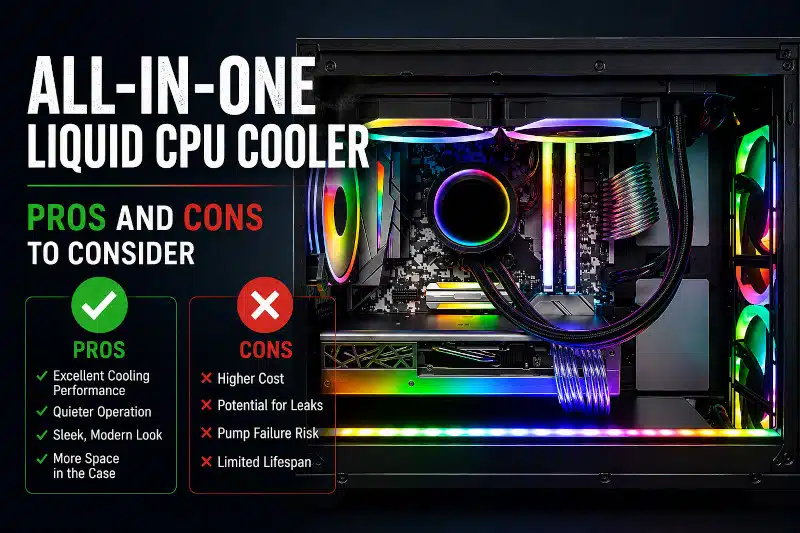
An all-in-one (AIO) liquid CPU cooler is a compact, pre-assembled cooling solution designed to keep your processor temperatures under control. These cooling systems use a liquid to transfer heat from the CPU to a radiator, where fans dissipate it outside the case.
AIO coolers have become increasingly popular among gamers, streamers, content creators, and PC enthusiasts because they offer strong thermal performance and a cleaner appearance than many traditional air coolers.
While an all-in-one liquid CPU cooler offers several advantages, there are also drawbacks to consider before upgrading your gaming PC. Understanding both the benefits and limitations can help you choose the right cooling solution for your system.
The Pros of Using an All-in-One Liquid CPU Cooler
Superior Cooling Performance
One of the biggest advantages of an all-in-one liquid CPU cooler is its ability to manage heat efficiently during demanding workloads. The liquid in the cooling loop absorbs heat from the processor and transfers it to the radiator, where fans help dissipate it.
As a result, your CPU can maintain lower operating temperatures during gaming, streaming, video editing, or multitasking. Lower temperatures can also improve system stability and reduce the risk of thermal throttling.
Proper cooling may even help extend the lifespan of your processor and motherboard components. Excessive heat is one of the most common causes of hardware instability and long-term system failure.
If your computer overheats, upgrading your cooling system may significantly improve performance and reliability.
Quieter Operation Under Load
Another major benefit of an all-in-one liquid CPU cooler is reduced noise levels. Because liquid cooling transfers heat efficiently, radiator fans often do not need to spin as aggressively as traditional air-cooler fans.
This quieter operation creates a more comfortable environment for gaming, streaming, office work, or content creation. Many users also appreciate the reduced fan noise during intensive gaming sessions.
Additionally, pairing an AIO cooler with proper case airflow can further improve cooling efficiency and acoustic performance.
Sleek and Modern Aesthetic
Many PC builders choose an all-in-one liquid CPU cooler for its clean, modern aesthetic. Unlike bulky tower air coolers, AIO systems leave more visible space around the motherboard.
This design helps showcase components such as RGB memory modules, motherboard lighting, and cable management. Many AIO coolers also include customizable RGB lighting that enhances the overall appearance of a gaming PC.
For users building a showcase system or upgrading an older gaming computer, an AIO cooler can dramatically improve the build’s visual presentation.
Better Cooling for Compact PC Builds
An all-in-one liquid CPU cooler can also work well in compact gaming systems with limited airflow. Since the radiator mounts separately from the CPU block, heat can be exhausted more efficiently from the case.
This flexible mounting design helps reduce internal heat buildup while improving airflow around other critical components such as the graphics card and motherboard.
Smaller gaming PCs often struggle with heat management, so efficient cooling becomes even more important in compact cases.
The Cons of Using an All-in-One Liquid CPU Cooler
Higher Cost Compared to Air Coolers
The biggest drawback of an all-in-one liquid CPU cooler is the higher price. AIO systems typically cost significantly more than standard air coolers.
Although premium liquid coolers deliver excellent performance, many high-end air coolers can still provide strong thermal results at a lower cost.
For budget-conscious users, an air cooler may offer better overall value depending on the processor and workload requirements.
Risk of Leaks and Pump Failure
While modern AIO coolers are generally reliable, liquid cooling systems still carry a small risk of leaks or pump failure.
A leaking cooler could potentially damage nearby hardware components, including the motherboard, graphics card, or power supply. Although these failures are uncommon, they remain a concern for some users.
Pump failure is another potential issue. Since the pump continuously circulates coolant through the loop, it can eventually wear out. If the pump fails, CPU temperatures may rise rapidly.
Regularly monitoring system temperatures can help identify cooling problems before hardware damage occurs.
More Complex Installation and Maintenance
Installing an all-in-one liquid CPU cooler is typically more complicated than installing a standard air cooler. Users must mount the radiator, position the tubing correctly, connect fans, and install the pump securely.
Although most manufacturers include installation guides, beginners may still find the process intimidating.
Proper radiator placement and airflow direction also play an important role in overall cooling performance. Incorrect installation can reduce efficiency or create unnecessary noise.
Limited Lifespan
Unlike traditional air coolers that can last for many years with simple fan replacements, AIO liquid CPU coolers have a limited operational lifespan.
Over time, the pump can wear out, and coolant levels may slowly decrease due to evaporation. Most all-in-one liquid coolers typically last between five and seven years before cooling performance begins to decline.
If long-term reliability and low maintenance are your highest priorities, a quality air cooler may still be the better option.
Air Cooler vs. AIO: Which Is Better for a Gaming PC?
Neither an air cooler nor an AIO liquid cooler is automatically the better choice for every Gaming PC. The right option depends on your processor, case compatibility, cooling requirements, noise preferences, budget, and available space.
Air coolers generally offer a simpler design, lower cost, and excellent long-term reliability. Because they don’t use a pump, there are fewer mechanical components that can fail. However, larger tower coolers can create clearance issues with RAM, the motherboard, or the side panel in some cases.
AIO liquid coolers can deliver strong cooling performance while allowing the radiator and fans to be moved to another location inside the case. This can provide additional clearance around the CPU socket and may be particularly useful with higher-power processors. However, an AIO adds a pump, radiator, tubing, additional compatibility requirements, and typically a higher purchase price.
Case compatibility also matters. A large air cooler requires sufficient clearance for the CPU cooler height, while an AIO requires an appropriate radiator mounting location. For example, installing a 360mm AIO requires a case specifically designed to accommodate a 360mm radiator and its fans.
Ultimately, I recommend choosing the cooler that appropriately matches the CPU and the overall system rather than assuming liquid cooling is always better. A quality air cooler can be an excellent choice for many Gaming PCs, while an appropriately sized AIO can make sense when the processor, case, and cooling requirements justify it.
Are AIO Coolers Better Than Air Coolers?
Choosing between an all-in-one liquid CPU cooler and an air cooler depends on your goals, budget, and system configuration.
AIO coolers generally provide:
- Better cooling performance for high-end CPUs
- Improved aesthetics
- Lower noise levels under heavy workloads
- Better compatibility in compact gaming systems
Air coolers usually offer:
- Lower cost
- Easier installation
- Longer lifespan
- Less maintenance and fewer failure points
For gaming PCs with high-performance processors, an AIO cooler can provide superior thermal performance under sustained workloads. However, many mainstream gaming systems still perform very well with a quality air cooler.
Signs Your AIO Cooler May Be Failing
Recognizing early signs of cooling problems can help prevent overheating and hardware damage.
Common warning signs include:
- Sudden CPU temperature spikes
- Loud grinding or bubbling noises
- Frequent thermal throttling
- Unexpected shutdowns during gaming
- Reduced cooling performance over time
If you notice any of these symptoms, inspecting or replacing the cooler may help prevent more serious hardware issues.
Conclusion
An all-in-one liquid CPU cooler offers strong thermal performance, quieter operation, and a sleek appearance that appeals to many gamers and PC enthusiasts. These cooling systems can significantly lower temperatures under heavy workloads while also enhancing the overall appearance of a gaming PC.
However, AIO coolers also come with higher costs, more complex installation requirements, and a shorter lifespan than traditional air coolers.
If you prioritize cooling performance, aesthetics, and reduced noise levels, an all-in-one liquid CPU cooler may be an excellent upgrade for your system. On the other hand, users seeking affordability and long-term simplicity may still prefer a high-quality air cooler.
If your gaming PC is overheating or you need help choosing the right cooling solution, professional assistance can help ensure your system remains stable and reliable.
For expert help with gaming PC cooling upgrades, CPU cooler installation, overheating issues, or hardware diagnostics, contact PCMechanic Computer Repair today.

Frequently Asked Questions
Are AIO liquid coolers worth it?
Yes, AIO liquid coolers are worth it for users who want lower CPU temperatures, quieter operation, and improved aesthetics.
Do all-in-one liquid coolers require maintenance?
Most AIO coolers require minimal maintenance, though users should periodically monitor temperatures and pump performance.
How long does an AIO cooler last?
Most all-in-one liquid CPU coolers last between five and seven years, depending on usage and build quality.
Can an AIO cooler leak?
Although uncommon, leaks can occur if the cooler is damaged or the pump fails.
Are AIO coolers better for gaming PCs?
AIO coolers are often beneficial for gaming PCs with high-performance processors because they provide strong thermal management during extended gaming sessions.