
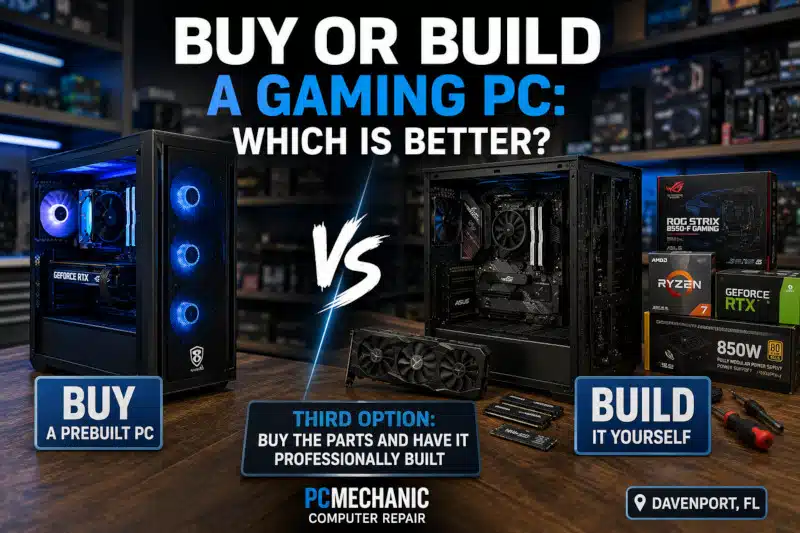
Buy or build a gaming PC? It’s one of the first decisions you’ll face when purchasing a new gaming computer. A prebuilt system offers convenience and manufacturer support, while a custom-built PC gives you greater control over the components, cooling, appearance, and future upgrades.
Neither option is automatically better for everyone. Your budget, gaming requirements, technical experience, and willingness to assemble and troubleshoot a computer all play a role.
Before spending money on a new system, it helps to understand what you’re gaining—and potentially giving up—with each option.
Should You Buy or Build a Gaming PC?
The right choice depends largely on how involved you want to be in selecting and assembling your computer.
A prebuilt gaming PC arrives assembled and usually includes Windows, drivers, and a manufacturer warranty. Therefore, it’s often the easiest option for someone who wants to start gaming without dealing with component compatibility or assembly.
A custom gaming PC, however, gives you much greater control. You can choose the processor, graphics card, motherboard, memory, storage, power supply, cooling, and case individually.
There’s also a third option that many people overlook: purchase the components yourself and have the gaming PC professionally assembled.
This approach provides much of the flexibility of a custom PC without requiring you to assemble it, configure the BIOS, install Windows, and test the system yourself.
Advantages of Buying a Prebuilt Gaming PC
Convenience is the biggest advantage of buying a prebuilt gaming PC.
For example, the manufacturer or system integrator selects compatible hardware, assembles the computer, installs the operating system, and tests the finished system before shipping it.
For someone who doesn’t want to research individual components, this can make purchasing a gaming computer considerably easier.
Other potential advantages include:
- The computer arrives assembled.
- Windows is typically preinstalled.
- Drivers are usually configured.
- One company provides support for the complete system.
- A system-level warranty may simplify repairs.
- Sales and promotions can sometimes make prebuilts competitively priced.
A prebuilt PC can therefore be a good choice if convenience and simplicity matter more to you than selecting every component yourself.
Buying a used gaming PC is another option for gamers working with a limited budget. However, secondhand systems may have worn components, outdated hardware, or limited upgrade potential. Before purchasing one, read my article, Used Gaming PC: Smart Buy or Risky Purchase?, to understand the potential benefits and risks.
Disadvantages of Buying a Prebuilt Gaming PC
Prebuilt computers also have potential drawbacks.
One of the biggest is less control over component selection.
A computer may advertise an excellent processor and graphics card while using a more basic motherboard, power supply, memory kit, storage drive, or cooling system.
That doesn’t necessarily make the computer bad. However, those less prominent components can affect reliability, temperature, noise, and future upgrade options.
In addition, some manufacturers use proprietary cases, motherboards, power supplies, connectors, or cooling solutions. Proprietary hardware can make certain future upgrades more difficult.
Before purchasing a prebuilt system, consider more than just the CPU and GPU. Look at the entire hardware configuration whenever possible.
Advantages of Building a Gaming PC
When you build a gaming computer, you decide exactly where your money goes.
For example, someone focused primarily on gaming might prioritize a stronger graphics card while choosing a processor that provides an appropriate performance balance.
You can also choose the exact motherboard, power supply, memory, SSD, case, cooling system, and other components.
This provides several advantages:
- Greater control over component quality
- More customization options
- Better control over cooling and airflow
- Choice of case size and appearance
- Ability to select the power supply
- Greater control over storage capacity
- Easier planning for future upgrades
- No unnecessary components you don’t want
Custom building can be especially attractive if you already know the performance level you’re aiming for.
Disadvantages of Building Your Own Gaming PC
Building a computer yourself requires more than purchasing a collection of high-performance components.
The parts must be compatible.
The processor must match the motherboard socket and chipset. The motherboard must support the selected memory. The case must accommodate the motherboard, graphics card, power supply, and cooling hardware.
Likewise, the power supply must provide sufficient capacity and appropriate connections for the installed components.
After assembly, you may need to configure the BIOS, install Windows, load motherboard and graphics drivers, and troubleshoot problems during the first startup.
For an experienced builder, those tasks may be enjoyable. However, a first-time builder can find the process overwhelming.
Is Building a Gaming PC Always Cheaper?
No. This is one of the biggest misconceptions about deciding whether to buy or build a gaming PC.
Building your own computer can provide excellent value because you control how the budget is allocated. However, that doesn’t mean a custom build will always cost less than a comparable prebuilt system.
Component prices fluctuate. Meanwhile, large manufacturers and system integrators may receive volume pricing unavailable to individual buyers.
Furthermore, prebuilt computers sometimes go on sale.
When comparing prices, consider the entire system, including:
- Processor
- Graphics card
- Motherboard
- RAM
- Storage
- Power supply
- CPU cooler
- Case
- Case fans
- Windows license
A cheaper computer isn’t necessarily the better value, either. Component quality, cooling, upgradeability, warranty coverage, and overall configuration should also factor into the decision.
Which Gaming PC Is Easier to Upgrade?
A custom-built gaming PC generally provides more flexibility for future hardware upgrades because it usually uses standardized components.
For example, a standard ATX or Micro-ATX motherboard, a conventional ATX power supply, and a standard PC case make replacing individual components relatively straightforward.
However, compatibility still matters.
A future CPU upgrade may require a different motherboard. A more powerful graphics card could require a larger power supply or case. Likewise, increased heat output may require better cooling.
On the other hand, prebuilt computers vary considerably. Some use standard components and are easy to upgrade, while others use proprietary hardware that limits your options.
If you already own a gaming PC and aren’t sure whether replacing it is necessary, my guide, Affordable Gaming PC Upgrades in Davenport, FL, explains several upgrades that can improve an existing system.
What Parts Do You Need to Build a Gaming PC?
A typical custom gaming PC requires several core components:
- Processor (CPU)
- Motherboard
- Memory (RAM)
- Graphics card (GPU)
- SSD or NVMe storage
- Power supply
- CPU cooling
- Computer case
- Case fans
- Operating system
However, choosing individual components is only part of the process. They also need to work together correctly.
Processor sockets, motherboard chipsets, memory generations, case dimensions, graphics-card clearance, cooler height, radiator support, and power requirements can all affect compatibility.
If you’re considering a custom system, my Parts Needed to Build a Gaming PC guide explains the major components and what each one does.
Prebuilt vs. Custom Gaming PC
Here’s a simple way to compare the two approaches:
| Consideration | Prebuilt Gaming PC | Custom Gaming PC |
|---|---|---|
| Convenience | Excellent | Requires more work |
| Component control | Limited to configuration | Excellent |
| Assembly required | No | Yes |
| Hardware customization | Varies | Excellent |
| Upgrade flexibility | Varies by manufacturer | Usually better |
| Warranty | Often whole-system | Individual component warranties |
| Troubleshooting | Manufacturer support | Builder responsible |
| Cooling choices | Predetermined | Highly customizable |
| Appearance | Limited to available models | Highly customizable |
| Technical knowledge | Minimal | Moderate to advanced |
Neither column automatically wins.
The better choice depends on which factors matter most to you.
A Third Option: Buy the Parts and Have Your Gaming PC Professionally Built
There is another way to approach the buy-or-build decision for a gaming PC.
Instead, you can purchase the individual components you want and have someone assemble the computer professionally.
This option gives you control over the hardware without requiring you to build the entire system yourself.
At PCMechanic Computer Repair, many customers purchase their own gaming PC components and bring them to me for assembly. I can also help identify compatibility problems before parts are purchased.
My Gaming PC Build Services in Davenport, FL can include component-selection assistance, hardware compatibility verification, assembly, cable management, BIOS configuration, Windows and driver installation, and system stability testing.
This approach can be particularly useful for first-time builders who want a custom computer but aren’t comfortable assembling expensive hardware themselves.
Want a custom gaming PC without assembling it yourself? Contact PCMechanic Computer Repair in Davenport, FL, for professional assembly, component compatibility assistance, and system setup.

Which Option Should You Choose?
A prebuilt gaming PC may be the better choice if:
- You want the easiest purchasing experience.
- You don’t want to assemble the computer.
- You prefer one company to support the entire system.
- You find a prebuilt configuration that meets your needs at a competitive price.
Building your own custom gaming PC may make more sense if:
- You want control over individual components.
- Hardware quality is important to you.
- You want specific cooling or aesthetic options.
- You want greater flexibility for future upgrades.
- You enjoy researching and assembling computer hardware.
Professional custom assembly offers another option if:
- You want to select your own components.
- You want standard, upgradeable hardware.
- You don’t want to assemble the system yourself.
- You’re concerned about hardware compatibility.
- You want the computer configured and tested professionally.
Ultimately, the best gaming PC isn’t determined by whether it came from a box or was assembled one component at a time. It’s the system that provides the performance, reliability, features, and upgrade options that make sense for you.
Frequently Asked Questions About Buying or Building a Gaming PC
Is it better to buy or build a gaming PC?
Neither option is universally better. Prebuilt gaming PCs offer convenience and simplified support, while custom systems provide greater control over components, cooling, appearance, and upgrade options.
Is building a gaming PC cheaper than buying one?
Not always. Building can provide better control over where your money is spent, but component prices and prebuilt promotions can change the cost comparison. Compare complete systems rather than assuming one approach will always be cheaper.
Is building a gaming PC difficult for a beginner?
It can be. Installing components is only part of the process. Beginners also need to understand hardware compatibility, power requirements, BIOS configuration, Windows installation, drivers, and troubleshooting.
Can I buy my own parts and have someone build the PC?
Yes. This is an excellent middle ground for people who want to choose their own hardware without assembling the system themselves. PCMechanic accepts customer-supplied components for custom gaming PC builds.
Are custom gaming PCs easier to upgrade?
Usually, especially when they’re built with standard components. However, future upgrades still depend on motherboard compatibility, power requirements, case dimensions, cooling capacity, and other hardware limitations.
What should I check before buying a prebuilt gaming PC?
Look beyond the processor and graphics card. Check the RAM configuration, storage, motherboard, power supply, cooling, case airflow, component expandability, warranty, and whether the manufacturer uses proprietary hardware.
Can PCMechanic help me choose compatible parts?
Yes. I can help you select compatible components based on your gaming PC goals and budget before you purchase the hardware.
Need Help With Your Gaming PC Build?
If you want the flexibility of a custom gaming PC without the uncertainty of assembling it yourself, I can help.
Contact PCMechanic Computer Repair in Davenport, FL, to discuss your build, component compatibility, or professional gaming PC assembly.