Is a Gaming PC CPU Upgrade Worth It?
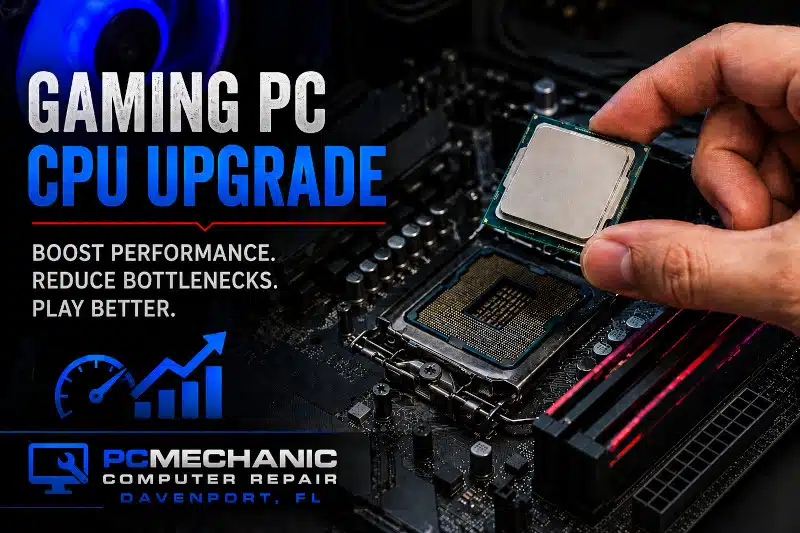
A Gaming PC CPU Upgrade is one of the most effective ways to improve system performance and extend your computer’s lifespan. While many gamers focus on upgrading their graphics card, the processor plays an equally important role. If your CPU cannot keep up with your hardware, it may create a bottleneck that limits gaming performance.
At PCMechanic Computer Repair in Davenport, FL, I provide Gaming PC CPU Upgrade services for customers who want to improve frame rates, reduce stuttering, and increase overall system responsiveness. Before recommending a processor replacement, I evaluate your existing hardware to determine compatibility and expected performance gains.
Modern games demand more processing power than ever before. As a result, older processors often struggle with newer titles, background applications, game streaming, and multitasking. Even with a powerful graphics card, an outdated processor can prevent your system from reaching its full potential. If you are planning a completely new system instead of upgrading existing hardware, learn more about my Gaming PC Build Services and custom gaming computer solutions.
A Gaming PC CPU Upgrade may be beneficial if your system experiences high processor usage while gaming, frequent lag spikes, or reduced performance during demanding tasks. In many cases, upgrading the processor can breathe new life into an older gaming computer without requiring a complete system replacement.
Additionally, processor upgrades often pair well with other performance improvements. For example, many customers choose to combine a CPU upgrade with my CPU Cooler Upgrade Service to maintain lower operating temperatures. Likewise, adding an M.2 NVMe SSD can significantly improve game loading times and overall responsiveness.
Benefits of Upgrading Your Gaming PC Processor
A newer processor offers several advantages beyond raw gaming performance. First, it can improve overall system responsiveness. Programs open faster, multitasking becomes smoother, and demanding applications run more efficiently.
Second, a Gaming PC CPU Upgrade can reduce bottlenecks. A bottleneck occurs when the processor cannot supply data to the graphics card quickly enough. Consequently, gaming performance suffers even when the graphics card has available processing power.
Another benefit is improved support for newer hardware. Many modern graphics cards perform best when paired with a capable processor. Therefore, upgrading your CPU may help you maximize the value of your existing graphics card investment. Pairing a processor upgrade with a Graphics Card Upgrade & Installation Service can help eliminate performance bottlenecks and create a more balanced gaming system.
Furthermore, gamers who stream gameplay often benefit from upgrading their processors. Streaming software, background applications, voice chat programs, and games all compete for processor resources. A more powerful CPU can handle these tasks more efficiently.
Before performing any Gaming PC CPU Upgrade, I verify motherboard compatibility and BIOS requirements. Some processors require a BIOS update before installation. If necessary, I can perform a BIOS update on gaming PCs to ensure proper compatibility and stability.
In some situations, a processor upgrade may also require improved cooling. Modern processors can generate additional heat under load. Because of this, I inspect the cooling system and recommend upgrades when appropriate.
Common Signs You Need a Gaming PC CPU Upgrade
Many customers are unsure whether their processor is causing performance problems. Fortunately, there are several common warning signs.
You may benefit from a Gaming PC CPU Upgrade if you notice:
- High CPU utilization while gaming
- Frequent frame rate drops
- Stuttering during gameplay
- Poor multitasking performance
- Longer game loading times
- Slow application launches
- Reduced streaming performance
- System lag while gaming and recording simultaneously
If your computer exhibits several of these symptoms, you may also benefit from reading my guide on Gaming PC Troubleshooting to identify other potential performance issues.
Additionally, your processor may be several generations old. Even if it still functions properly, newer CPUs often deliver significant improvements in efficiency and performance.
However, every system is different. Because of this, I evaluate each computer individually before recommending an upgrade. Some gaming systems benefit from multiple hardware improvements. For additional ideas, explore my article on Affordable Gaming PC Upgrades in Davenport, FL. In some cases, upgrading the processor provides substantial benefits. In other cases, an SSD upgrade, additional memory, or graphics card upgrade may provide better value.
Professional Gaming PC CPU Upgrade Service in Davenport, FL
Installing a processor involves more than simply replacing a component. Compatibility must be verified, thermal paste applied correctly, and BIOS requirements met. Furthermore, improper installation can lead to overheating, instability, or system failure.
At PCMechanic Computer Repair, I carefully evaluate your existing hardware before recommending a Gaming PC CPU Upgrade. My goal is to help you achieve meaningful performance improvements while avoiding unnecessary expenses.
Whether you use your computer for gaming, streaming, content creation, or general performance improvements, I can help determine whether a processor upgrade is the right solution for you. If you are new to gaming computers, you may also find my guide, Parts Needed to Build a Gaming PC, helpful for understanding how the processor works alongside the motherboard, memory, storage devices, and graphics card.
If your gaming PC feels sluggish or struggles to keep up with modern games, contact PCMechanic Computer Repair in Davenport, FL, today to discuss your upgrade options.

Frequently Asked Questions
Will a Gaming PC CPU Upgrade improve FPS?
In many cases, yes. A faster processor can reduce bottlenecks and improve frame rates, especially when paired with a capable graphics card.
How do I know if my CPU is bottlenecking my graphics card?
Common signs include high CPU usage, lower-than-expected frame rates, and performance drops during demanding games. I can evaluate your system and determine whether the processor is limiting performance.
Do I need a new motherboard for a CPU upgrade?
Not always. However, motherboard compatibility depends on the processor generation, socket type, and chipset.
Is a BIOS update required before installing a new CPU?
Some motherboards require a BIOS update to support newer processors. I verify compatibility before performing any upgrade.
Should I upgrade my CPU cooler when replacing my processor?
Possibly. More powerful processors often generate additional heat. Therefore, upgrading the cooler may improve temperatures and system stability.
Is a CPU upgrade better than buying a new gaming PC?
In many situations, yes. A Gaming PC CPU Upgrade can significantly improve performance while costing less than replacing the entire computer.
Wondering if a processor upgrade will improve your gaming performance? Contact PCMechanic Computer Repair today for a Gaming PC CPU Upgrade evaluation in Davenport, FL.