
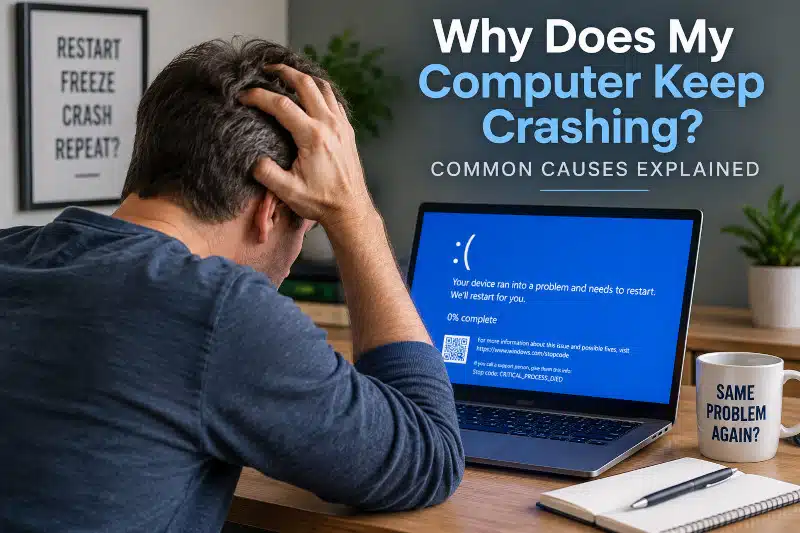
If you are asking, “Why does my computer keep crashing?”, the problem may come from Windows, failing hardware, overheating, memory errors, power problems, or another source of system instability. Unfortunately, repeated crashes do not always point to one obvious component.
A computer may freeze completely, restart without warning, display a blue screen, shut down, or crash while running a particular program or game. Although these symptoms can look similar, their causes may be very different.
At PCMechanic Computer Repair in Davenport, FL, I diagnose computer crashes by examining when they occur, what the computer does when it crashes, and whether the issue is hardware- or software-related. Identifying the actual cause is important before replacing parts or reinstalling Windows.
What Does It Mean When Your Computer Keeps Crashing?
People use the word crash to describe several different computer problems. Therefore, understanding exactly what happens can provide important clues during diagnosis.
For example, a computer crash may involve:
- Windows freezing and no longer responding
- A Blue Screen of Death (BSOD)
- The computer suddenly restarting
- The computer completely shutting down
- The display going black while the computer remains powered on
- A program or game repeatedly closing
- The computer locking up under heavy workloads
These symptoms don’t necessarily have the same cause. For instance, an application that closes unexpectedly may be caused by software or a driver. In contrast, a complete shutdown under load could be due to overheating, power delivery issues, or another hardware problem.
If your computer has developed several different problems rather than just recurring crashes, my guide “My Computer Broke—What to Do Next” explains some broader warning signs that your computer needs attention.
Why Does My Computer Keep Crashing?
Repeated computer crashes usually mean something is interfering with normal system stability. Sometimes the cause is software-related. However, failing or unstable hardware can produce very similar symptoms.
The following are some of the problems I consider when diagnosing a computer that repeatedly crashes.
1. Overheating Can Cause Your Computer to Keep Crashing
Excessive heat can make a computer unstable, particularly when the CPU or GPU is under a heavy workload.
Cooling problems can arise from restricted airflow, accumulated dust, degraded thermal paste, malfunctioning fans, or other cooling system issues. Gaming PCs and other high-performance computers can generate considerable heat under load.
A computer with a thermal problem may crash while gaming, rendering video, running demanding applications, or performing other processor-intensive tasks. In some cases, it may become unstable only after running for a while.
However, a crash during a demanding workload does not automatically mean the computer is overheating. Power, memory, GPU, and other hardware problems can appear under similar conditions.
My PC Cleaning: How Dust Affects Your Computer article explains how dust buildup can restrict airflow and interfere with cooling.
2. Faulty or Unstable RAM
Memory problems are another possible source of crashes, freezes, blue screens, and unpredictable behavior.
A failing RAM module isn’t the only possibility. Memory instability can also involve compatibility, configuration, motherboard slots, or memory settings.
The symptoms may appear random. A computer might operate normally for hours and then suddenly freeze or restart. In other situations, crashes may become more frequent when applications require more memory.
Because several other problems can produce similar symptoms, RAM should be properly tested before assuming that memory needs replacement.
3. Storage Drive Problems
A failing HDD or SSD can sometimes cause Windows to freeze, become unresponsive, encounter file errors, or experience startup problems.
Storage-related symptoms can include unusually slow file access, corrupted or inaccessible files, boot problems, application errors, and other abnormal behavior. Mechanical hard drives may also develop unusual noises when physical problems occur.
However, a computer crash by itself does not prove that the storage drive is failing.
My Signs of Hard Drive Failure: Symptoms to Watch For guide explains the warning signs that may indicate a problem with an HDD or SSD.
When a storage device remains readable, I may also be able to back up accessible personal files before replacing the drive. I do not provide advanced recovery from physically failed or unreadable storage devices.
4. Power Supply Problems
On a desktop computer, an unstable or failing power supply can cause sudden restarts, shutdowns, startup problems, or crashes.
The symptoms may become more noticeable under load because the CPU and GPU require more power. However, power-related instability can also occur unpredictably.
A PSU should not be replaced automatically just because a computer suddenly restarts. Other hardware and software problems can cause similar behavior, so diagnosis is important.
If power delivery appears to be the problem, my article, “Power Supply Failure: Warning Signs and Common Symptoms,” explains additional symptoms of a failing PSU.
5. Windows Problems and Computer Crashing
Not every computer crash is caused by hardware.
Damaged Windows system files, problematic software, failed updates, and other operating system issues can interfere with normal operation. A computer may begin crashing after a software change, or instability may gradually become more frequent.
Software problems can also resemble hardware failure. For that reason, replacing components before determining whether Windows is responsible can result in unnecessary expense.
When Windows becomes severely corrupted or unstable, repair, reset, or reinstallation may be appropriate, depending on the system’s condition.
My Windows Installation & Reinstallation Service explains when reinstalling Windows may be considered after the underlying problem has been diagnosed.
6. Driver Problems Can Cause Computer Crashes
Drivers allow Windows to communicate with hardware such as graphics cards, network adapters, storage controllers, and other components. A damaged, incompatible, or problematic driver can contribute to system instability.
Software conflicts can create similar problems.
For example, crashes that begin after installing or updating software may require a different diagnostic approach than those in a computer that suddenly shuts down under heavy hardware load.
The timing of the first crash can therefore be useful. Knowing whether the problem began after a hardware change, a Windows update, a driver installation, or a new application can help narrow the possibilities.
7. Graphics Card Problems and Computer Crashing
GPU problems can cause crashes, particularly while gaming or running graphics-intensive applications.
Possible symptoms can include black screens, display corruption, driver crashes, freezes, or sudden instability under load. However, these symptoms do not automatically mean the graphics card itself has failed.
Power delivery, overheating, drivers, RAM, and other components can produce symptoms that resemble GPU failure.
That is why I prefer to diagnose the system before recommending an expensive graphics card replacement.
8. Motherboard Problems and Computer Crashes
Motherboard problems can cause some of the most difficult computer crashes to diagnose because the motherboard connects and controls communication between many components.
Depending on the failure, symptoms may include intermittent startup problems, unexplained instability, hardware detection problems, failed onboard ports, random restarts, or failure to POST.
However, those symptoms can also result from the power supply, RAM, CPU, storage, GPU, or Windows.
The article “Signs of Motherboard Failure: Symptoms to Watch For” explains why motherboard problems require careful diagnosis before replacement.
I diagnose and replace failed motherboards when appropriate, but I do not perform board-level motherboard repairs.
9. Malware Can Sometimes Cause System Instability
Malware can interfere with normal computer operation and may cause crashes, slow performance, browser issues, unusual background activity, and other symptoms.
However, repeated crashes should not automatically be blamed on a virus.
Hardware failure, Windows corruption, driver issues, overheating, and other problems can cause similar instability.
If the computer also displays suspicious pop-ups, browser redirects, unfamiliar programs, or other unusual behavior, my article, Signs of Malware Infection, explains additional warning signs to watch for.
Why Does My Computer Crash While Gaming?
Crashes that occur primarily while gaming deserve special attention because gaming can place substantial demand on the GPU, CPU, memory, cooling system, and power supply.
Possible causes include:
- GPU instability
- CPU or GPU overheating
- RAM instability
- Power supply problems
- Graphics driver problems
- Game or software conflicts
- Storage problems
- Other hardware instability
The fact that a computer crashes during gaming does not automatically identify the GPU as the problem.
For example, a marginal power supply might appear stable during light desktop use but become problematic under a heavier workload. Similarly, a cooling problem may not become obvious until the CPU or GPU remains under load.
Therefore, the circumstances surrounding the crash matter.
Why Does My Computer Keep Freezing and Restarting?
A freeze and a restart provide different diagnostic clues.
When a computer freezes, Windows may remain visible while the keyboard and mouse stop responding. In other cases, the display may freeze while audio repeats or stops.
A sudden restart means the system unexpectedly rebooted. This can occur after a Windows stop error, power interruption, hardware instability, or other serious problem. Windows may record an unexpected shutdown event, but that event alone doesn’t necessarily identify the underlying cause. Microsoft’s documentation similarly notes that an unexpected restart can result from power loss, a stop error, a system hang, or hardware/configuration problems.
Consequently, I don’t diagnose a computer solely because it restarted.
What About Blue Screen Errors?
A Blue Screen of Death occurs when Windows encounters a serious condition from which it cannot safely recover.
The displayed stop code can provide useful diagnostic information, but a blue screen does not automatically identify the failed component.
Potential causes can include drivers, RAM, storage, Windows corruption, hardware instability, and other problems.
Recurring blue screens are particularly useful to investigate because the error information, crash history, and circumstances surrounding the failures may help narrow down the cause.
Why Random Computer Crashes Can Be Difficult to Diagnose
Intermittent problems are often harder to diagnose than complete failures.
A computer that never powers on provides a relatively consistent symptom. In comparison, a computer that crashes once every few hours may behave normally during much of the diagnostic process.
Furthermore, one symptom can have several possible causes.
A sudden restart could be caused by the PSU, RAM, motherboard, overheating, Windows, or another issue. A black screen might be caused by the GPU, the display connection, power, or other hardware. Freezing could involve storage, memory, software, drivers, or Windows.
This is why replacing components based solely on symptoms can be expensive if the underlying problem isn’t identified first.
When Does Computer Crashing Need Professional Diagnosis?
An occasional application problem does not necessarily indicate a serious hardware failure. However, repeated system crashes deserve attention, especially when they become more frequent.
Professional diagnosis makes sense when:
- The entire computer repeatedly freezes
- Windows frequently displays blue screens
- The computer restarts without warning
- The system shuts down under load
- Crashes become progressively more frequent
- The computer will no longer boot reliably
- You suspect a hardware component is failing
- The problem continues despite restarting the computer
- Important files remain on the computer
The goal should be to determine why the computer keeps crashing before deciding what needs to be repaired or replaced.
Computer Crash Diagnosis in Davenport, FL
If your computer keeps crashing, I can diagnose the system to determine whether the problem is related to hardware, Windows, overheating, storage, memory, power, or another source of instability.
At PCMechanic Computer Repair in Davenport, FL, I personally diagnose and repair each computer rather than passing it between multiple technicians. Computers are handled through arranged drop-off and pickup.
Once I identify the problem, I can explain what is causing the crashes and whether repair, component replacement, a Windows service, or another solution makes sense.
Frequently Asked Questions
Why does my computer keep crashing for no reason?
A computer usually isn’t crashing without a cause, even when the problem appears random. Possible causes include overheating, unstable RAM, storage issues, Windows corruption, driver issues, power problems, malware, or failing hardware. Intermittent problems may require testing before the cause becomes clear.
Why does my computer crash and restart without warning?
Unexpected restarts can result from Windows stop errors, power problems, overheating, RAM instability, or other hardware and software issues. The restart itself does not identify the failed component, so recurring problems should be diagnosed rather than assuming a particular part is responsible.
Can bad RAM cause a computer to crash?
Yes. Faulty or unstable RAM can contribute to freezes, blue screens, restarts, application errors, and other unpredictable behavior. However, those symptoms can also have other causes, so memory should be tested before replacement.
Can overheating cause a computer to crash?
Yes. Excessive CPU or GPU temperatures can contribute to instability, shutdowns, or crashes. However, crashes under load can also involve the power supply, GPU, RAM, or other hardware components.
Can a failing SSD cause computer crashes?
A failing SSD can cause freezes, file errors, boot problems, and other instability. Nevertheless, crashes alone are not enough to conclude that an SSD has failed. The storage device should be evaluated along with the rest of the system.
Should I replace my computer if it keeps crashing?
Not necessarily. The decision depends on the cause of the crashes, repair cost, condition of the remaining hardware, parts availability, performance requirements, and other factors. A computer’s age alone should not determine whether you repair or replace it.
If your computer keeps freezing, restarting, showing blue screens, or crashing unexpectedly, contact PCMechanic Computer Repair in Davenport, FL, today to schedule a professional computer diagnosis and repair.
