
Computers break down for many reasons. However, most failures do not happen without warning. In many cases, small problems develop over time and eventually lead to major issues. Therefore, understanding the most common causes of computer malfunction can help you avoid costly repairs and unexpected downtime.
Whether you use your computer for work, gaming, or everyday tasks, regular maintenance can significantly extend its lifespan. Additionally, taking action when early warning signs appear can prevent a minor issue from becoming a major repair.
What Are the Most Common Reasons Computers Break Down?
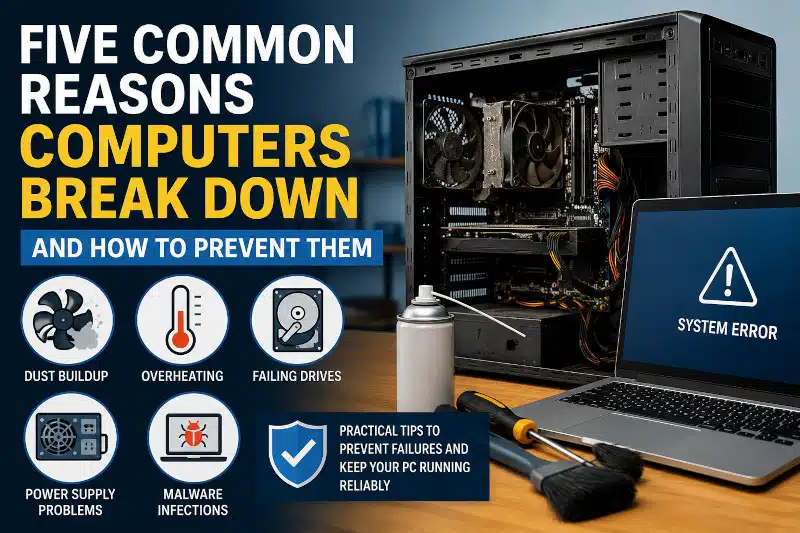
The most common reasons computers break down include dust buildup, overheating, failing storage drives, power supply problems, and malware infections. Fortunately, routine maintenance and timely repairs can help prevent many of these issues and keep your system running reliably.
Dust and Dirt Buildup
Dust is one of the most overlooked causes of computer failure. Over time, dust accumulates inside the case and restricts airflow. As a result, internal temperatures begin to rise.
When cooling fans become clogged, components such as the processor and graphics card cannot dissipate heat effectively. Consequently, your computer may run more slowly, freeze unexpectedly, or shut down without warning.
Furthermore, excessive dust can shorten the lifespan of cooling fans and other hardware.
Regular cleaning is one of the most effective ways to prevent hardware issues. Learn more about the benefits of preventive maintenance for your computer and how routine care can extend the life of your system.
How to Prevent Dust-Related Failures
Regularly cleaning the inside of your computer helps maintain proper airflow. In addition, keeping the system off the floor can reduce dust intake.
Routine cleaning is an important part of preventive maintenance for your computer. Therefore, scheduling periodic maintenance can help reduce the risk of hardware failure.
Overheating Components
Heat is the enemy of electronic components. Although modern computers include thermal protection features, prolonged exposure to high temperatures can still cause damage.
Overheating often occurs because of blocked vents, failing fans, dried thermal paste, or heavy workloads. As temperatures increase, performance may decrease. Eventually, components can fail altogether.
For gamers and power users, overheating can be especially problematic because demanding applications place additional stress on the system.
Warning Signs of Overheating
Common symptoms include:
- Loud cooling fans
- Frequent crashes
- Unexpected shutdowns
- Reduced performance
- Excessive heat around vents
Excessive heat can cause performance problems and shorten component lifespan. If you use your PC for gaming, read my guide on CPU overheating while gaming to learn how to identify and correct cooling issues.
Failing Hard Drives and SSDs
Storage devices do not last forever. Eventually, hard drives and solid-state drives reach the end of their usable life.
Traditional hard drives contain moving parts that wear out over time. Meanwhile, SSDs have a limited number of write cycles. Although SSDs are generally more reliable, they can still fail unexpectedly.
Common signs of storage failure include:
- Slow boot times
- Missing files
- Frequent crashes
- Clicking noises from hard drives
- Corrupted data
Why Backups Are Important
Because storage failures can occur without warning, maintaining current backups is essential. In addition, backups provide protection against accidental deletion and ransomware attacks.
Implementing effective data backup strategies can help safeguard important files and reduce stress if a drive fails.
Because storage devices can fail unexpectedly, maintaining backups is essential. These data backup strategies can help protect important files before a hardware failure occurs.
Power Supply Problems
The power supply unit, commonly known as the PSU, delivers power to every component in your computer. Therefore, a failing power supply can create a variety of symptoms.
In some cases, the computer may not turn on at all. In other situations, random restarts and shutdowns may occur. Additionally, voltage fluctuations can damage sensitive hardware components.
Power supply failures often develop gradually. However, some units can fail suddenly, leaving the system completely inoperable.
Signs Your Power Supply May Be Failing
Watch for these symptoms:
- Random shutdowns
- Failure to power on
- Burning odors
- System instability
- Unusual electrical noises
If you notice these warning signs, prompt diagnosis is recommended to prevent additional damage.
Malware and Virus Infections
Malware continues to be one of the most common computer problems. Although many users install antivirus software, cyber threats constantly evolve.
Viruses, spyware, ransomware, and other malicious programs can consume system resources, corrupt files, and compromise personal information. Consequently, infected computers often become slow and unstable.
Furthermore, malware can create security vulnerabilities that expose sensitive data.
Keeping Your Computer Secure
Several steps can help reduce the risk of infection:
- Keep Windows updated
- Use reputable antivirus software
- Avoid suspicious downloads
- Be cautious with email attachments
- Regularly scan your system
Malware can cause serious performance and security problems. If your computer shows signs of infection, my computer virus removal service can help restore system stability and security.
How to Reduce the Risk of Computer Failure
While no computer lasts forever, proper maintenance can significantly reduce the likelihood of major problems.
For example, regular cleaning helps prevent overheating. Similarly, monitoring drive health can identify storage issues before data loss occurs. In addition, installing updates improves both security and stability.
If your computer already feels sluggish, you may want to learn more about slow computer performance and the factors that contribute to it.
Most importantly, do not ignore warning signs. Addressing small issues early often prevents larger repairs later.
Professional Computer Repair in Davenport, FL
When computers break down, professional diagnosis can save time and frustration. Whether your system suffers from overheating, malware infections, storage failures, or power-related issues, identifying the root cause quickly is essential.
I provide professional computer repair service in Davenport, FL, and surrounding communities. Because I am the sole technician, every repair receives personal attention and careful troubleshooting.
If your computer is running slowly, shutting down unexpectedly, or showing signs of hardware failure, contact me today to schedule an appointment.

Frequently Asked Questions
Why do computers suddenly stop working?
Computers may suddenly stop working due to overheating, power supply failure, storage device issues, malware infections, or hardware component failures.
Can overheating permanently damage a computer?
Yes. Excessive heat can shorten the lifespan of processors, graphics cards, motherboards, and storage devices. Therefore, maintaining proper cooling is important.
How often should a computer be cleaned?
Most computers should be cleaned every six to twelve months. However, homes with pets or higher dust levels may require more frequent cleaning.
Can a virus cause a computer to fail?
Yes. Malware can corrupt files, slow performance, cause crashes, and create security vulnerabilities that affect overall system stability.
Is it better to repair a computer or replace it?
In many situations, repairing a computer is more cost-effective than replacing it. The best option depends on the system’s age, the failed component, and the computer’s overall condition.
If your computer is overheating, running slowly, or showing signs of hardware failure, I provide professional computer repair services in Davenport, FL, and surrounding areas. Contact me today to schedule an appointment.