
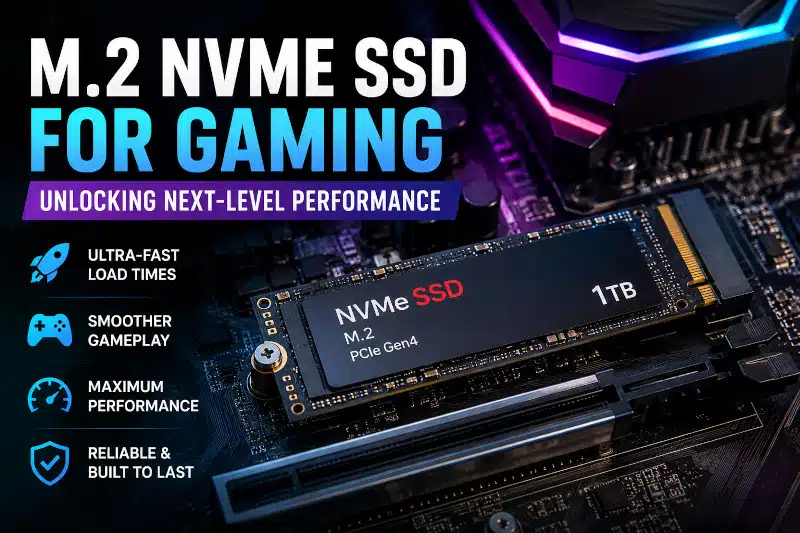
An M.2 NVMe SSD for gaming can significantly improve load times, file transfers, installations, and overall system responsiveness. While an NVMe SSD usually does not increase average FPS, it can make a gaming PC feel considerably faster during storage-intensive tasks. Traditional hard drives offer much slower storage performance, while SATA SSDs remain responsive but are limited by the SATA interface’s bandwidth. NVMe SSDs use PCIe connectivity to provide substantially higher transfer speeds.
Whether you are building a new gaming computer or upgrading an existing system, an M.2 NVMe SSD can reduce load times, improve system responsiveness, and deliver a smoother overall gaming experience.
Benefits of an M.2 NVMe SSD for Gaming PCs
Gaming performance depends heavily on storage speed. Traditional hard disk drives rely on spinning platters and moving mechanical parts, which creates slower read and write speeds. Older SATA SSDs improved performance significantly, but they still operate within SATA bandwidth limitations.
M.2 NVMe SSDs use the PCIe interface instead of SATA connections. As a result, they achieve dramatically higher transfer speeds and lower latency. Many PCIe Gen 4 NVMe drives now exceed 7,000 MB/s in read speed, while newer PCIe Gen 5 models push performance even further.
This increased bandwidth allows games to load textures, maps, and assets much faster. Consequently, gamers experience:
- Faster game and level loading
- Faster game installations and updates
- Improved Windows responsiveness
- Faster file transfers
- Potential improvements to asset streaming in games designed to take advantage of faster storage
Modern AAA games often contain large environments, high-resolution assets, and substantial installation files, making fast storage increasingly useful for loading and managing game data.
Faster Game Load Times With an NVMe SSD
One of the most noticeable improvements is dramatically reduced load times. Large open-world games can load significantly faster, allowing players to enter gameplay quickly instead of waiting through lengthy loading screens.
NVMe SSD System Responsiveness
NVMe drives improve overall PC responsiveness. Tasks such as launching applications, installing updates, and switching between programs feel smoother and more immediate.
M.2 NVMe SSDs Simplify Cable Management
Because an M.2 SSD mounts directly to the motherboard, it requires no separate SATA data or power cables. This creates a cleaner installation and simplifies cable management inside the case. My Gaming PC Case guide explains how case size affects airflow and hardware installation.
M.2 NVMe SSD Reliability
Because NVMe SSDs contain no moving parts, they are generally more durable and resistant to physical damage than mechanical hard drives.
PCIe Generations for M.2 NVMe SSDs
Not all M.2 NVMe SSDs perform the same. Performance depends heavily on PCIe generation compatibility.
PCIe Gen 3
For many gaming systems, PCIe Gen 3 SSDs still provide excellent responsiveness and substantially higher sequential transfer speeds than SATA SSDs.
PCIe Gen 4
A quality PCIe Gen 4 SSD offers an excellent balance of speed, capacity, and price for many modern gaming PCs.
PCIe Gen 5
At the high end, PCIe Gen 5 SSDs provide much higher sequential transfer speeds, although many gaming systems will see little practical gaming benefit compared with a quality Gen 4 drive.
Compatibility matters because different motherboards support different PCIe generations and M.2 slot configurations. My Motherboard Form Factor article explains these differences in greater detail.
How an M.2 NVMe SSD for Gaming Affects Performance
An NVMe SSD usually does not provide a meaningful increase in average FPS. The GPU and CPU remain much more important for frame-rate performance.
Storage speed primarily affects how quickly the computer can retrieve game data. Moving from a mechanical hard drive to an SSD can produce a major improvement in game and level loading. Moving from a SATA SSD to a fast NVMe SSD can provide additional performance, although the difference may be less noticeable during actual gameplay.
Some newer games can take greater advantage of high-speed storage for asset streaming and loading. However, the benefit varies by game, system configuration, and workload.
How DirectStorage Works With NVMe SSDs
Microsoft DirectStorage is designed to improve how games move and process large amounts of asset data from fast storage. Games must specifically support the technology to benefit from it.
DirectStorage can help developers reduce storage-related loading bottlenecks, but the actual improvement depends on the game and hardware configuration. Therefore, I would not choose an NVMe SSD solely because of DirectStorage support.
M.2 NVMe SSD Cooling and Thermal Management
High-performance NVMe SSDs can generate considerable heat during heavy gaming workloads. Excessive temperatures may trigger thermal throttling, reducing performance to protect the drive.
Fortunately, many modern motherboards include dedicated M.2 heatsinks to improve cooling. Proper airflow inside the case also helps maintain consistent SSD performance.
How Much Storage Do Gamers Need?
Modern game installations continue to grow larger every year. Many popular titles now exceed 100 GB, especially when updates and downloadable content are included.
Choosing the Right M.2 NVMe SSD Capacity
500GB SSD
A 500GB SSD may work for casual gaming, but storage fills quickly with modern AAA titles.
1TB SSD
A 1TB NVMe SSD provides a practical amount of storage for Windows, applications, and several modern games. However, the right capacity depends on the size of your game library and how you use the computer.
2TB SSD
A 2TB drive provides additional room for gamers with extensive libraries, content creators, or users who frequently install large modern games.
Many gamers also use multiple NVMe drives to separate operating systems, games, recording software, and editing projects.
Choosing the Right M.2 NVMe SSD for Gaming
Choosing the best gaming SSD depends on your motherboard compatibility, budget, storage requirements, and gaming goals.
When selecting an NVMe SSD, consider:
- PCIe generation support
- Read and write speeds
- Drive capacity
- Thermal performance
- Reliability ratings
- Warranty coverage
Some storage upgrades may require BIOS configuration changes for proper detection or boot configuration.
M.2 NVMe SSD Gaming PC Upgrades in Davenport, FL
Upgrading to an M.2 NVMe SSD can dramatically improve load times, storage responsiveness, installations, and file transfers. However, choosing compatible hardware and configuring the system correctly is essential for reliable performance.
At PCMechanic Computer Repair, I provide gaming PC upgrades, SSD installations, hardware compatibility checks, and system configuration for customers in Davenport, FL, and the surrounding area.
If you’re considering an SSD along with other performance upgrades, my Affordable Gaming PC Upgrades in Davenport, FL page outlines the upgrade options I offer for existing gaming PCs.
Whether you need help selecting the right gaming SSD, imaging your operating system, or building a custom gaming computer, I can help optimize your system for long-term performance and reliability.
FAQ Section
What is the best NVMe SSD for gaming?
The best NVMe SSD for gaming depends on your budget and motherboard compatibility. PCIe Gen 4 SSDs currently provide the best balance of speed, price, and gaming performance.
Does an NVME SSD improve FPS?
An NVMe SSD usually does not significantly increase average FPS. Its primary gaming benefits are faster game and level loading, quicker installations and updates, and improved storage responsiveness. Some games may also benefit from faster asset streaming.
How much SSD storage do gamers need?
A 1TB NVMe SSD provides a practical starting point for many gaming PCs, while larger game libraries may benefit from 2TB or more. The right capacity depends on your games, available storage, budget, and how you use the computer.
Is PCIe Gen 5 worth it for gaming?
PCIe Gen 5 SSDs offer extremely high sequential transfer speeds. However, many gamers will see little practical gaming benefit compared with a quality PCIe Gen 4 SSD. Compatibility, price, capacity, and workload should influence the decision.
Do NVME SSDs run hot?
Yes, high-performance NVMe SSDs can generate significant heat during heavy workloads. Many motherboards now include heatsinks to help maintain safe temperatures.
Can I install games on an NVMe SSD?
Yes. Installing games on an NVMe SSD can significantly reduce loading times compared with a traditional hard drive. It can also improve storage responsiveness, although it usually will not significantly increase average FPS.
Ready to upgrade your gaming PC with faster storage? Contact PCMechanic Computer Repair in Davenport, FL today for professional M.2 NVMe SSD installation and gaming PC upgrade services.
