
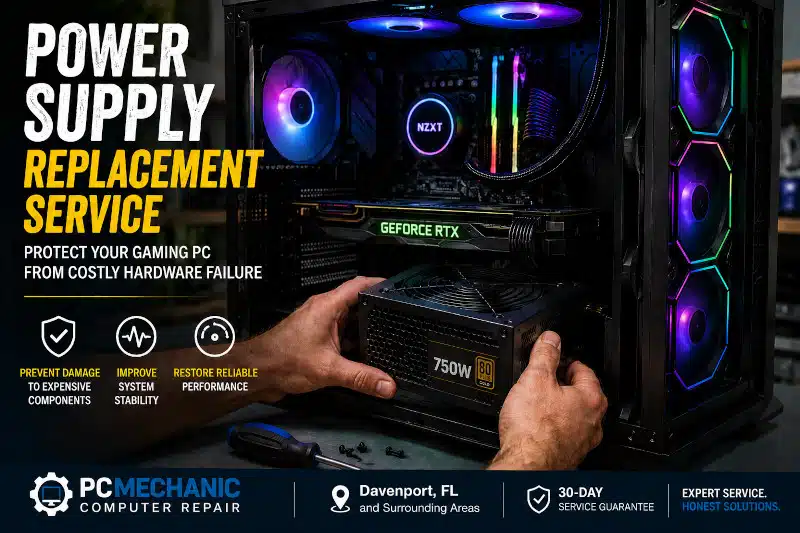
Power Supply Replacement Service: Protect Your Computer from Costly Hardware Failure
Power supply replacement service is one of the most important computer repairs to invest in when your PC shows signs of power-related issues. A failing power supply unit (PSU) can cause random shutdowns, unexpected restarts, hardware instability, and even permanent damage to expensive components. Replacing a worn or failing PSU before it completely fails helps protect your computer and restores dependable performance.
At PCMechanic Computer Repair in Davenport, FL, I provide professional power supply replacement services for desktop computers. Every replacement begins with a thorough diagnostic process to confirm that the power supply is the source of the problem. Once confirmed, I install a high-quality replacement PSU that matches your system’s power requirements and thoroughly test your computer to ensure stable operation.
Whether you use your computer for work, school, gaming, or everyday tasks, a reliable power supply is essential for keeping every component running safely.
What Does a Computer Power Supply Do?
The power supply unit is often overlooked because it sits quietly inside your computer case. However, it is one of the most critical components in any desktop computer.
Its primary job is to convert the alternating current (AC) from your wall outlet into the direct current (DC) required by your computer’s internal hardware. It then distributes stable power to every major component, including your:
- Motherboard
- Processor (CPU)
- Graphics card (GPU)
- Memory (RAM)
- SSDs and hard drives
- Cooling fans
- RGB lighting and accessories
Every component depends on clean, stable power. If the power supply begins to fail, it can deliver inconsistent voltage, causing crashes, freezes, or unexpected shutdowns. In severe cases, a failing PSU may even damage other hardware.
For this reason, replacing a faulty power supply is far less expensive than replacing multiple damaged components.
Signs You Need a Power Supply Replacement
Many computer problems resemble power supply failure, which is why proper diagnostics are so important. Nevertheless, several warning signs commonly indicate that your PSU may be nearing the end of its lifespan.
Random Shutdowns or Restarts
If your computer suddenly turns off without warning or restarts on its own, the power supply may no longer deliver stable voltage. Although software issues can also cause unexpected restarts, power instability is a frequent culprit.
Your Computer Won’t Turn On
A completely failed PSU often prevents the computer from powering on. Sometimes the fans briefly spin before immediately stopping. In other cases, nothing happens when you press the power button.
Frequent Blue Screen Errors
An unstable power supply can cause intermittent hardware failures that trigger Blue Screen of Death (BSOD) errors. Because these errors have many possible causes, professional testing is essential to identify the underlying issue.
System Freezes Under Heavy Workloads
Does your computer freeze while gaming, video editing, or running demanding applications? High-performance hardware requires significantly more power than basic office tasks. A weak or failing PSU may struggle to keep up under load.
If you’re experiencing poor gaming performance or unexplained crashes, you may also find our PC Gaming Upgrades guide helpful.
Burning Smell or Unusual Noises
A burning odor, buzzing sounds, clicking noises, or electrical crackling should never be ignored. These symptoms may indicate failing internal components inside the power supply.
If you notice any of these warning signs, turn off your computer immediately and do not use it until it has been inspected.
Problems After Installing New Hardware
Many users upgrade to a more powerful graphics card without realizing their existing PSU cannot supply enough wattage.
If your computer begins crashing after installing new hardware, your existing power supply may be undersized.
Older Power Supply
Even quality power supplies wear out over time. Heat, dust buildup, and years of continuous operation gradually reduce their reliability.
If your desktop computer is several years old and has begun showing any of these symptoms, replacing the PSU may prevent a complete failure.
Unsure Whether Your Power Supply Is Failing?
Many of these symptoms can also be caused by failing memory, overheating, motherboard issues, or software problems. That’s why accurate diagnostics are so important.
Before replacing your power supply, I recommend reading my article:
Power Supply Failure: Signs, Causes, and When to Replace Your PSU
That guide explains how to recognize the most common signs of PSU failure and helps determine whether replacement is the appropriate solution.
Why Early Power Supply Replacement Saves Money
Replacing a failing power supply before it completely fails is often much less expensive than replacing multiple damaged components.
When a PSU begins delivering unstable voltage, it can place additional stress on the motherboard, graphics card, processor, and storage drives. As a result, a relatively inexpensive repair can become a much larger hardware replacement project.
By replacing the power supply early, you can:
- Protect expensive computer components.
- Reduce unexpected downtime.
- Prevent data corruption.
- Improve overall system stability.
- Extend the lifespan of your desktop computer.
If your computer has already begun showing warning signs, scheduling a professional diagnostic now can help prevent more serious problems later.
Why Professional Power Supply Replacement Matters
Replacing a power supply may appear straightforward, but selecting the wrong PSU or installing it incorrectly can create additional problems. Every desktop computer has unique power requirements based on its processor, graphics card, storage devices, and other installed components.
A professional power supply replacement service helps ensure your computer receives a reliable PSU that delivers the correct wattage and includes the proper power connectors. This is especially important for gaming computers and workstations that require more power than a standard desktop.
At PCMechanic Computer Repair, I carefully evaluate your computer before recommending a replacement power supply. Rather than simply installing the first available PSU, I verify compatibility with your hardware and choose a unit that provides dependable performance now and supports future upgrades when appropriate.
Professional installation also reduces the risk of loose connections, improper cable routing, or damaged components. After the new PSU is installed, I thoroughly test your computer to confirm that every component receives stable power and operates as expected.
Choosing a quality replacement power supply is an investment in your computer’s long-term reliability.
My Power Supply Replacement Process
Every computer receives a systematic evaluation before any parts are replaced. This approach helps prevent unnecessary repairs and ensures the correct problem is identified.
1. Complete Computer Diagnostics
The first step is confirming that the power supply is actually causing the issue. Similar symptoms can result from motherboard failures, faulty memory, overheating, or storage device problems.
Proper diagnostics help eliminate guesswork and ensure you only replace parts when necessary.
2. Confirm Power Supply Failure
Once testing is complete, I verify that the PSU provides stable voltages and adequate power under load. If the power supply has failed or is no longer reliable, replacement is recommended.
3. Select the Correct Replacement PSU
Not every power supply is suitable for every computer. I help determine the appropriate:
- Wattage
- Form factor
- Connector compatibility
- Power efficiency
- Overall build quality
Choosing the right replacement improves stability while providing room for future hardware upgrades when appropriate.
4. Professional Installation
The old power supply is carefully removed, and the replacement unit is installed with proper cable management. Secure cable routing promotes better airflow inside the case and helps reduce future maintenance issues.
5. System Testing
After installation, I verify that all components power on correctly and function as expected. Additional testing helps confirm stable operation before your computer is returned.
My goal is to ensure your computer operates reliably long after the repair is complete.
Choosing the Right Replacement Power Supply
Selecting a replacement PSU involves much more than matching the original wattage.
Several factors should be considered to ensure reliable performance.
Adequate Wattage
Every component inside your computer consumes power. Installing a power supply that is too small may cause crashes, shutdowns, or boot failures under heavy load.
Conversely, choosing an appropriately sized PSU provides stable operation and leaves room for future upgrades.
High-Quality Components
Not all power supplies are built to the same standard. Higher-quality units typically provide:
- Better voltage regulation
- Improved electrical protection
- Longer operating life
- Quieter cooling fans
- Increased reliability
Investing in a quality PSU often saves money by reducing the likelihood of future hardware failures.
80 PLUS Efficiency Ratings
Many modern power supplies carry an 80 PLUS efficiency certification, such as Bronze, Gold, or Platinum.
Higher-efficiency power supplies generally:
- Waste less electricity
- Produce less heat
- Operate more efficiently
- Place less stress on internal components
While efficiency ratings are important, overall build quality should also be considered when selecting a replacement.
Planning for Future Upgrades
If you expect to install a faster graphics card, additional storage, or other upgrades later, selecting a slightly larger power supply today may eliminate the need for a future replacement.
If you’re considering improving your computer’s performance, you may also enjoy reading my guide, Affordable Gaming PC Upgrades.
Benefits of Replacing a Failing Power Supply
Replacing a worn or unreliable PSU offers several important advantages beyond simply restoring power.
Improved System Stability
A new power supply delivers clean, consistent power that helps reduce random crashes, freezes, and unexpected shutdowns.
Better Hardware Protection
Stable voltage helps protect expensive components such as the motherboard, processor, graphics card, and storage drives from unnecessary electrical stress.
Increased Reliability
A dependable PSU ensures your computer performs consistently during everyday tasks, demanding applications, and extended gaming sessions.
Improved Energy Efficiency
Many newer power supplies operate more efficiently than older models. Consequently, they generate less heat and may consume less electricity.
Support for Future Hardware
Installing a properly sized PSU provides greater flexibility for future upgrades, including faster graphics cards, additional drives, and other performance improvements.
Keep Your Entire Computer Running at Its Best
Although replacing a failing power supply solves many stability problems, regular maintenance is equally important.
Dust buildup, restricted airflow, and aging components can all affect overall system performance over time.
If your desktop computer has become slow, unstable, or unreliable, a complete inspection can often identify multiple issues before they become costly repairs.
Learn more about my comprehensive Computer Repair Service.
If your gaming PC has been experiencing crashes, overheating, or performance issues, you may also find my Gaming PC Troubleshooting guide helpful.
Don’t Wait Until Complete Failure
Many people continue to use their computers despite warning signs because they still power on. Unfortunately, a failing power supply rarely repairs itself.
Addressing the problem early helps protect your hardware, minimizes unexpected downtime, and can prevent significantly more expensive repairs later.
If your desktop computer is showing signs of a power supply failure, scheduling a professional diagnostic now is the safest way to determine whether a replacement is needed before further damage occurs.
Why Choose PCMechanic Computer Repair?
When your desktop computer experiences power-related issues, you want the problem diagnosed correctly the first time. Replacing the wrong component wastes both time and money. That’s why every power supply replacement begins with a thorough diagnostic evaluation.
Since 2012, PCMechanic Computer Repair has provided dependable computer repair services for customers in Davenport, FL, and the surrounding communities. As the owner and technician, I personally perform every repair, ensuring your computer receives individual attention from start to finish.
When you choose PCMechanic Computer Repair, you can expect:
- Comprehensive diagnostics before recommending replacement.
- Professional power supply installation using compatible, high-quality components.
- Careful cable management to promote proper airflow.
- Complete system testing after installation.
- Honest recommendations without unnecessary repairs.
- Friendly, one-on-one customer service.
- A 30-day repair guarantee for added peace of mind.
Whether you use your desktop computer for work, school, gaming, or everyday tasks, my goal is to restore reliable performance while helping protect your investment.
Experiencing random shutdowns or power issues? Contact me today for professional power supply replacement service and protect your computer from costly hardware damage.
Frequently Asked Questions
How do I know if my power supply needs to be replaced?
Common signs include random shutdowns, unexpected restarts, failure to power on, burning odors, buzzing noises, and crashes during demanding tasks. Because other hardware problems can produce similar symptoms, professional diagnostics are recommended before replacing the PSU.
Can a bad power supply damage other computer components?
Yes. A failing power supply can deliver unstable voltage, placing additional stress on components such as the motherboard, graphics card, processor, and storage drives. Replacing a failing PSU early may help prevent damage to more expensive hardware.
How long does a computer power supply typically last?
Most quality power supplies last between five and ten years, depending on their build quality, operating conditions, and daily usage. Heat, dust, and continuous heavy workloads can shorten their lifespan.
Will replacing my power supply make my computer faster?
A new power supply usually does not increase processing speed. However, it can eliminate crashes, random shutdowns, and instability caused by inadequate or failing power delivery. Your computer should operate more reliably once the underlying power issue has been resolved.
Can I replace a power supply myself?
Although experienced users may replace a desktop power supply, proper installation requires selecting a compatible unit, safely disconnecting components, and verifying that connections are correct. Professional installation reduces the risk of hardware damage and ensures the system operates safely.
How long does a power supply replacement take?
The installation itself is often completed within a relatively short time. However, diagnostic testing before and after installation is equally important. The total turnaround depends on parts availability and the computer’s condition.
What size power supply does my computer need?
The correct wattage depends on your processor, graphics card, storage devices, cooling system, and other installed hardware. Choosing the proper power supply helps ensure stable performance and allows room for future upgrades when appropriate.
Should I replace my power supply before it completely fails?
Yes. Replacing a power supply as soon as it shows signs of failure can prevent unexpected downtime and reduce the risk of damage to other components.
Schedule Your Power Supply Replacement Service Today
Ignoring power-related problems can lead to unexpected shutdowns, lost productivity, and expensive hardware failures. If your desktop computer has started showing signs of an unreliable power supply, don’t wait until it stops working completely.
At PCMechanic Computer Repair, I provide professional power supply replacement services for customers in Davenport, FL, and nearby communities. Every repair begins with a comprehensive diagnostic evaluation to identify the cause of the problem and determine whether replacing the power supply is the right solution.
If you’re experiencing random shutdowns, restart issues, or other power-related symptoms, I’m here to help.
Don’t let a failing power supply leave you with a dead computer. Schedule your power supply replacement service today and get your desktop running reliably again.
Contact PCMechanic Computer Repair to schedule your power supply replacement service and restore your computer’s reliability.
