
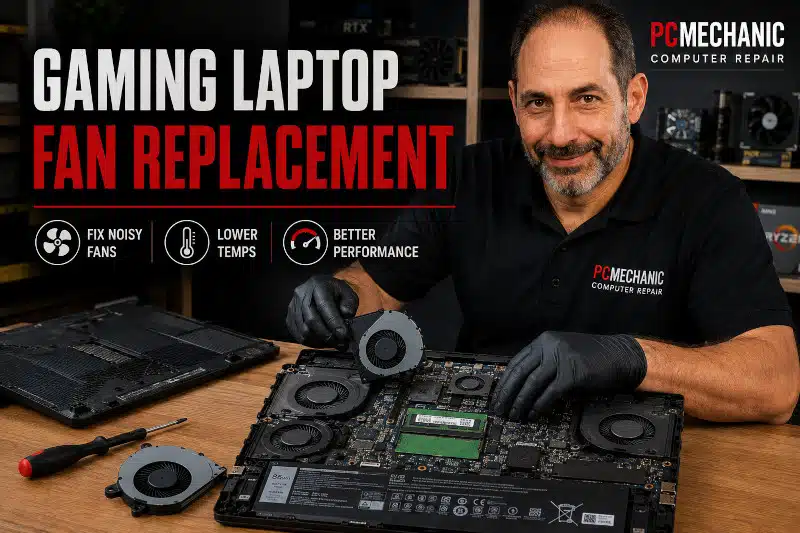
Gaming laptop fan replacement may be necessary when a cooling fan shows signs of mechanical wear, stops spinning properly, makes unusual noises, or no longer moves enough air through the cooling system. Because gaming laptops generate considerable heat from their processors and graphics hardware, properly functioning cooling fans are essential.
However, a gaming laptop that runs hot or has loud fans doesn’t automatically need fan replacement. Dust buildup, restricted airflow, demanding workloads, thermal issues, or another cooling-system problem can produce similar symptoms.
That’s why I recommend diagnosing the cooling problem before replacing parts. At PCMechanic Computer Repair in Davenport, FL, I can determine whether a gaming laptop fan has actually failed and whether replacement is the appropriate repair.
Why Cooling Fans Matter in a Gaming Laptop
Gaming laptops pack high-performance components into a relatively small enclosure. During gaming and other demanding workloads, the CPU and GPU can generate significantly more heat than during light, everyday use.
The cooling system typically uses fans, heat sinks, heat pipes, and ventilation openings to dissipate heat from these components.
As temperatures rise, the fans increase their speed to move more air through the cooling assembly. Therefore, hearing the fans become louder during gaming isn’t necessarily a problem.
However, a fan that can’t operate correctly may reduce the cooling system’s ability to remove heat.
Possible consequences can include:
- Higher CPU or GPU temperatures
- Reduced performance
- Thermal throttling
- Unexpected shutdowns
- Weak airflow
- Persistent overheating
- Excessive or unusual fan noise
Ignoring a genuine cooling-fan failure can allow the laptop to operate at unnecessarily high temperatures.
Signs Your Gaming Laptop Fan May Need Replacement
A failing cooling fan can produce several warning signs.
Some of the more common symptoms include:
- Grinding noises
- Rattling or clicking
- Fan blades that don’t spin properly
- Fan repeatedly starting and stopping
- Weak or inconsistent airflow
- One fan operating while another remains inactive
- Fan-related diagnostic errors
- Overheating associated with poor fan operation
- Sudden changes in normal fan behavior
Mechanical noises are especially important.
A grinding or rattling fan may have worn bearings or physical damage. In that situation, cleaning alone may not correct the underlying problem.
However, symptoms can overlap. For example, weak airflow could result from dust restricting the heatsink rather than a defective fan.
Professional diagnosis can help distinguish between these conditions.
Does a Loud Gaming Laptop Fan Mean It’s Failing?
Not necessarily.
Gaming laptops can become noticeably louder during demanding workloads because their cooling fans must move more air.
For example, fan speed may increase while:
- Playing demanding games
- Rendering video
- Running CPU-intensive applications
- Installing or updating software
- Performing background tasks
- Using the laptop in a warm environment
A fan that becomes louder as temperatures increase may be operating exactly as designed.
The type of noise matters.
Normal fan noise generally sounds like moving air. Grinding, scraping, clicking, rattling, or other mechanical noises are more concerning.
Likewise, a sudden change in fan behavior can justify further diagnosis.
Why Do Gaming Laptop Fans Go Bad?
Cooling fans contain moving components, so they can eventually wear out.
Common causes of fan problems include:
Normal Mechanical Wear
A fan may spin thousands of hours throughout the life of a laptop. Eventually, bearings and other moving components can deteriorate.
As wear progresses, the fan may become noisy, spin inconsistently, or stop working.
Dust and Debris
Dust can accumulate on fan blades and inside the cooling system.
Heavy accumulation can interfere with airflow and force the cooling system to work harder. Dust may also collect between the fan and heatsink fins, creating a restriction that reduces airflow through the laptop.
Excessive Heat
Gaming laptops routinely operate at higher temperatures than many basic productivity laptops.
Although the cooling system is designed for this environment, prolonged excessive heat can contribute to wear over time.
Physical Damage
Drops, impacts, or previous improper disassembly can damage fan blades, connectors, housings, or mounting points.
Electrical or Control Problems
Sometimes the fan itself isn’t the only possible cause.
A connector, motherboard circuit, firmware issue, or another control problem may prevent a functional fan from operating normally.
My article Why Do Laptop Fans Go Bad? Exploring the Common Causes and Solutions explains fan failure and deterioration in greater detail.
Does the Gaming Laptop Fan Need Cleaning or Replacement?
Not every cooling problem requires a new fan.
A dusty fan that still spins smoothly and operates correctly may need cleaning as part of cooling-system maintenance.
Fan replacement is more appropriate when the fan has a mechanical or electrical problem.
For example, replacement may make sense when the fan:
- Has worn or noisy bearings
- Makes persistent grinding or rattling noises
- Has damaged blades
- Doesn’t spin when it should
- Operates intermittently because of an internal fan fault
- Can’t maintain normal operation
- Has physically failed
The distinction matters because replacing a functional fan won’t necessarily solve an overheating problem caused by restricted airflow elsewhere in the cooling system.
Diagnosis should determine whether cleaning, fan replacement, or another repair is appropriate.
Not sure whether your gaming laptop fan needs cleaning or replacement? Contact PCMechanic Computer Repair in Davenport, FL, for professional cooling system diagnostics and fan replacement services.

Why Gaming Laptops Often Have Two Cooling Fans
Many gaming laptops use dual-fan cooling systems because both the CPU and dedicated GPU can generate substantial heat.
Depending on the laptop design, each fan may primarily serve a different portion of the cooling assembly. Other designs use interconnected heat pipes and heatsinks that allow both fans to contribute to overall cooling.
If one fan fails, the other may continue spinning.
That doesn’t mean the cooling system can necessarily operate normally with only one functional fan.
A failed fan can reduce airflow through part of the heatsink assembly, leading to higher temperatures, throttling, or other cooling problems.
If One Gaming Laptop Fan Fails, Should Both Be Replaced?
Not automatically.
If one fan fails and the other remains mechanically sound and operates correctly, replacing both simply because they are the same age may not be necessary.
I prefer to evaluate the condition and operation of both fans.
However, some gaming laptops use fan assemblies sold as matched or combined components. Parts availability and the specific cooling-system design can also influence the repair.
The goal is to replace components that actually require service, rather than replacing functioning parts without reason.
Gaming Laptop Overheating Doesn’t Always Mean Fan Failure
Overheating is one possible symptom of a fan problem, but it isn’t proof that a fan has failed.
Other causes can include:
- Dust-restricted heatsink fins
- Blocked ventilation
- Deteriorated thermal compound
- Heavy CPU or GPU workloads
- Cooling-system damage
- Poor airflow around the laptop
- Software creating unusually high processor usage
- Problems elsewhere in the cooling assembly
That’s why replacing a fan solely because a laptop feels hot can lead to unnecessary parts replacement.
My article Laptop Overheating Symptoms explains common warning signs that can help distinguish normal operating heat from a more serious cooling problem.
What Happens During Gaming Laptop Fan Replacement?
When I diagnose a gaming laptop with a suspected fan issue, I first evaluate the cooling system and the fan’s behavior.
If the fan has failed and replacement is appropriate, the exact procedure depends on the laptop’s internal design.
A professional gaming laptop fan replacement may involve:
- Identifying the exact laptop model
- Verifying the failed fan
- Disassembling the laptop as required
- Disconnecting the internal battery
- Accessing the cooling assembly
- Disconnecting and removing the defective fan
- Inspecting the heatsink and ventilation path
- Cleaning accessible dust from the cooling system
- Installing a compatible replacement fan
- Reassembling the laptop
- Testing fan operation
- Checking temperatures and cooling behavior
Some gaming laptops provide relatively direct access to their cooling fans. Others require considerably more disassembly.
Therefore, the repair process can vary significantly between models.
Does Gaming Laptop Fan Replacement Require Removing the Heatsink?
It depends on the laptop.
Some designs allow the fan to be removed independently of the heatsink. Others integrate the fans, heat pipes, and heatsinks into a cooling assembly that requires additional disassembly.
If the CPU or GPU heatsink must be removed to access the failed fan, the thermal interfaces need proper attention during reassembly.
In those situations, I clean the appropriate contact surfaces and apply a fresh, suitable thermal compound before reinstalling the heatsink.
I don’t remove a properly seated CPU or GPU heatsink unnecessarily when the laptop design allows fan replacement without disturbing it.
Why the Correct Replacement Fan Matters
Gaming laptop fans aren’t universally interchangeable.
Two laptops that look similar may use different fans, connectors, mounting points, or cooling assemblies.
Even different configurations within the same laptop family can sometimes use different internal components.
Before ordering a replacement, I verify information such as:
- Laptop manufacturer
- Exact model number
- Existing fan configuration
- Fan connector
- Mounting arrangement
- Physical dimensions
- Compatible part numbers when available
Using the correct replacement part helps ensure proper fit, electrical compatibility, and cooling operation.
Because many gaming-laptop fans are model-specific, I may need to order the replacement after diagnosing the computer.
How Long Does Gaming Laptop Fan Replacement Take?
Repair time depends partly on the laptop’s design and the availability of replacement parts.
If I have the appropriate part in stock, the repair can usually proceed without waiting for shipping.
However, many gaming laptop cooling fans require model-specific replacement parts. When I need to order a fan, turnaround depends on availability and delivery time.
Some gaming laptops also require more extensive disassembly than others, which can increase the labor involved.
I can provide a more accurate estimate after identifying the exact laptop and determining which component needs to be replaced.
How I Test a Gaming Laptop After Fan Replacement
Installing the replacement fan isn’t the final step.
After reassembly, I verify that the cooling system operates properly.
Depending on the laptop and repair, testing may include:
- Confirming that the replacement fan spins correctly
- Checking for abnormal mechanical noise
- Monitoring fan response as temperatures change
- Checking airflow
- Monitoring CPU and GPU temperatures
- Confirming stable operation
- Verifying that the original fan-related symptoms have been resolved
If the laptop uses two fans, I also confirm that the cooling system behaves appropriately rather than focusing only on the newly replaced component.
Gaming Laptop Fan Replacement in Davenport, FL
If your gaming laptop has a grinding, rattling, non-working, or otherwise malfunctioning fan, I can diagnose the cooling problem and determine whether gaming laptop fan replacement is necessary.
I don’t automatically replace a fan just because a gaming laptop runs hot or gets loud under heavy workloads.
Instead, I evaluate the fan and cooling system to determine what’s actually causing the problem.
When replacement is necessary, I verify the correct fan for the laptop, replace the failed component, inspect the cooling path, and test the system afterward.
PCMechanic Computer Repair is a home-based computer repair business in Davenport, Florida. Customers arrange to drop off and pick up their laptops directly with me.
For other laptop hardware, Windows, cooling, or performance problems, learn more about my Laptop Repair services in Davenport, FL.
Frequently Asked Questions About Gaming Laptop Fan Replacement
How Do I Know if My Gaming Laptop Fan Is Bad?
Grinding, rattling, clicking, intermittent operation, weak airflow, or a fan that doesn’t spin when expected can indicate a problem. However, diagnosis is important because dust restrictions and other cooling issues can cause similar symptoms.
Is It Normal for Gaming Laptop Fans to Be Loud?
Yes, especially during demanding games and other heavy workloads. Gaming laptops often increase fan speed significantly to control CPU and GPU temperatures. Mechanical noises such as grinding, scraping, or rattling are more concerning than ordinary airflow noise.
Can a Gaming Laptop Work With One Fan?
A dual-fan gaming laptop may continue operating if one fan fails, but cooling performance can suffer. The remaining fan may not adequately cool the portion of the system it serves. Continuing to use the laptop heavily isn’t advisable until you know why the fan stopped working.
Should I Replace Both Gaming Laptop Fans at the Same Time?
Not necessarily. If one fan has failed and the other is in good condition, neither automatically requires replacement. However, the laptop’s design, fan condition, and replacement-part configuration can affect the recommendation.
Can Dust Make a Gaming Laptop Fan Stop Working?
Heavy dust can restrict airflow and interfere with cooling performance. However, a mechanically failed or electrically defective fan generally requires more than cleaning. Diagnosis can determine whether the fan needs cleaning or replacement.
Will Replacing the Fan Fix an Overheating Gaming Laptop?
It will help if a defective fan is the cause of the overheating. However, overheating can also result from blocked heatsinks, restricted airflow, thermal interface issues, heavy workloads, or other cooling system issues.
Does the Thermal Paste Need to Be Replaced During Fan Replacement?
Not always. If the fan can be replaced without removing the CPU or GPU heatsink, disturbing the thermal interface may be unnecessary. If the cooling assembly requires heatsink removal, the thermal interface must be properly serviced during reassembly.
Are Gaming Laptop Fans Universal?
No. Gaming laptop cooling fans can differ in dimensions, mounting points, connectors, voltage requirements, and cooling-system design. The replacement must be compatible with the specific laptop.
How Long Does a Gaming Laptop Fan Replacement Take?
The actual repair time depends on the laptop’s design. Overall turnaround also depends on whether the correct replacement fan is available or must be ordered.
Do You Repair Gaming Laptop Fans or Replace Them?
When a fan has a genuine mechanical or electrical failure, replacement is generally the appropriate solution. A fan that remains mechanically healthy but has accumulated dust may only require cleaning.
Get Professional Gaming Laptop Fan Replacement in Davenport, FL
A noisy or overheating gaming laptop doesn’t automatically mean the cooling fan has failed. However, grinding noises, intermittent operation, weak airflow, or a fan that stops spinning can indicate a genuine hardware problem.
I can diagnose the cooling system, determine whether the fan actually requires replacement, and identify the correct component for your laptop.
If a replacement is necessary, I’ll install a compatible fan and test the cooling system afterward to ensure it operates properly.
Contact PCMechanic Computer Repair in Davenport, FL today for professional gaming laptop fan diagnostics and replacement service.