
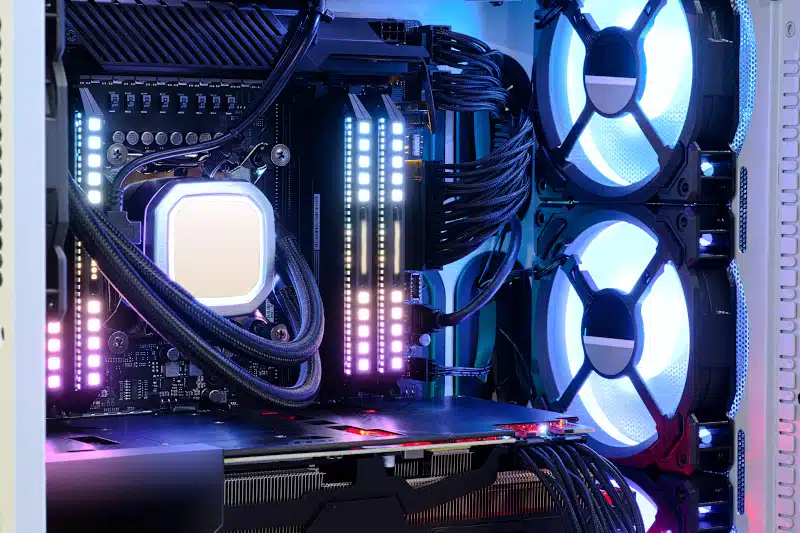
Prevent overheating and protect your projects with properly cooled, high-performance Video Editing PCs.
A video editing PC demands serious hardware power. However, many creators try to use standard office computers. As a result, they experience lag, crashes, and slow rendering times. If your system struggles during editing, your hardware is likely the problem.
A professional Video Editing PC is built specifically for performance. Unlike general-purpose machines, it prioritizes processing speed, graphics performance, and storage efficiency. Therefore, your workflow becomes smoother and more reliable.
First, the processor plays a major role. Video editing software depends heavily on multi-core performance. Programs like Adobe Premiere Pro and DaVinci Resolve use CPU power for rendering and exporting. Without a strong processor, your projects take longer to complete.
Next, RAM capacity affects real-time playback. When RAM is insufficient, preview timelines stutter. Consequently, editing becomes frustrating. Most modern projects require at least 32GB of RAM for stable performance.
Additionally, storage speed directly impacts load times. Traditional hard drives slow down project access. However, NVMe solid-state drives dramatically improve responsiveness. For this reason, a proper Video Editing PC uses fast SSD storage for the operating system and active projects.
Graphics processing also matters. While some editing tasks rely on the CPU, GPU acceleration speeds up effects, color grading, and rendering. Therefore, a powerful graphics card improves both efficiency and output quality.
If your current system overheats or shuts down during long exports, airflow may also be inadequate. High-performance components generate more heat. As a result, proper cooling becomes essential.
Because every creator’s needs differ, a custom Video Editing PC ensures the right balance of CPU, GPU, RAM, and storage. Instead of overspending on unnecessary parts, you invest in what truly improves performance.
Professional Video Editing PC Build and Upgrade Services
At PCMechanic Computer Repair in Davenport, FL, I build and upgrade systems designed specifically for video production workloads. Whether you are a YouTuber, content creator, or professional editor, I tailor your Video Editing PC to match your software and resolution requirements.
First, I evaluate your current setup. If your system has upgrade potential, I recommend targeted improvements. For example, adding more RAM or upgrading to NVMe storage can dramatically improve performance without replacing the entire system.
However, if your motherboard limits expansion, a custom build may be the better solution. In that case, I design a Video Editing PC optimized for:
-
Faster rendering times
-
Smooth 4K and 8K playback
-
Reliable multitasking
-
Long export sessions without overheating
-
Future upgrade flexibility
Additionally, I properly configure your storage. Many editors unknowingly store everything on a single drive. Instead, I separate the operating system, active projects, and archive files. As a result, your system runs more efficiently and stays organized.
I also optimize BIOS settings and ensure your power supply supports high-demand components. Proper wattage prevents instability during heavy workloads. Learn more about my power supply replacement service to see how this can help your system. Furthermore, I install professional-grade cooling solutions to maintain consistent temperatures.
Software optimization matters just as much as hardware. Therefore, I update drivers, configure GPU acceleration, and remove background processes that slow down performance. These adjustments ensure your Video Editing PC runs at peak efficiency.
I also offer diagnostic services for existing systems. I test CPU usage, RAM performance, disk speeds, and thermal levels. Afterward, I provide clear recommendations to improve performance. Many creators waste hours waiting for renders. Over time, that lost productivity adds up. However, a properly configured Video Editing PC can significantly reduce rendering time. That means faster turnaround, more content production, and less frustration. If your current system struggles, read more about the causes of computer system failure to understand what might be holding you back. Overheating can also slow your workflow—check my guide on CPU overheating while gaming for tips on proper cooling solutions.
Maximize Performance and Project Safety
Investing in the right system also protects your projects. Stable hardware reduces crash risks and prevents file corruption. Consequently, your work remains secure and reliable.
If you are ready to improve your workflow, my Video Editing PC services provide customized solutions that fit your goals and budget. Whether you need a full custom build or a strategic upgrade, I am here to help.
Contact PCMechanic Computer Repair in Davenport, FL, today to discuss your Video Editing PC needs and take your editing performance to the next level.
