
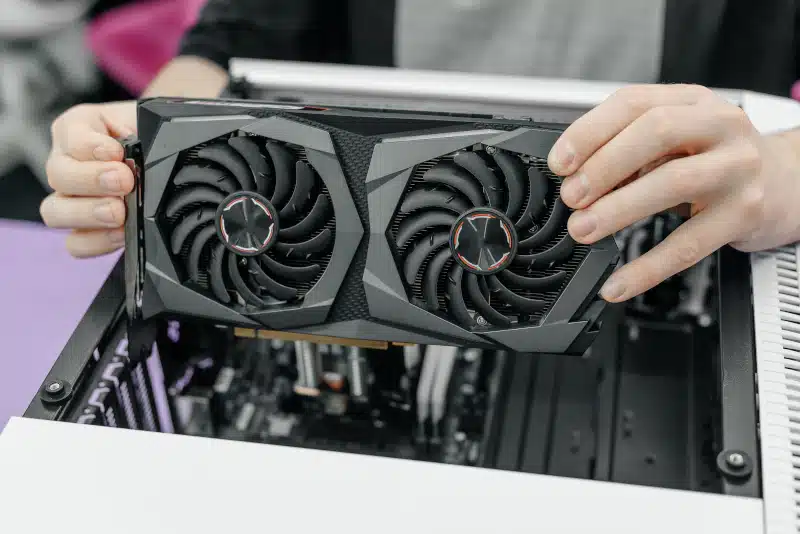
Graphics Card (GPU) Upgrade & Installation Service in Davenport, FL helps improve performance, eliminate lag, and ensure your system runs at its full potential.
Upgrading your graphics card is one of the fastest ways to improve performance. Whether you game, edit videos, or multitask, a better GPU makes a noticeable difference. However, many users are unsure where to start. That is where a professional graphics card upgrade service can help.
If you are in Davenport, FL, you have access to reliable help through PCMechanic Computer Repair. With the right upgrade, your system can feel like new again.
Why a Graphics Card Upgrade Service Matters
A graphics card (GPU) upgrade service ensures your system runs smoothly and efficiently. While some users try to install a GPU themselves, mistakes can lead to costly damage. Therefore, professional installation provides peace of mind and better results.
Signs You Need a Graphics Card Upgrade Service
If you notice performance issues, it may be time to upgrade. For example:
- Games run slowly or stutter
- Video editing feels laggy
- Your system cannot support modern applications
- You experience screen tearing or crashes
In these cases, a graphics card upgrade service can quickly restore performance. Additionally, newer GPUs support advanced features that older models cannot handle.
Benefits of Professional GPU Installation
Choosing a professional graphics card upgrade service offers several advantages. First, compatibility is checked before installation. This step ensures your power supply and motherboard can support the new GPU.
Next, airflow and cooling are evaluated. Proper airflow prevents overheating and extends the life of your components. As a result, your system stays stable under heavy workloads.
Furthermore, drivers and settings are configured correctly. Without proper setup, even a powerful GPU may underperform. Therefore, expert installation ensures you get the full benefit of your upgrade.
Graphics Card Upgrade Service in Davenport, FL
Finding a reliable graphics card (GPU) upgrade service in Davenport, FL, need not be difficult. A local expert can guide you through the entire process, from selecting the right GPU to final installation.
Choosing the Right Graphics Card
Not every GPU fits every system. Because of this, choosing the right model is critical. A professional graphics card upgrade service will consider:
- Your current hardware
- Power supply capacity
- Case size and clearance
- Your performance goals
For example, gamers may need higher-end GPUs, while general users benefit from mid-range options. In either case, the right choice prevents wasted money and compatibility issues.
What to Expect from the Service
When you schedule a graphics card upgrade service, the process is straightforward. First, your system is inspected. Then, the appropriate GPU is selected based on your needs.
After that, the installation is completed carefully. Cables are managed properly, and airflow is optimized. Finally, the system is tested to confirm everything runs correctly.
Because of this structured process, you can trust that your upgrade will perform as expected.
Local Service You Can Trust
Working with a local provider offers several advantages. You receive faster turnaround times and personalized support. In addition, you can ask questions and get recommendations tailored to your needs.
If you are located in Davenport, FL, PCMechanic Computer Repair provides dependable graphics card upgrade service. With professional installation, you avoid common issues and enjoy improved performance right away.
Conclusion
A graphics card (GPU) upgrade service is one of the best ways to enhance your computer’s performance. Whether you are gaming, editing, or working, a new GPU can make a significant difference. However, proper installation is essential for the best results.
If your system struggles to keep up, now is the perfect time to act. Instead of replacing your entire computer, consider a professional graphics card upgrade service in Davenport, FL. This solution saves money, improves performance, and extends the life of your system.

Frequently Asked Questions
What are the signs my graphics card is failing?
A failing graphics card often shows clear warning signs. For example, you may notice screen artifacts such as flickering, strange lines, or distorted visuals. In addition, your system may crash while gaming or playing videos.
Another common issue is frequent driver failures or black screens. If your PC struggles with tasks it once handled easily, that is also a concern. Overheating and loud fan noise can further indicate a problem.
If you experience any of these issues, a professional inspection can confirm whether your GPU needs repair or replacement.
Will upgrading my graphics card improve performance?
Yes, upgrading your graphics card can significantly improve performance. This is especially true for gaming, video editing, and graphics-intensive applications.
A newer GPU provides faster processing, smoother frame rates, and better visual quality. As a result, games run more smoothly, and creative software performs more efficiently.
Additionally, modern graphics cards support newer technologies and updates. Therefore, upgrading ensures your system stays compatible with current software and future demands.
Can my current PC support a new graphics card?
Not every PC can support every graphics card, so compatibility is important. First, your power supply must provide enough wattage for the new GPU. Without sufficient power, the system may become unstable.
Next, your case must have enough physical space to fit the card. Some modern GPUs are larger and require proper airflow. Your motherboard also needs a compatible PCIe slot.
Because of these factors, a professional graphics card upgrade service can evaluate your system and recommend the right option. This ensures safe installation and optimal performance.