Motherboard Replacement Service in Davenport, FL
A motherboard replacement service can restore a computer that no longer powers on, repeatedly crashes, or experiences hardware communication problems. Because the motherboard connects all major components, a failure can prevent your system from functioning properly. Fortunately, a professional diagnosis can determine whether the motherboard is the problem or if another component is causing the issue.
At PCMechanic Computer Repair in Davenport, FL, I carefully diagnose desktop computers before recommending a motherboard replacement. In many cases, symptoms that appear to be a failed motherboard are actually caused by a faulty power supply, defective memory, or other hardware issues. Therefore, I verify the source of the problem before replacing expensive components.
Whether you use your computer for work, gaming, or everyday tasks, I can help determine the most practical and cost-effective solution.
Signs You May Need a Motherboard Replacement Service
Motherboard failures often produce symptoms that resemble other hardware problems. However, if you notice any of the following issues, your motherboard may require professional testing:
- Computer will not power on
- No display despite the computer receiving power
- Continuous reboot loops
- Frequent system crashes or blue screens
- USB ports or expansion slots stop working
- Random freezing during normal use
- Burning smell or visible component damage
- Failure to complete the Power-On Self-Test (POST)
If you’re unsure what’s causing your computer to fail, read my article on My Computer Broke—What to Do Next to learn about the most common hardware issues.
Although these symptoms may indicate motherboard failure, they can also result from a failing power supply, bad memory, or a defective graphics card. Consequently, proper diagnostics are essential before replacing any major hardware.
If your computer is experiencing multiple hardware problems, my Computer Repair Service in Davenport, FL, provides complete diagnostics to identify the underlying cause.
My Motherboard Diagnostic Process
Before recommending a motherboard replacement, I perform a thorough hardware evaluation. This approach helps avoid unnecessary repairs and saves customers money whenever possible.
During the diagnostic process, I inspect and test:
- Power supply operation
- Memory (RAM)
- Processor functionality
- Graphics card (when applicable)
- Storage devices
- BIOS settings
- Motherboard power circuits
- Internal cables and connectors
Additionally, I verify that no other failed component is preventing the computer from starting. As a result, you receive an accurate diagnosis before any replacement work begins.
Choosing the Right Replacement Motherboard
Selecting the correct motherboard involves much more than finding one that physically fits inside the computer case. Instead, several compatibility factors must be considered.
These include:
- CPU socket compatibility
- Memory type and capacity
- Motherboard form factor (ATX, Micro-ATX, or Mini-ITX)
- Expansion slot requirements
- Storage connections
- Power supply compatibility
- BIOS support
- Future upgrade options
In some cases, a replacement motherboard may require a BIOS Update for Gaming PCs before it will properly support a newer processor.
If you’re unsure which motherboard your computer needs, I can help identify the right replacement based on your existing hardware and future upgrade plans.
If you’re unfamiliar with motherboard sizes, read my article on Motherboard Form Factor Explained: ATX vs. Micro-ATX vs. Mini-ITX.
The Motherboard Replacement Process
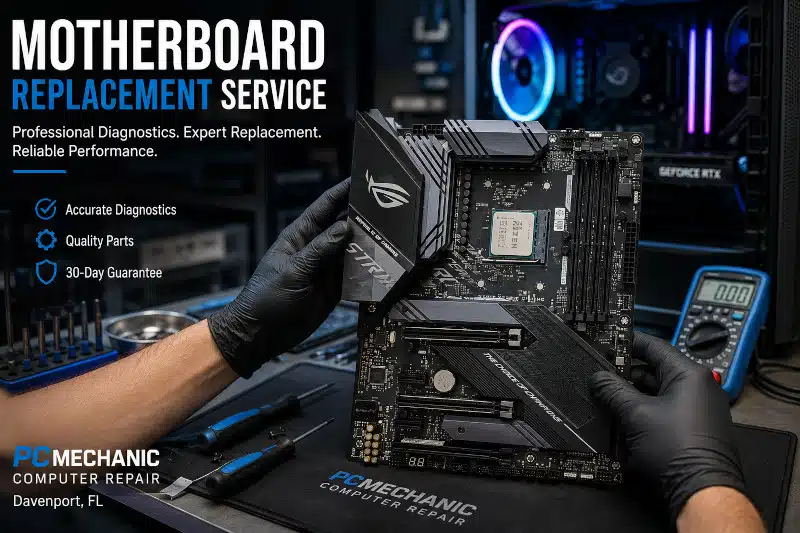
Once a compatible replacement motherboard has been selected, I carefully disassemble the system and transfer all compatible components to the new board.
The replacement process typically includes:
- Removing the failed motherboard
- Installing the replacement motherboard
- Reinstalling the processor
- Applying fresh thermal paste
- Reinstalling the CPU cooler
- Installing memory modules
- Connecting storage devices
- Reconnecting all power cables
- Configuring BIOS settings
- Performing stability testing
After installation, I verify that the computer boots correctly and that all hardware operates as expected before returning the system.
If your CPU cooler also requires replacement or an upgrade during the repair, my CPU Cooler Upgrade Service can improve cooling performance while the system is already disassembled.
Is It Worth Replacing a Motherboard?
In many situations, replacing the motherboard is more affordable than purchasing a new computer. However, the answer depends on several factors.
A replacement is often worthwhile if:
- The processor is still modern.
- The memory remains compatible.
- Storage devices are healthy.
- The overall computer meets your performance needs.
On the other hand, if several major components also require replacement, upgrading to a newer platform may be the better long-term investment.
During the diagnostic process, I’ll explain your available options so you can make an informed decision without unnecessary pressure.
Why Choose PCMechanic Computer Repair?
Since 2012, I’ve provided reliable computer repair services for residential customers and small home offices throughout Davenport and the surrounding communities.
When you choose PCMechanic Computer Repair, you receive:
- Honest hardware diagnostics
- One-on-one service from the owner
- Compatible motherboard recommendations
- Careful component installation
- Thorough hardware testing
- Clear communication throughout the repair
- A 30-day guarantee on completed repairs
Additionally, if another component fails during testing, I’ll explain the issue before performing any further work.
Prevent Future Hardware Problems
Although no motherboard lasts forever, regular maintenance can help extend your computer’s lifespan.
To help reduce future hardware failures, consider:
- Keeping dust out of the system
- Maintaining proper airflow
- Using a quality surge protector
- Monitoring system temperatures
- Replacing failing power supplies promptly
If your power supply is suspected during diagnostics, my Power Supply Replacement Service may resolve the issue without replacing the motherboard.
Think your motherboard has failed? Contact PCMechanic Computer Repair in Davenport, FL, today to schedule professional motherboard diagnostics and replacement service.

Frequently Asked Questions
How do I know if my motherboard has failed?
Common signs include no power, no display, repeated crashes, failed POST, or non-functioning USB ports. However, these symptoms can also be caused by other hardware problems. Therefore, professional diagnostics are recommended.
Can a motherboard be replaced?
Yes. On many desktop computers, replacing the motherboard is an effective way to restore functionality when it has failed.
Will replacing the motherboard erase my files?
No. Your files are stored on your hard drive or SSD, not on the motherboard. As long as your storage device remains healthy, your data should remain intact.
How long does a motherboard replacement take?
The repair time depends on motherboard availability and the system’s complexity. After diagnosing your computer, I’ll provide an estimated completion time.
Can gaming computer motherboards be replaced?
Yes. I replace motherboards in both standard desktop computers and custom gaming PCs while ensuring compatibility with your existing hardware whenever possible.
Is it better to replace the motherboard or buy a new computer?
It depends on your computer’s age, the condition of the remaining hardware, and your upgrade goals. I’ll explain the available options so you can choose the solution that offers the best value.
Schedule Your Motherboard Replacement Service
If your desktop computer or gaming PC won’t start, crashes unexpectedly, or shows signs of motherboard failure, don’t guess which component is causing the problem. Instead, let me perform a comprehensive diagnostic to accurately identify the issue.
Contact PCMechanic Computer Repair in Davenport, FL, today to schedule your motherboard replacement service and get your computer back up and running.