
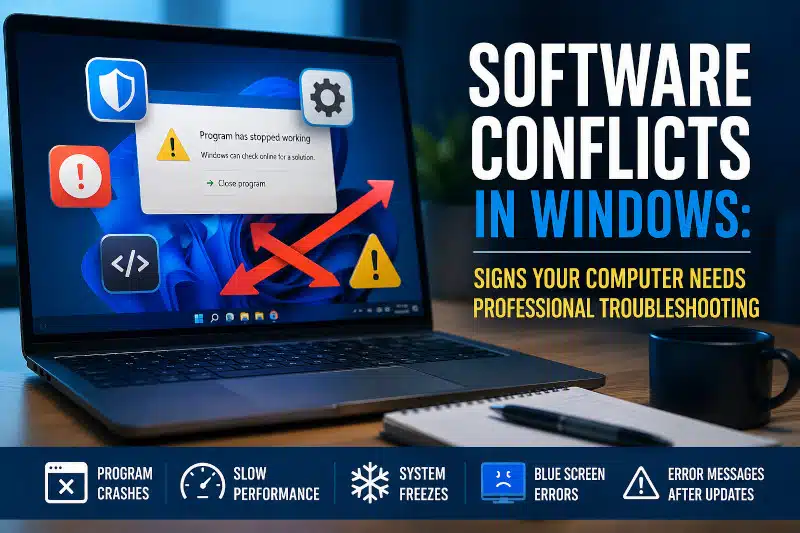
Software conflicts in Windows can cause programs to crash, freeze, or refuse to open properly. If you have noticed these problems, a software conflict may be the cause. While hardware failures often receive the blame, software conflicts frequently create frustrating issues that affect performance and stability.
Fortunately, identifying the source of the problem can restore normal operation. However, diagnosing software conflicts often requires a systematic approach. Therefore, understanding the warning signs can help you determine when professional troubleshooting may be needed.
What Are Software Conflicts in Windows?
A software conflict occurs when two or more programs, services, drivers, or background processes interfere with each other. As a result, Windows may behave unpredictably, causing errors, crashes, or slow performance.
For example, an antivirus application may conflict with another security program. Similarly, a newly installed driver could interfere with existing hardware drivers. In some cases, Windows updates may also create compatibility issues with older software.
Because these problems often occur behind the scenes, they can be difficult to identify without proper troubleshooting.
Common Signs of a Software Conflict
Software conflicts can appear in many different ways. However, some symptoms are more common than others.
Frequent Program Crashes
Applications that suddenly close without warning may be conflicting with background services or other installed software.
Slow Startup Times
If your computer takes significantly longer to start than it once did, excessive startup programs or software conflicts may be responsible.
System Freezes
Random freezing can occur when programs compete for system resources or when drivers fail to communicate properly with Windows.
Blue Screen Errors
Although blue screens are sometimes hardware-related, software conflicts and driver issues can also trigger system crashes.
Error Messages After Updates
If problems begin immediately after installing software or Windows updates, compatibility issues may be the underlying cause.
Additionally, malware infections can create symptoms that closely resemble software conflicts. Therefore, it is important to rule out malicious software during the diagnostic process. Learn more about my Computer Virus Removal Service if you suspect malware may be affecting your system.
What Causes Software Conflicts in Windows?
Several factors can contribute to software conflicts. Consequently, identifying the exact cause often requires detailed troubleshooting.
Multiple Security Programs
Running multiple antivirus or security applications simultaneously can create conflicts. As a result, system performance may suffer, and applications may become unstable.
Outdated Drivers
Device drivers act as translators between Windows and hardware components. However, outdated or corrupted drivers can cause communication failures and system instability.
Problematic Software Installations
Sometimes, newly installed applications introduce files or settings that interfere with existing programs. Therefore, problems often begin shortly after new software is added.
Windows Updates
While updates improve security and functionality, they occasionally create compatibility issues with older applications.
Malware and Unwanted Programs
Malicious software can modify system files, interfere with legitimate programs, and generate numerous errors. Consequently, malware should always be considered during troubleshooting. Additionally, routine maintenance can help reduce software issues before they become major problems.
How a Technician Diagnoses Software Conflicts
Professional troubleshooting involves more than simply uninstalling software. Instead, technicians use a structured process to isolate the root cause.
For example, diagnostic methods may include:
- Reviewing startup programs
- Checking Windows event logs
- Testing driver functionality
- Evaluating recent software installations
- Performing malware scans
- Monitoring system performance
- Using clean boot testing when appropriate
Although clean boot procedures can help isolate conflicts, they represent only one tool in a much larger troubleshooting process.
Furthermore, attempting extensive troubleshooting without proper knowledge can sometimes create additional issues. Therefore, professional diagnostics can often save significant time and frustration.
If your computer is running unusually slow, you may also find this article helpful: Slow Computer Performance: Why Your PC Is Lagging and How to Fix It.
When to Seek Professional Computer Repair
Some software issues can be resolved with basic troubleshooting. However, recurring crashes, persistent freezing, and startup failures often require deeper investigation.
You should consider professional assistance if:
- Problems continue after reinstalling the software
- Blue screen errors occur regularly
- Windows becomes unstable after updates
- Programs repeatedly fail to launch
- You suspect malware involvement
- Your computer becomes unusably slow
In addition, systems that no longer receive security updates may experience increased compatibility issues. Learn more by reading Unsupported Windows Operating System: Dangers of Not Upgrading.
Professional Computer Troubleshooting in Davenport, FL
Software conflicts can be frustrating and difficult to diagnose. Fortunately, I provide affordable computer troubleshooting services for residents and small home offices throughout Davenport, ChampionsGate, Haines City, Celebration, Kissimmee, Clermont, and Four Corners.
Whether your computer is crashing, freezing, running slowly, or displaying unusual errors, I can help identify the cause and recommend an effective solution. Learn more about my Computer Repair Service in Davenport, FL, and how I can help restore your computer’s performance and stability.
Contact PCMechanic Computer Repair in Davenport, FL, today to schedule professional computer troubleshooting services.

Frequently Asked Questions
What is a software conflict in Windows?
A software conflict occurs when two or more programs, drivers, or services interfere with each other. As a result, your computer may experience crashes, freezes, performance issues, or unexpected error messages.
Can software conflicts slow down my computer?
Yes. Software conflicts can consume system resources, increase startup times, and reduce overall performance. Consequently, your computer may feel sluggish even if the hardware is functioning properly.
Can malware cause software conflicts?
Absolutely. Malware can interfere with legitimate programs, modify system settings, and create symptoms similar to software conflicts. Therefore, malware scans are often part of the troubleshooting process.
Are software conflicts caused by Windows updates?
Sometimes. Although Windows updates generally improve security and reliability, certain updates may create compatibility issues with older applications or drivers.
How do technicians identify software conflicts?
Technicians use several diagnostic methods, including startup analysis, driver evaluation, malware scanning, event log reviews, and performance monitoring. Additionally, clean boot testing may be used to isolate problematic software.
Should I reinstall Windows to fix software conflicts?
Not necessarily. In many cases, the specific conflicting software, driver, or service can be identified and corrected without performing a full Windows reinstallation.
If software conflicts are causing crashes, freezes, or slow performance, contact PCMechanic Computer Repair in Davenport, FL, today for professional computer troubleshooting services.
terrific post, thanks for writing this