A slow computer can make even simple tasks frustrating. Programs take longer to load, web browsers become sluggish, and multitasking feels impossible. While many factors can affect performance, insufficient memory is one of the most common causes.
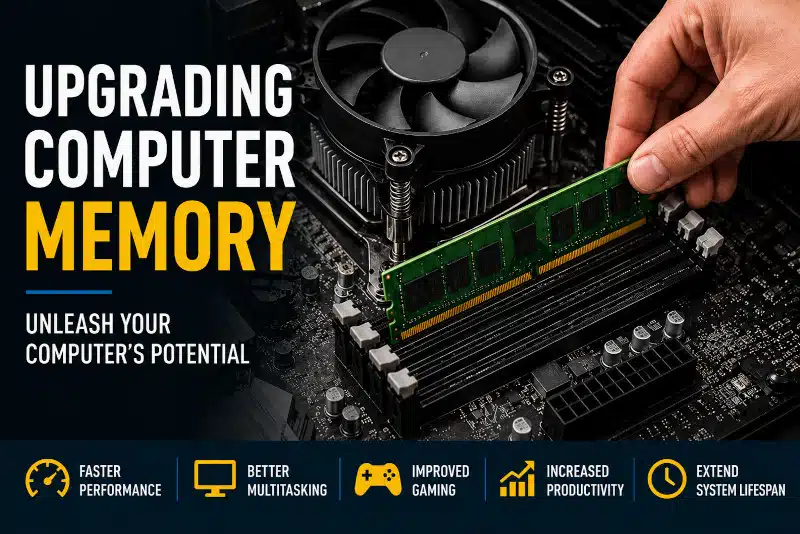
Upgrading computer memory, also known as RAM (Random Access Memory), is often one of the most cost-effective ways to improve performance. Whether you use your computer for work, gaming, content creation, or everyday browsing, a memory upgrade can help your system run more smoothly and efficiently.
In this guide, you’ll learn what RAM does, the benefits of upgrading computer memory, how much RAM you need, and when a memory upgrade is the right solution.
What Does Computer Memory (RAM) Do?
RAM is your computer’s short-term memory. It temporarily stores data that your operating system and applications actively use. The more RAM available, the more information your computer can access quickly without relying on slower storage devices.
Many people confuse RAM with storage. Storage devices such as SSDs and hard drives hold your files permanently, while RAM provides temporary workspace for running programs.
When your computer runs out of available memory, it begins using storage as virtual memory. Since even the fastest SSD is much slower than RAM, performance can decrease significantly.
Signs Your Computer Needs More RAM
If your computer struggles with everyday tasks, a memory upgrade may help. However, if performance issues persist after adding RAM, a professional computer tune-up service can identify other factors affecting system speed.
Common signs include:
- Slow performance when multiple applications are open
- Browser tabs are causing lag or freezing
- Long loading times for programs
- Frequent system slowdowns during multitasking
- High memory usage in Task Manager
- Delays when switching between applications
- Reduced gaming performance and stuttering
If you regularly experience these issues, upgrading computer memory may provide a noticeable improvement.
Benefits of Upgrading Computer Memory
Faster Overall Performance
Adding more RAM allows your computer to handle larger workloads without slowing down. Applications can access data more quickly, resulting in improved responsiveness.
While memory upgrades won’t solve every performance issue, they often eliminate bottlenecks that affect everyday computing.
Better Multitasking
Modern users rarely run just one application at a time. It’s common to have multiple browser tabs, email, spreadsheets, video calls, and productivity software open simultaneously.
Additional memory allows your system to manage these tasks more efficiently, reducing slowdowns.
Improved Gaming Experience
Many modern games recommend at least 16GB of RAM. Insufficient memory can lead to:
- Stuttering
- Texture loading delays
- Longer loading screens
- Reduced frame consistency
Gamers often experience smoother gameplay after upgrading RAM, especially when running background applications.
Increased Productivity
Creative professionals and business users frequently work with resource-intensive applications.
Programs used for:
- Photo editing
- Video editing
- CAD design
- 3D modeling
- Virtual machines
It can benefit significantly from additional memory.
Extended Computer Lifespan
A memory upgrade can help delay the need for a complete system replacement. Many computers still have capable processors and storage devices but struggle with limited RAM.
Increasing memory can make an older system feel substantially faster and more responsive.
Better Virtual Machine Performance
Virtual machines require dedicated memory allocations. If you run multiple operating systems or testing environments, additional RAM is often essential for acceptable performance.
How Much RAM Do You Need?
The ideal amount of RAM depends on how you use your computer.
| Usage Type | Recommended RAM |
| Basic web browsing and email | 8GB |
| Office work and productivity | 16GB |
| Gaming | 16GB to 32GB |
| Photo editing | 16GB to 32GB |
| Video editing | 32GB or more |
| Virtual machines and development | 32GB or more |
For most users today, 16GB provides an excellent balance between performance and affordability.
RAM Compatibility Matters
Before purchasing memory, compatibility must be verified.
Not all RAM modules work with every computer.
Important considerations include:
DDR4 vs DDR5
Modern computers typically use either DDR4 or DDR5 memory. These technologies are not interchangeable.
Installing the wrong type of memory will prevent your system from functioning properly.
Motherboard Limitations
Every motherboard supports a specific maximum amount of memory. Some systems support 32GB, while others support 64GB, 128GB, or more.
Understanding your motherboard’s capabilities is important before upgrading. If you’re unsure about your motherboard’s specifications, our guide to motherboard form factors explains how motherboard designs affect compatibility.
Memory Speed
RAM is available in various speeds. While faster memory can improve performance in some situations, compatibility remains more important than raw speed.
Laptop Upgrade Restrictions
Many newer laptops use soldered memory that cannot be upgraded. Others provide one or two memory slots for expansion.
Before purchasing memory, it’s important to verify whether your laptop supports upgrades.
When a RAM Upgrade Won’t Help
Although upgrading computer memory can improve performance, it is not always the solution.
You may have other issues if your computer suffers from:
Malware Infections
Malicious software can consume system resources and significantly reduce performance.
If you suspect malware, consider professional virus removal services before upgrading hardware.
Storage Bottlenecks
Computers that still use traditional hard drives often benefit more from an SSD upgrade than from additional RAM.
Overheating Problems
Excessive heat can cause processors to throttle performance.
If your laptop frequently gets hot, review our article on why laptops overheat to learn the potential causes.
Aging Processors
Some older systems become limited by processor performance rather than memory capacity.
System Stability Issues
Hardware failures can mimic memory-related problems. Unexpected crashes, freezes, and boot issues may indicate more serious problems. Understanding common causes of computer system failure can help identify underlying problems.
Desktop vs Laptop Memory Upgrades
Memory upgrades differ between desktops and laptops.
Desktop Computers
Desktop systems generally provide:
- Easier access to memory slots
- More upgrade flexibility
- Higher maximum capacities
- Better long-term expandability
Laptop Computers
Laptop upgrades can be more challenging because:
- Some models use soldered RAM
- Internal access may require significant disassembly
- Compatibility requirements vary by manufacturer
Professional installation can help prevent accidental damage and ensure compatibility.
Why Professional Memory Installation Matters
Installing RAM may seem simple, but compatibility issues can create unexpected problems.
At PCMechanic Computer Repair, we frequently assist customers who purchased incompatible memory or experienced boot issues after installation.
Professional service includes:
- Hardware diagnostics
- Compatibility verification
- Memory installation
- BIOS checks when necessary
- Stability testing
- Performance validation
In some cases, a BIOS update may be required to ensure proper hardware compatibility and system stability.
Computer Memory Upgrade Service in Davenport, FL
If your computer feels slow, upgrading computer memory may provide the performance boost you need.
PCMechanic Computer Repair provides memory upgrade services for desktop and laptop computers throughout Davenport, Florida, and surrounding communities. I diagnose performance issues, verify compatibility, install memory upgrades, and test systems to ensure reliable operation.
Whether you need additional RAM for gaming, business productivity, content creation, or general performance improvements, I can help you determine the best upgrade path for your system.
If your system requires diagnostics beyond a memory upgrade, our computer repair services can identify hardware and software issues affecting performance.
Contact PCMechanic Computer Repair today to schedule a diagnostic appointment and discover whether a memory upgrade can improve your computer’s performance.

Frequently Asked Questions
How do I know if I need more RAM?
If your computer slows down when running multiple applications, freezes during multitasking, or consistently shows high memory usage, you may benefit from additional RAM.
Is upgrading RAM worth it?
In many cases, yes. A memory upgrade is often one of the most affordable ways to improve computer performance and extend a system’s useful life.
Will adding RAM make my computer faster?
Additional RAM can improve responsiveness, multitasking, and overall performance when insufficient memory is causing slowdowns.
Can I mix different RAM sizes?
Some systems support mixed memory capacities, but using matched modules typically provides the best stability and performance.
How much RAM do I need for gaming?
Most modern games perform well with 16GB of RAM. High-end gaming, streaming, and content creation may benefit from 32 GB of RAM.
Can laptop memory be upgraded?
Some laptops support memory upgrades, while others use permanently soldered RAM. Compatibility should always be verified before purchasing upgrades.
What is the difference between RAM and storage?
RAM provides temporary workspace for active programs, while storage devices such as SSDs and hard drives permanently store files and applications.
A memory upgrade is often one of the most affordable ways to improve computer performance. If you’re unsure whether additional RAM is the right solution, contact PCMechanic Computer Repair today for professional diagnostics and upgrade recommendations.